BPswitch Operators Manual
240 / 413
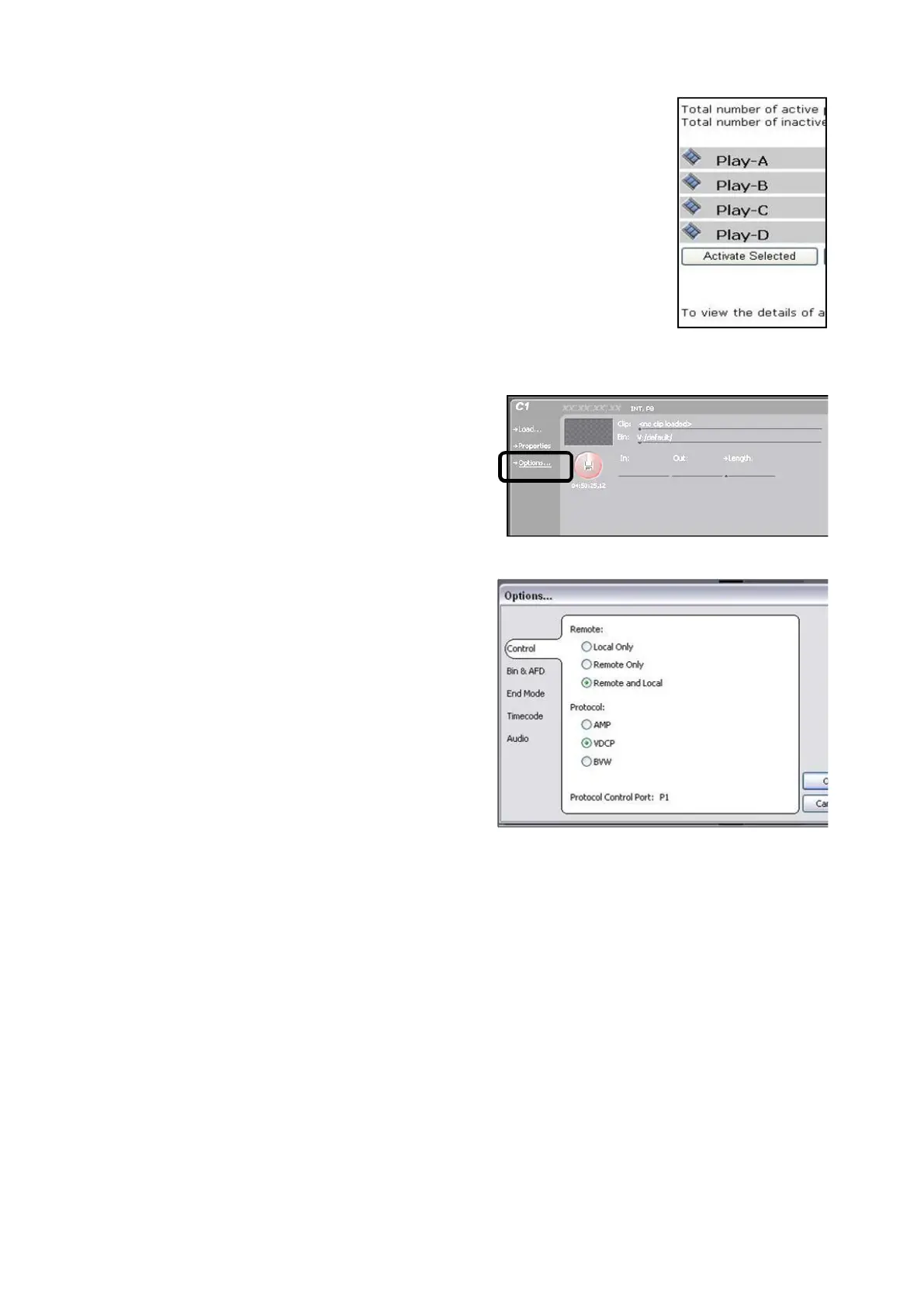
Active the modified players by playing
a check mark next to each player and
click on the Active Selected button,
as shown on the right.
Grass Valley K2 Configuration:
On Grass Valley K2 Server, launch the
AppCenter from the desktop and logon
with the K2 administrator account.
For each Channel (C1-C4) click on the
Options… link in the player section, as
shown on the right.
In the Options window, click on the
Control menu.
Under the Remote: section, click either
the Remote or Remote and Local radio
button, as shown on the right.
Use Remote only if you want complete
automation and no local override.
Under the Protocol: section click on the
VDCP radio button.
Click on the OK button to apply the
changes.
Repeat steps 2 – 6 for each channel.
Verifying Installation of External DDR Software
It may be necessary to ensure that the Edge Port RS-422 hub is
installed/configured properly. To verify you must use the Edgeport Configuration
Utility, which was installed on your Server at the factory.
To access the utility go to the Start Menu in Windows, select All Programs,
followed by Digi USB, then Edgeport Configuration Utility. This will bring up the
window below. If this utility is not installed on your Server, contact technical



 To Next Page