BPswitch Operators Manual
369 / 413
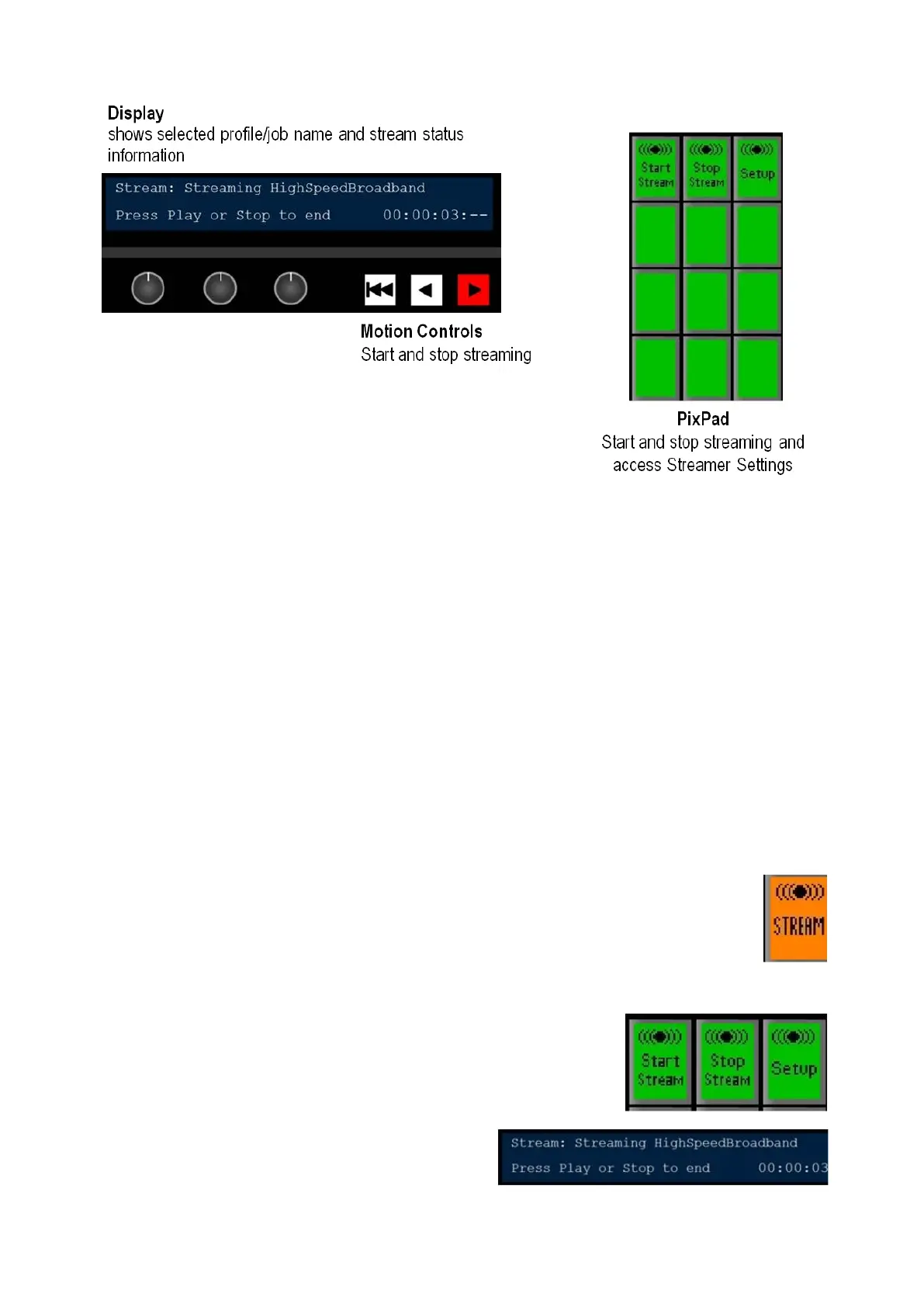
When you press the Stream Control PixButton, the active profile or job will appear.
The display indicates 4 pieces of information:
1.
The top left corner always shows that the Stream device is currently assigned
to the panel’s bank of device controls.
2.
Streaming or Ready to Stream on the top line gives status information with
the profile or job name after it. In this case, High Speed Broadband.
3. The bottom left side indicates how to stop or start the stream.
4.
The bottom right side displays a timecode counter for the selected stream.
When streaming HH:MM:SS:-- is displayed, when stopped HH:MM:SS:FF is
displayed
Controlling a Stream
To start streaming:
In Device Control section, select the
[Stream] PixButton, it will illuminate
orange, as shown on the right.
The display will show the selected profile
or job.
The PixPad will change showing the
available controls. Select the [Start
Stream] PixButton, as shown on the
right.
The display will update with the words
Streaming, the counter will start to
advance and the [>] motion control



 To Next Page