BPswitch Operators Manual
76 / 413
It is important to set your Windows desktop settings prior to starting the Broadcast
Pix Switcher application. It is not advised to change the desktop resolutions while
the application is running. Be advised that some large LCD/Plasma monitors do
not accept high resolutions on the VGA input, but do on a HDMI input. A DVI to
HDMI cable or converter may be necessary, refer to your monitors user’s manual
for more information.
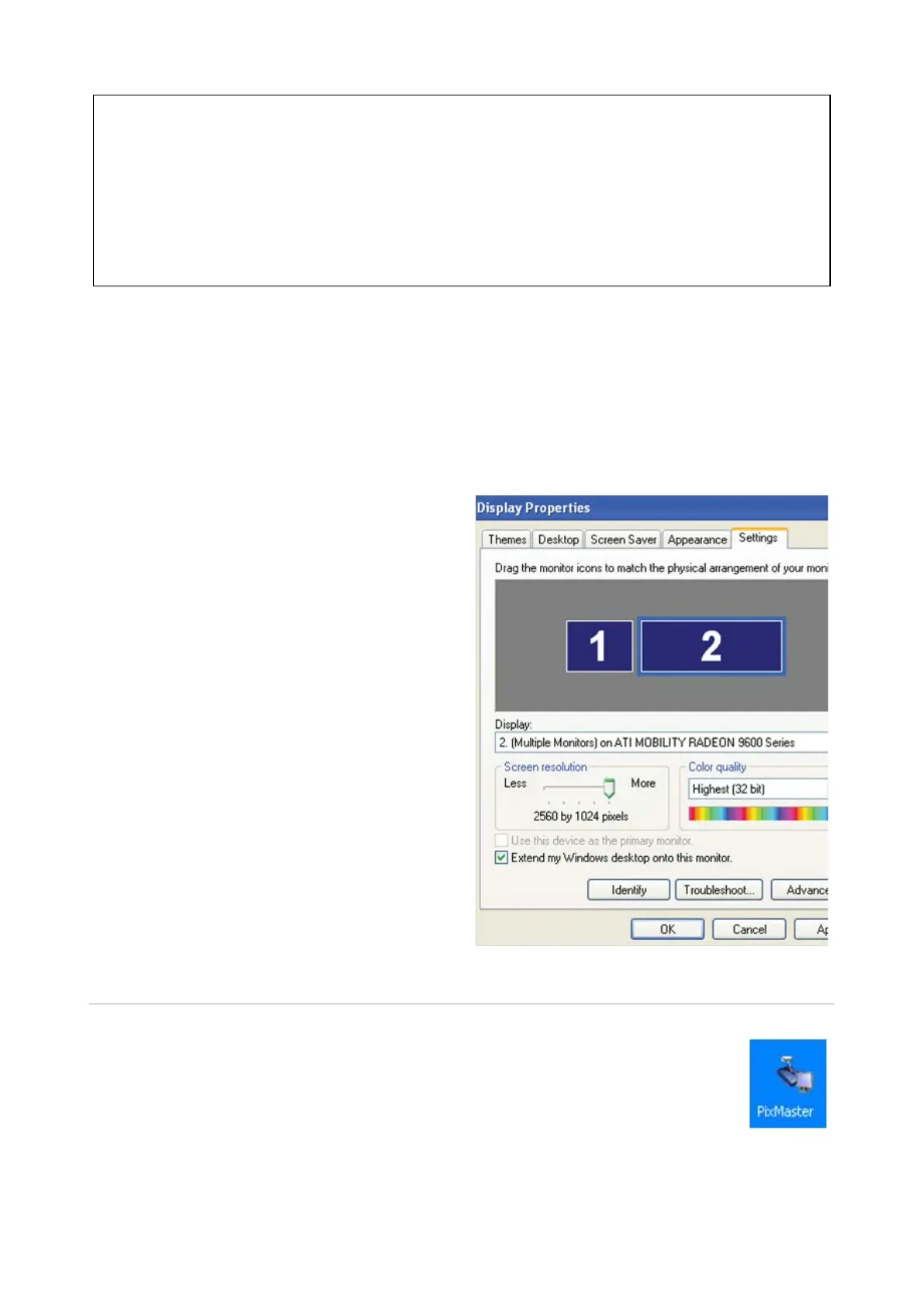
Adjusting the Windows Desktop Screen Resolution
Right-Click on any blank area of the
Windows desktop of the computer
(again making sure that BPswitcher
is not running).
Select Properties from the pop up
menu. This will bring up the Display
Properties Window.
Select the Settings tab, as shown.
Select the monitor which you want to
modify, and in the Screen
Resolution section select the
appropriate setting for your monitor.
Select OK to save your changes.
PixMaster Show Editor
The Broadcast Pix System is designed for the real-time production of
live shows to a live audience, or recorded live for viewing later on DVD
or other medium. In both scenarios, the PixMaster show editor delivers
comprehensive pre-production capabilities, enabling you to stage all of
your assets for a smooth production experience. As with most other
endeavors, the more preparation, the better.



 To Next Page