BPswitch Operators Manual
321 / 413
Click on the OK button in the System
Settings window to close it.
Selecting Streamer Control in a Production
To assign the device controls to Streamer Control:
Press the [ViewCast] wildcard button in the Device Select (either A/B/C) and it will
illuminate orange and the following device controls will be appear.
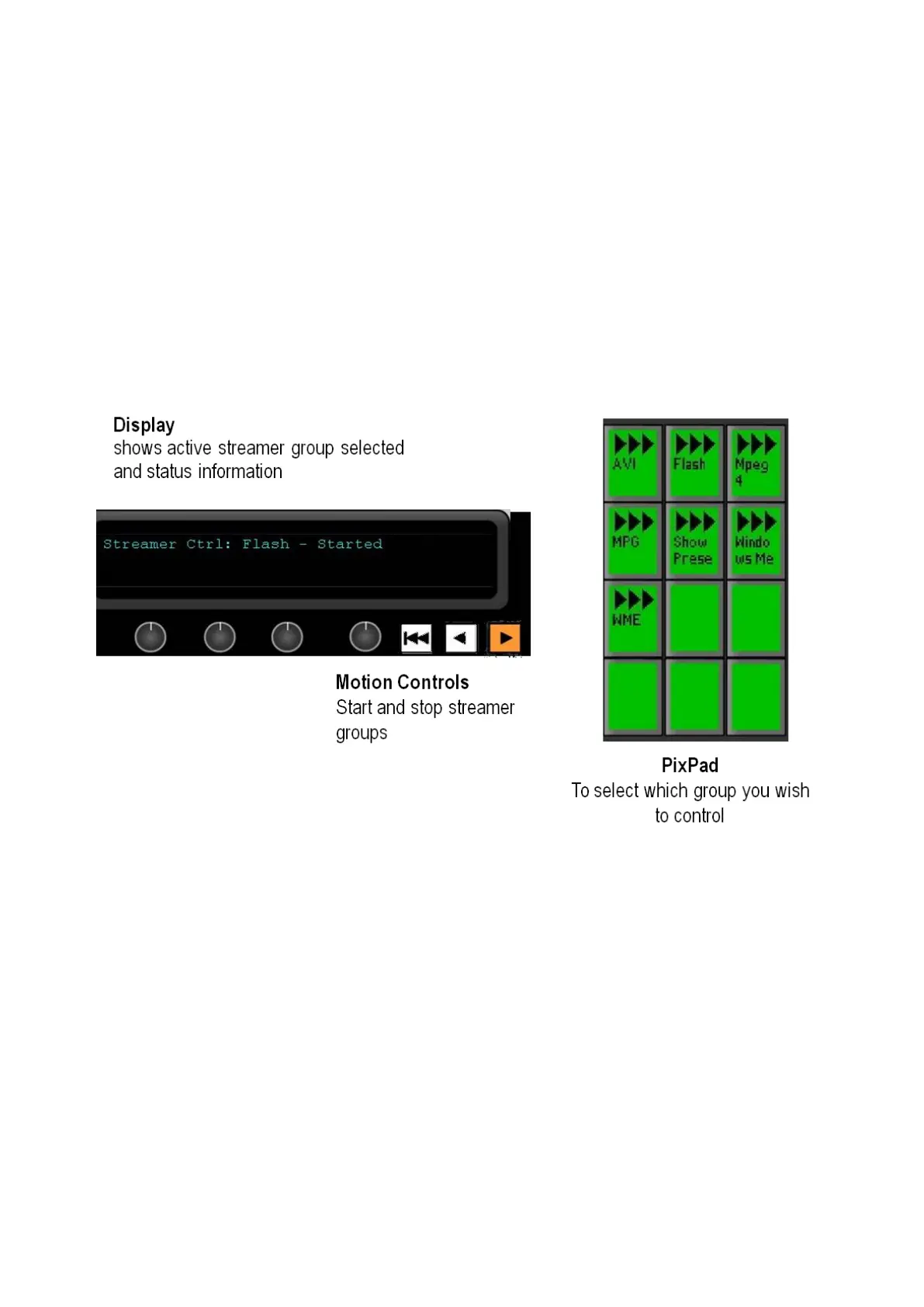
Streamer device controls:
When you press the Streamer Control PixButton, the active group will be
whichever streamer group was last used, or the first (top left) group if you are just
starting.
To select a different group to control, press the [Group name] PixButton in the
PixPad.
The display indicates 3 pieces of information:
1.
The top left corner always shows the device currently assigned to the panel’s
bank of device controls. In this case, the words Streamer Ctrl indicate that
they are set to streamer control.
2.
Flash indicates the assigned group name and that it is the streamer group now
being controlled.
3.
The right side displays status information for the selected group, if it’s Started,



 To Next Page