BPswitch Operators Manual
323 / 413
and Blackmagic Hyperdeck recorders, over a TCP/IP connection. Up to 12
decks/units may be controlled by Broadcast Pix, controllable functions include
selecting recorded clips by clip name on the PixPad to play/fast forward/reverse
and starting and stopping new clip recordings. All device configurations and record
settings are done on the KiPro or Hyperdeck or through its web interface. For
more information on how to configure and operate the KiPro or Hyperdeck, please
refer to their manual. As an option, PixPlay can be added to allow for affordable
instant replay/review using these decks.
NOTE: Clip selection from the KiPro is delayed, as each clip must be cycled
through. This KiPro control is not intended for hot-punching of clips on air, rather
it’s for selecting clips for review after a record or selecting clips in preview prior to
taking them to air. Clips appear on the PixPad in the order in which they are
stored/recorded on the KiPro.
Installing Deck Control
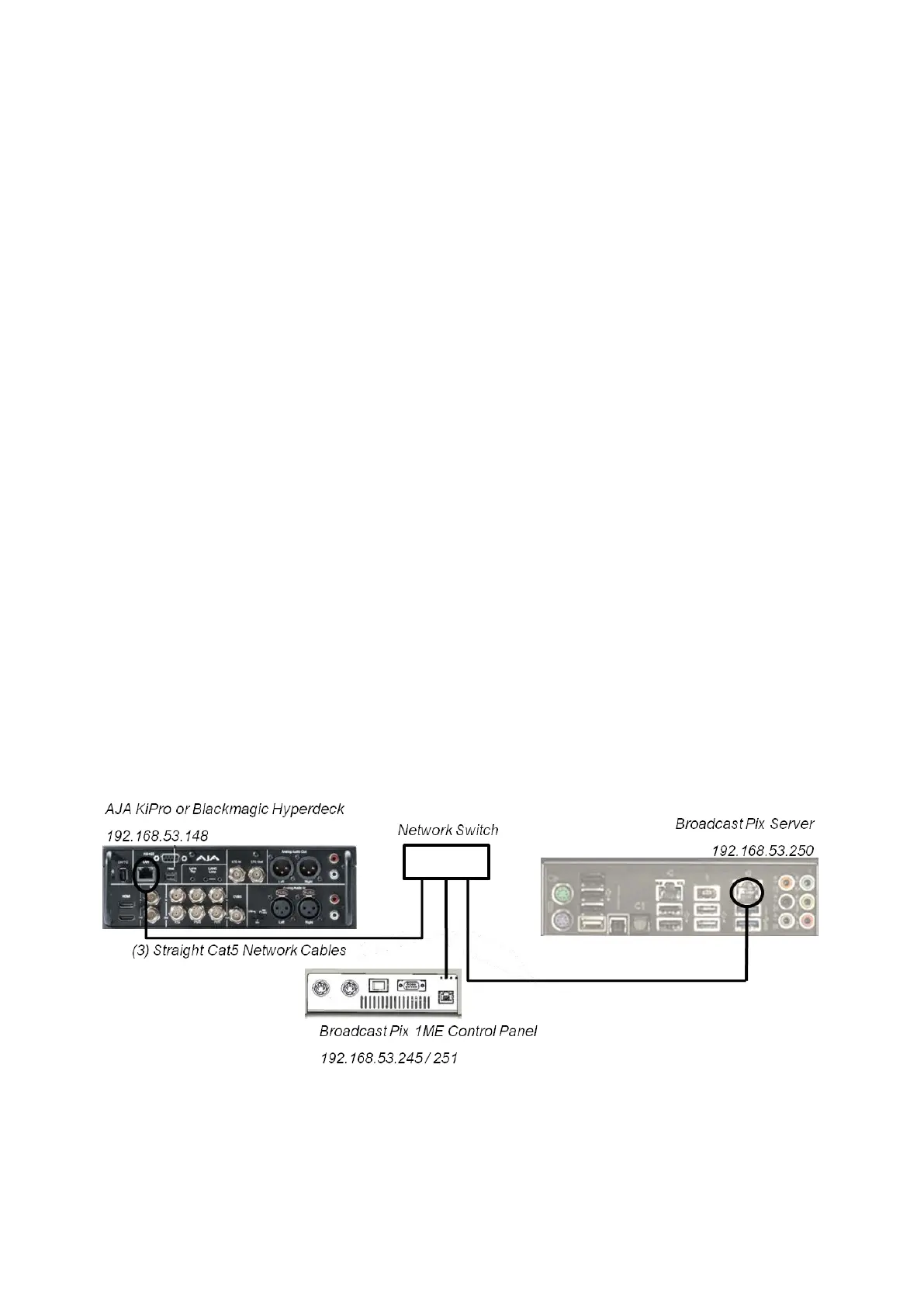
Control of each deck is through individual Cat5 – TCP/IP connections to each
device. The control can either be connected to the Broadcast Pix Control network
card (with the Server and panel) using a network hub or on the secondary network
card with your ‘house’ network, using a crossover cable (if connecting only one
deck) or a network hub with straight through cables if connecting to more network
devices.
If connecting to the Broadcast Pix Control (NIC 2 on the Server as shown below),
the 192.168.53.XXX subnet must be used. If using the other NIC card, it may be
configured with custom network settings.
To configure the KiPro with a valid IP address you may use the front on screen
controls, please refer to the KiPro manual on how to change the default Static IP
address.
Adding Deck Control to a Show
Once installation is complete, you must now add the device to a show using one of
the six wildcard devices on the switcher.



 To Next Page