BPswitch Operators Manual
219 / 413
NOTE: To select a clip by number, the clip file name must have digits in front of the name, i.e. “02
Open”.
Selecting a Clip with the Multi-View
It may be desired in some situations to select library elements with the mouse or
touch screen, rather then using panel buttons. All the modifiers described in this
section may be controlled from the Control Panel or the Multi-View PixPad.
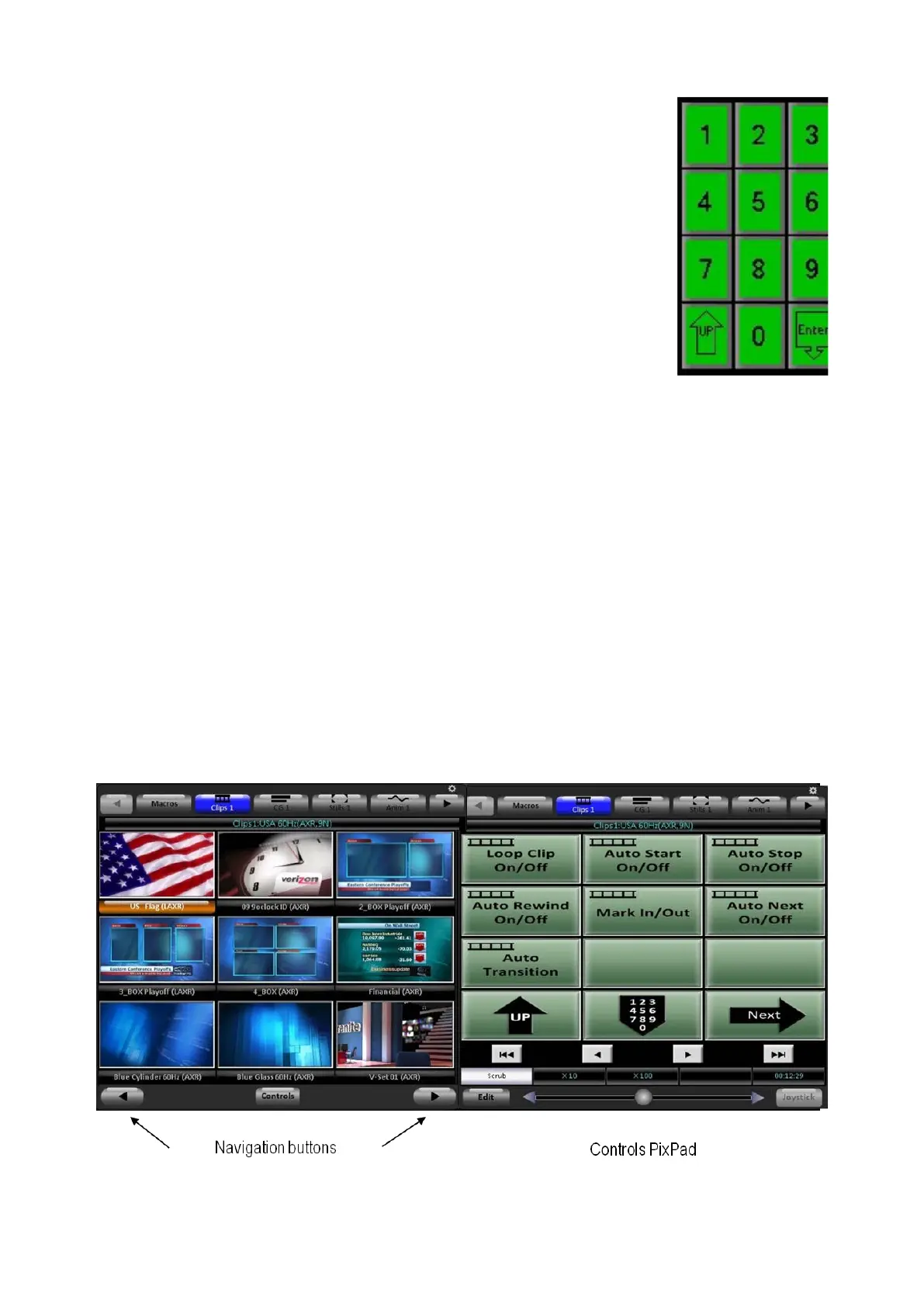
To select a clip with the mouse, simply click-on its Thumbnail in the PixPad on
the Multi-View.
To select a clip not currently shown on the Multi-View, use the navigation
buttons at the bottom of the PixPad, the left and right arrows.
To modify clip settings click on the Controls button to bring up the Clip Controls
PixPad, as shown below.



 To Next Page