BPswitch Operators Manual
316 / 413
more commands or simply click on
the Update Command button to
move the command to the On-
Air or
Off-Air column
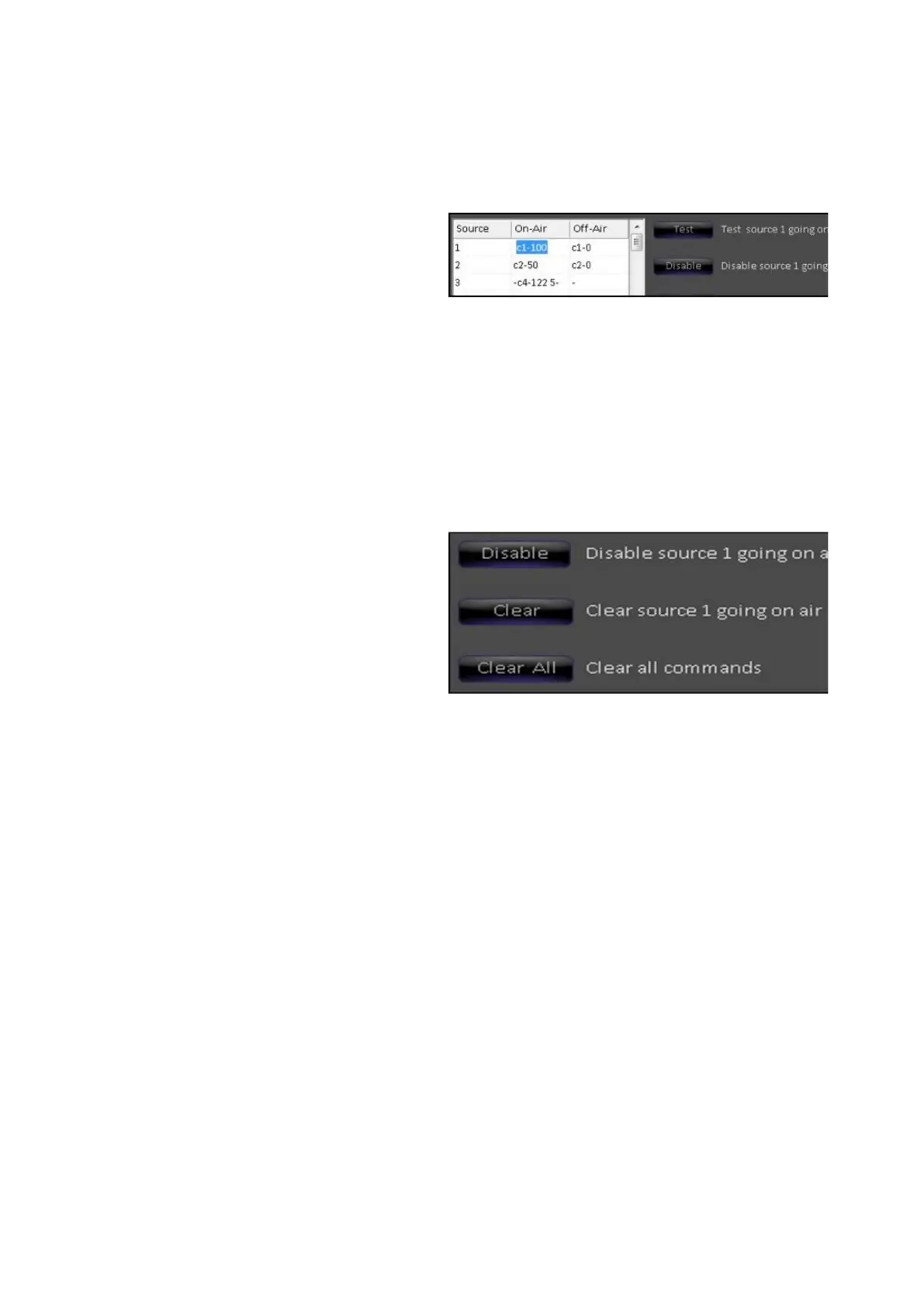
It is recommended to test these
commands by first selecting the
desired table entry and then
clicking on the Test button, as
shown on the right.
As commands are sent to the audio
mixer, they are displayed in the
header of the Audio
Follow window.
If everything is connected and
programmed properly, the
commands should be noticed on
the audio mixer.
Sometimes it is desirable to disable
a command temporarily, without
losing its settings.
This can be accomplished by
pressing the Disable button, as
shown on the right. Disabled
commands are shown in the table
with leading minus signs ‘-’. When
a command is disabled you may
still have the option to test the
command. To reactivate the
settings, click on the Enable
button.
Buttons are also provided for
permanently clearing a table entry
Clear and clearing all table entries
Clear All. Note these functions are
not undoable. Information will be
lost when the buttons are selected.
Audio-Follow Operation
Once set up, operation is completely automatic. Whenever a source goes on or
off Program, the appropriate command (or commands) is (are) sent. On the
control panel and the Multi-View, when sources tally red they are on program and
the commands are triggered. The Audio Follow setup window can be closed, but
commands will continue to be sent.



 To Next Page