sources are off air.
For example, if you had an
interview with 2 cameras and 1
microphone, you could have both
camera sources tied to each other
so when you transition between the
2 angles the audio does not go off
air. The audio would go off air when
a different source is transitioned to
Program.
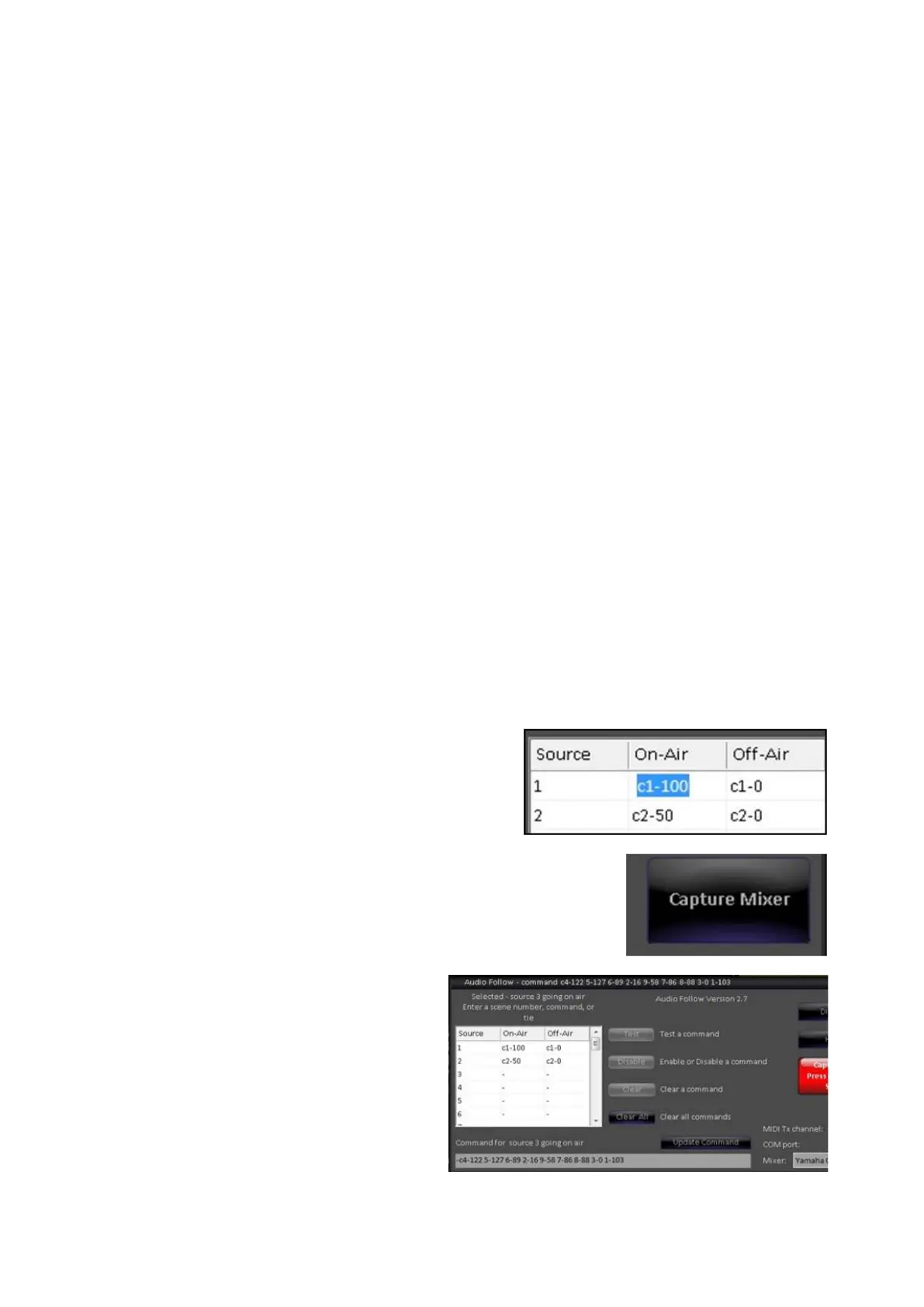
To tie a video source to another
video source, simply type: t and
the number of the other source
(i.e. t1), as shown on the right.
When one column is set to be tied,
the other column will automatically
get tied as well.
To assist with the programming of
commands without knowing
command numbers, especially
when using control changes,
adjustments can be made directly
on the audio mixer and then
captured by the Audio Follow
window.
In the Audio Follow window, click
on the desired channel number in
the either On-Air or Off-Air grid, as
shown on the right.
Click on the Capture Mixer button,
it will illuminate red, as shown on
the right.
On the audio mixer, adjust the
desired control settings. As settings
are changed, the text box will
populate all the commands.
When complete, click on the red
Capture On Press Again to Stop
button.
You may either manually enter



 To Next Page