BPswitch Operators Manual
118 / 413
system-wide settings every show will be impacted.
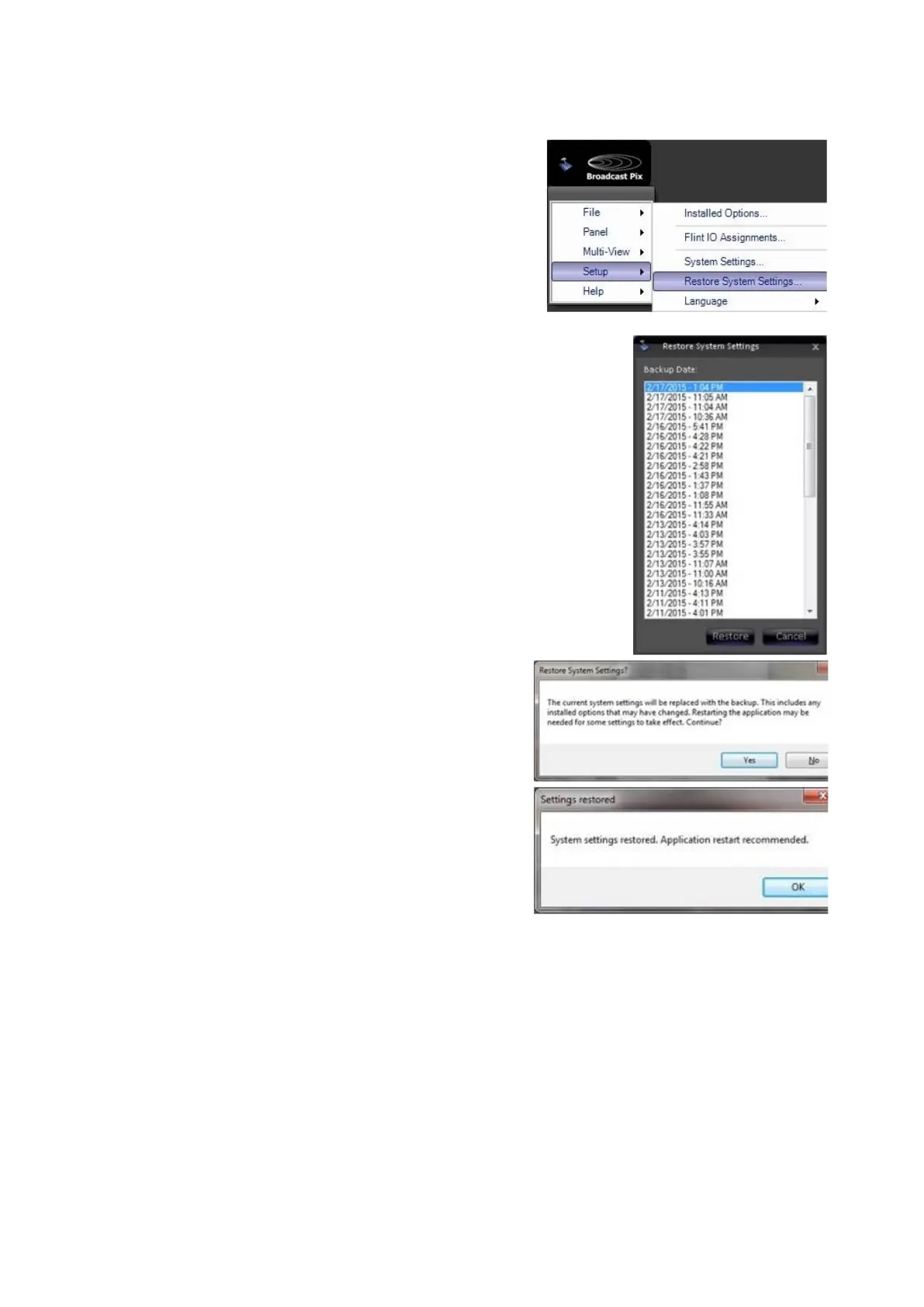
In BPswitcher, click on Broadcast Pix
menu icon, select the Setup menu and
select Restore System Settings…, as
shown on the right.
In the Restore System Settings window, a
list of all the saved backup versions will
appear.
Select a date, as shown on the right.
Click on the Restore button.
A Restore System Settings warning will
appear. Click on the Yes button, as shown
on the right.
Once complete, a Settings restored window
will appear, as shown on the right. Click on
the OK button and restart the application.
Exporting a Show
As shows are crafted and multiple shows are created, it may become necessary to
backup shows for protection, to free up hard drive space or export shows to
another Broadcast Pix system. The Show Export Utility allows for shows, their
settings and any associated content to be exported to one zip file for easy backup
and transfer.
In BPswitcher, click on Broadcast Pix menu
icon, select the File menu and select Export
Show…, as shown on the right.



 To Next Page