BPswitch Operators Manual
269 / 413
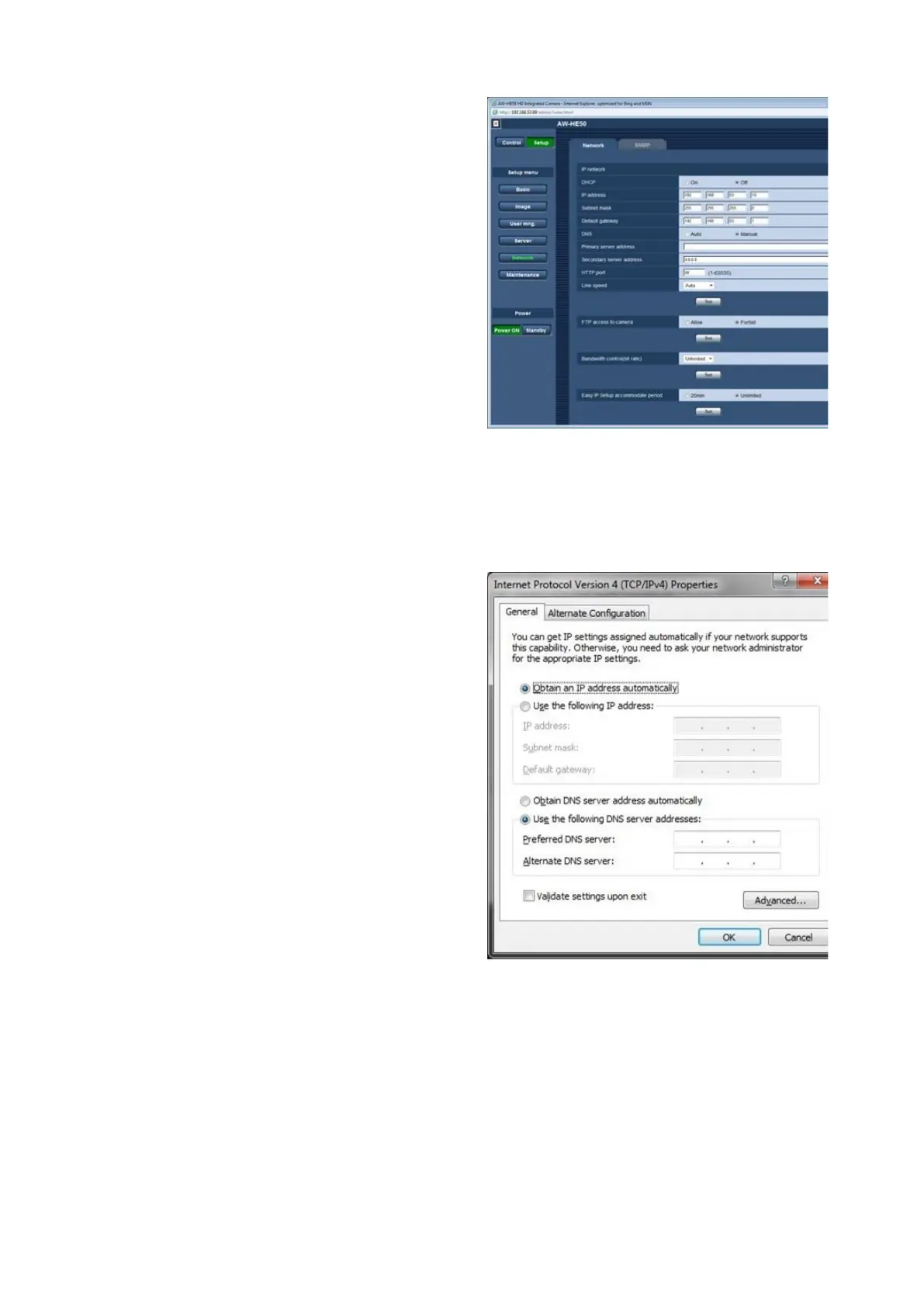
Click on the Set button (below the
Line speed text box) to save the
settings.
The page will refresh and the camera
will automatically power off. Please
wait up to 2 minutes for the camera to
cycle back on.
Plug in each additional camera and
repeat steps 8 – 17 above, ensuring
to setup each additional camera
individually using different IP
addresses.
Once all the cameras have been
configured, close all the open web
browsers and navigate back to the
TCP/IPv4 Properties window following
steps 1 – 5 above.
In the Properties window, click on the
Obtain an IP address automatically
radio button, as shown on the right.
Click on the OK button and close all
open Network windows.
Installation of Telemetrics Camera Systems
The Broadcast Pix system can control the full line of Telemetrics camera systems,
including the PT-CP-S4, Televator and TeleGlide. Broadcast Pix offers basic
support for Telemetrics Systems. For detailed wiring information and technical
support, contact Telemetrics, Inc. at +1-201-848-9818.
There are 2 main ways to configure a Telemetrics systems with Broadcast Pix
control:



 To Next Page