BPswitch Operators Manual
268 / 413
correctly, as shown on the right.
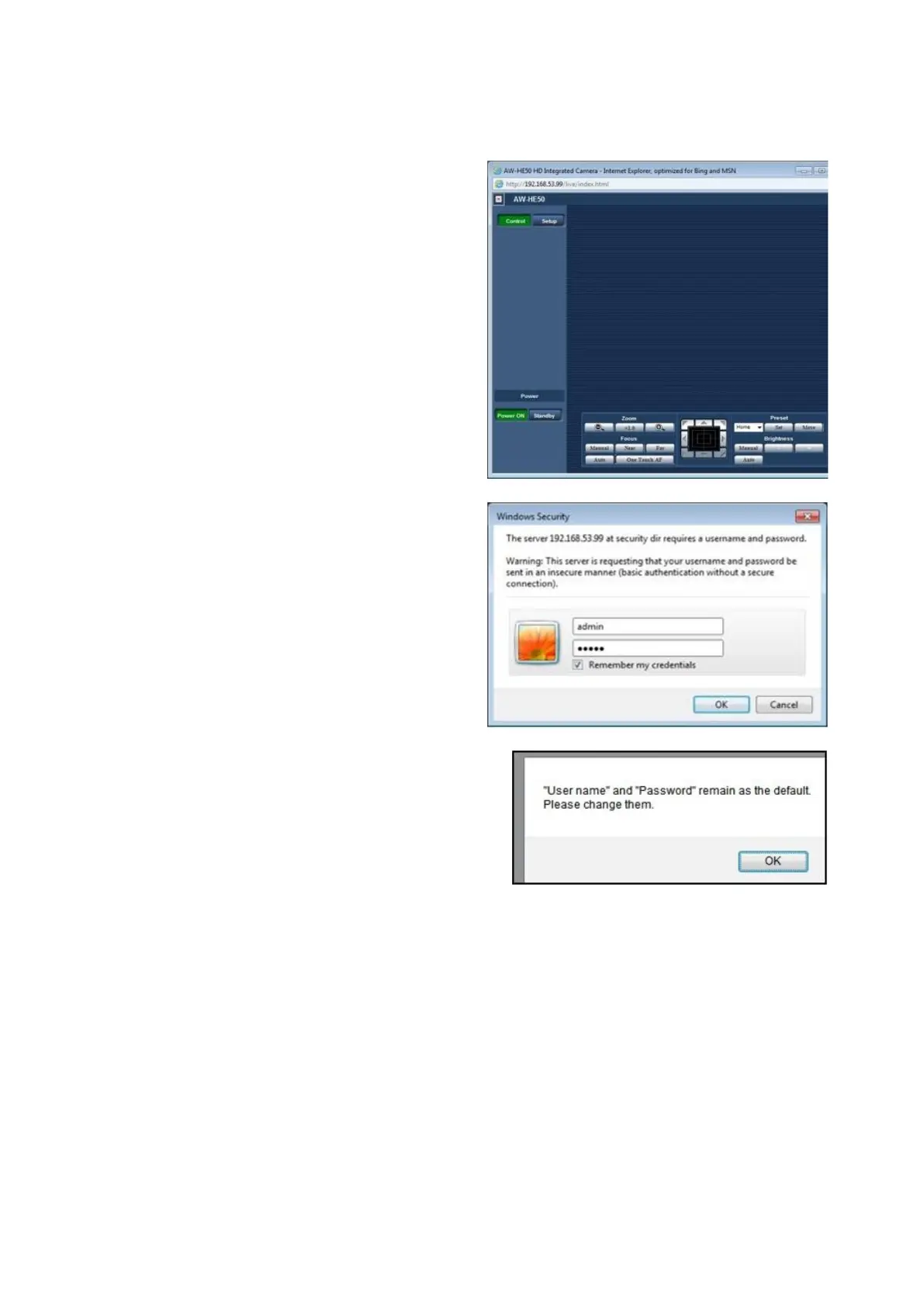
Click on the Setup button on the left
had side of the web browser, as
shown on the right.
A Windows Security screen will
appear, enter the following credentials
Username: admin (all lowercase)
Password: 12345
Click on the OK button, as shown on
the right.
A pop-up message will appear, click
on the OK button, as shown on the
right.
Click on the Network button on the
right side of the web browser, as
shown on the right.
In the Network tab enter the address
192.168.53.10 in the IP Address text
box.
Note: Any IP address in the
192.168.53.XXX subnet may be used,
as long as no other device (including
Broadcast Pix Control Panels) has
that IP address.



 To Next Page