BPswitch Operators Manual
267 / 413
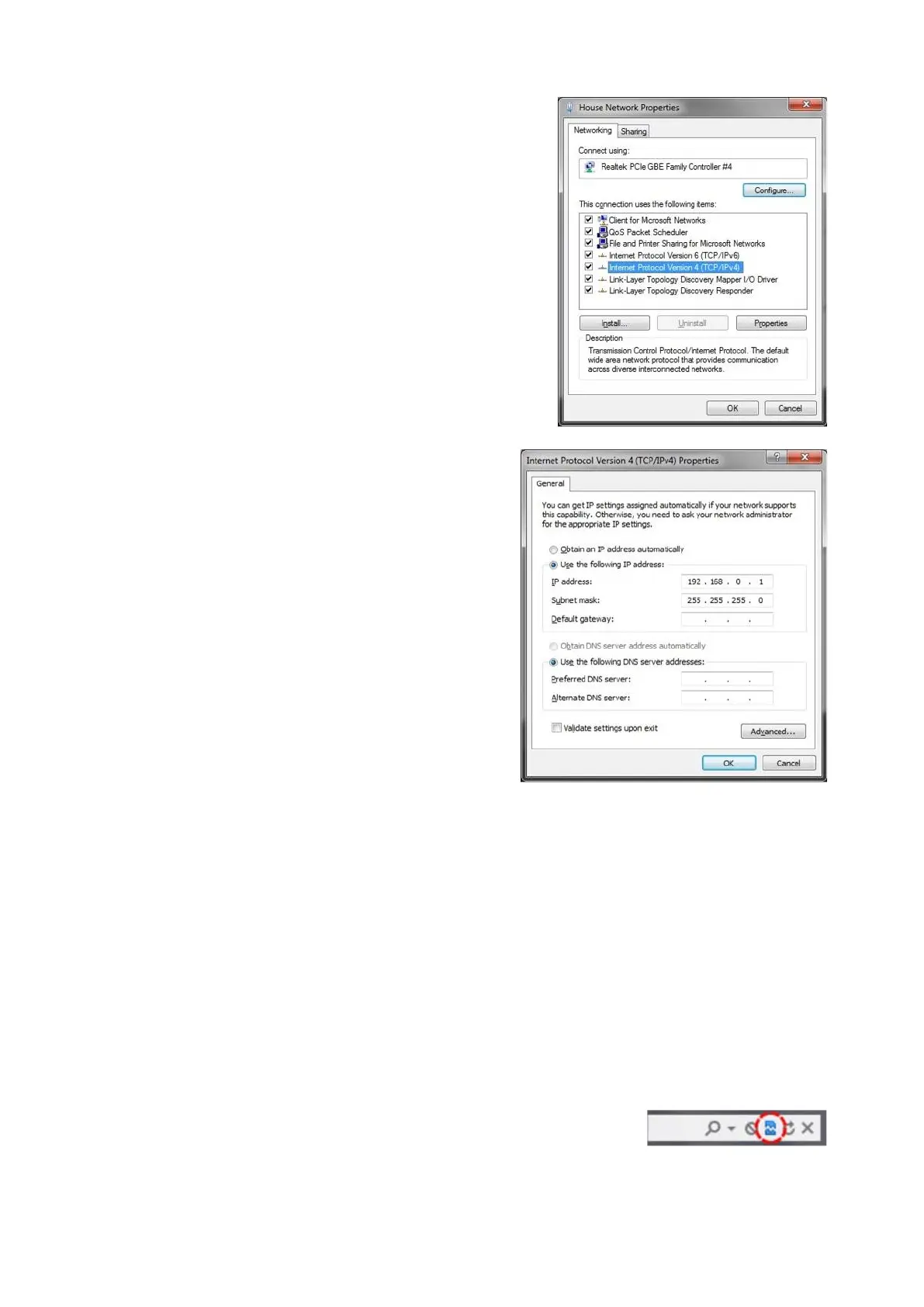
In the Properties window that
appears, double-click on the Internet
Protocol Version 4 (TCP/IPv4) item,
as shown on the right.
In the TCP/IPv4 Properties window,
click on the Use the following IP
address radio button.
In the IP address: text box enter the
following address 192 168 0 1
In the Subnet mask: text box enter the
following address 255 255 255 0 as
shown on the right.
Ensure that your IP Panasonic
camera is powered on and connected
to the system you are configuring
with. Only connect 1 camera at a
time, as a network conflict may occur
otherwise.
Navigate to a web browser, Start
Menu, Google Chrome.
In the address bar, type in the
address 192.168.0.10 and press
Enter on the keyboard.
The Panasonic settings window will
appear, ensure to click on the
Compatibility View icon to the right of
the address bar to view the webpage



 To Next Page