BPswitch Operators Manual
330 / 413
The clip will fast forward at 8X speed.
Select the [Fast Fwd] PixButton again.
The clip will fast forward at 16X speed.
When the clip reaches the start of the clip, rewind will stop.
To pause the clip from fast forwarding, select the [>] motion control
button.
Deck Control Settings - topic heading same
Engineering settings can be modified through the Deck Settings window, which is
accessible from the PixPad. Settings include changing record settings, format
settings and playback setting.
To adjust Deck Settings:
On the Controls PixPad select the [Deck
Settings] PixButton, as shown on the
right.
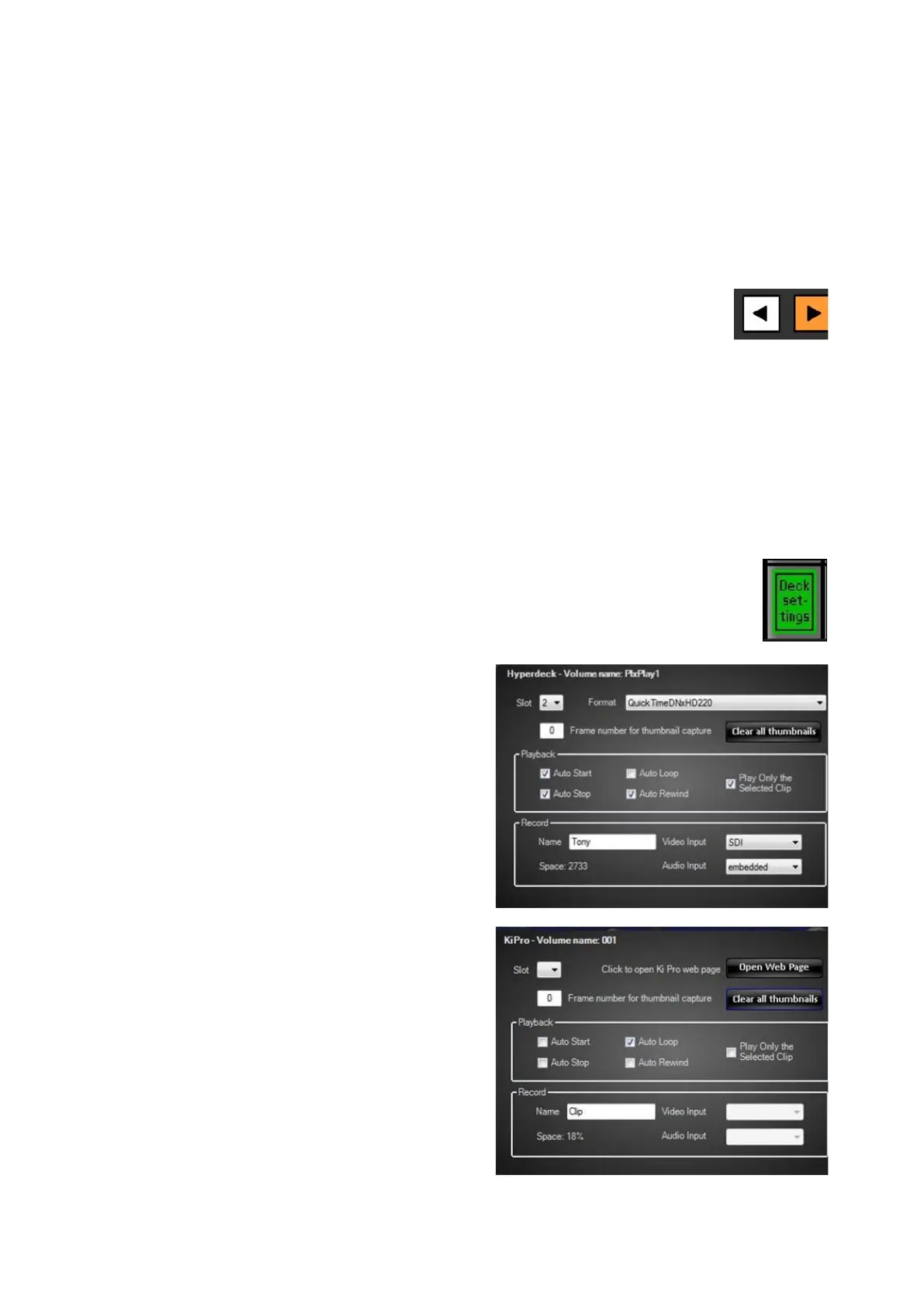
The Deck Settings menu will appear, as
shown on the right.
Note that the KiPro and Hyperdeck
menus are slightly different based on the
available features on the specific deck.
Under the Format drop down menu,
select the desired codec for recording
and playback.
Only clips with the selected codec will be
visible in the Clips list and be allowed to
playback.
In the Playback section, apply Auto
Start, Auto Stop, Auto Loop and/or
Auto Rewind attributes, which will be
applied for all clips.
To only play one clip at a time instead of
the entire timeline on disk, select the
Play Only the Selected Clip check box.



 To Next Page