BPswitch Operators Manual
235 / 413
Optional Remote Control of an External DDR
Optional control of a remote DDR may be added to the system, to enable the
control panel to control up to four channels of an external DDR, by using the Louth
VDCP protocol. The option includes software and an Edge Port RS-422 hub. It
has been thoroughly tested with an ImageServer from 360 Systems, Nexio from
Harris and Mediadeck from Omneon, it may also work with other servers that
support the VDCP protocol, however it’s not supported.
Installing the External DDR Control Option
If the option was ordered as part of the system, then the software in already
installed. Otherwise the proper Option Control must be installed, see
Installing System Options.
Make up RS-422 cables for each of up to the three channels. These cables
require the following wiring:
Male DB-9
360 ImageServer
Harris Nexio
Female DB-9
Edge Port 4iRS-422
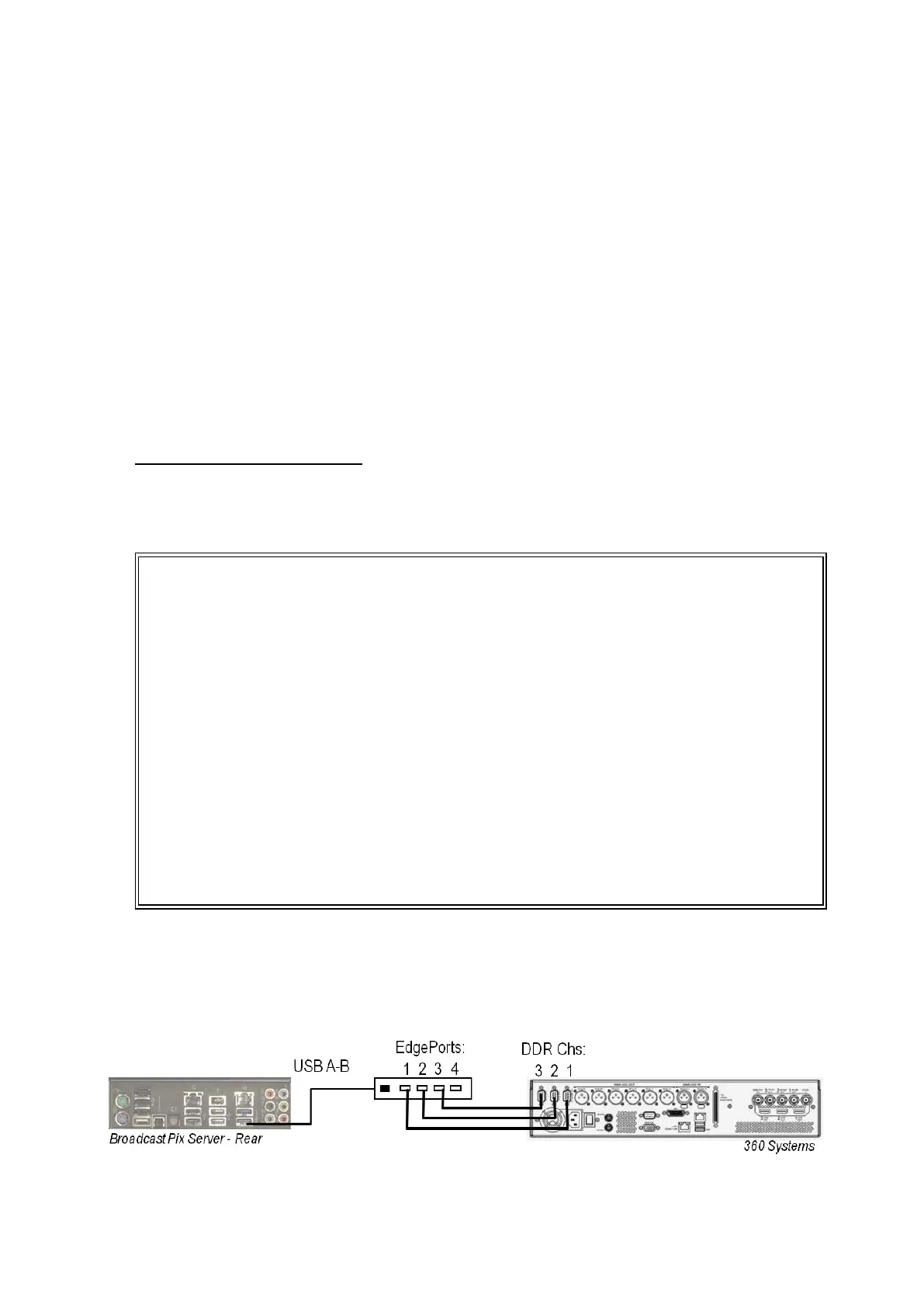
Attach the included Edge Port 422 Hub to a USB port on the Broadcast Pix
Server. Then attach the 422 cables from the Edge Port to each channel of
the DDR that you wish to control, as shown below, ensuring that you align
Channel 1 with Port 1, Channel 2 with Port 2 and Channel 3 with Port 3.
Ensure that the external DDR is set to be controlled remotely/serially using
the VDCP protocol. Please refer to the 360, Nexio, Omneon manual for



 To Next Page