BPswitch Operators Manual
236 / 413
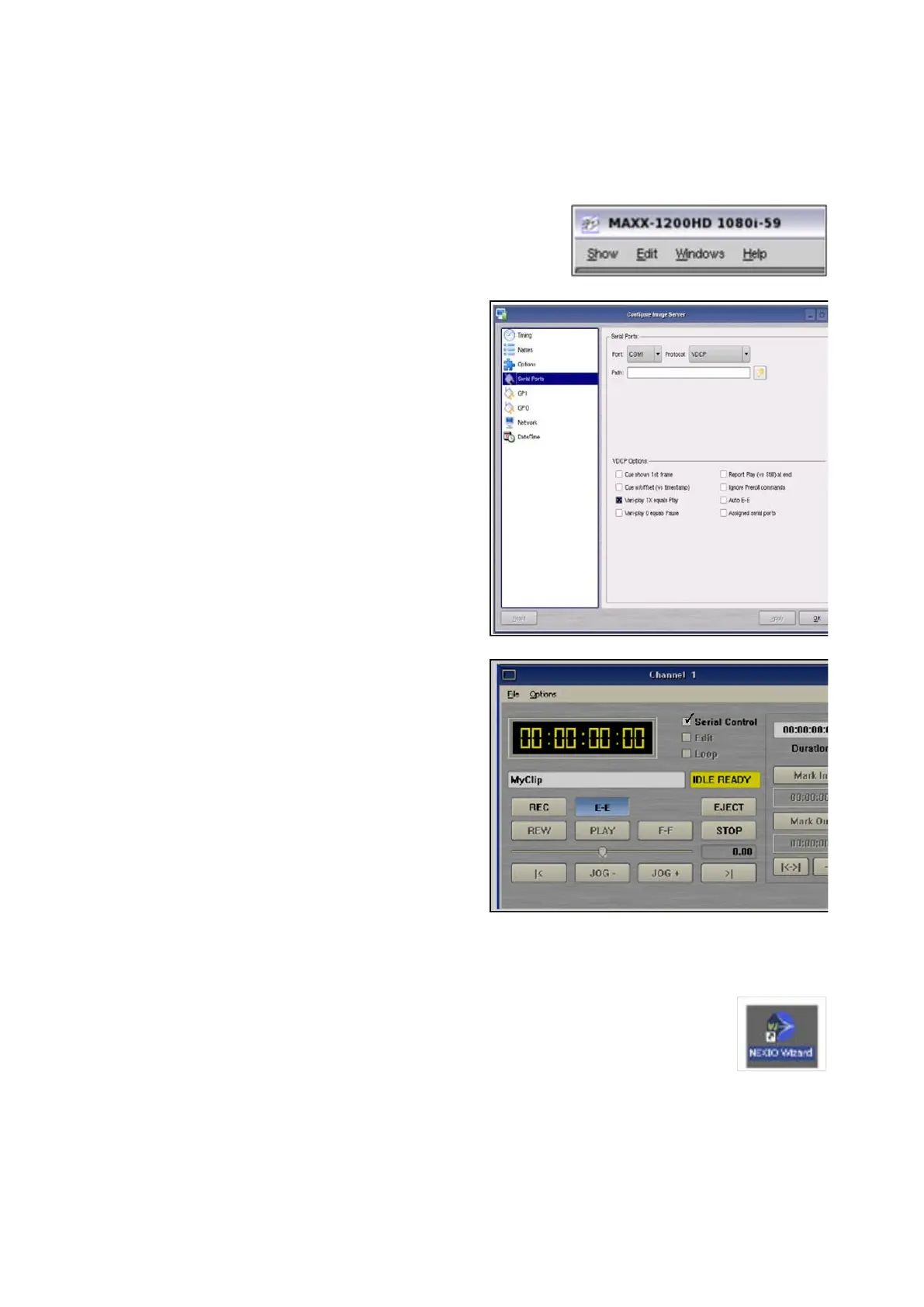
360 Systems Configuration:
On 360 Systems Servers, select the
Edit, Configuration menu, as shown
on the right.
Select the Serial Ports option.
Select Com1 from the Port drop down
menu.
In the Protocol drop down menu, select
VDCP, as shown on the right.
Repeat steps 7 & 8 for each com port.
Under the VDCP Options section, place
a check mark next to Assigned serial
ports.
Click on the OK button to apply the
changes.
For each channel window, click on the
Serial Control check box, as shown on
the right.
Harris Nexio Configuration:
On Harris Nexio Servers, on the
desktop double-click the Nexio
Wizard icon, as shown on the right.
In the Nexio Configuration Wizard
Main screen, click on the Next button.
In the Video Configuration screen,
click on the RS-422 Control button,



 To Next Page