BPswitch Operators Manual
51 / 413
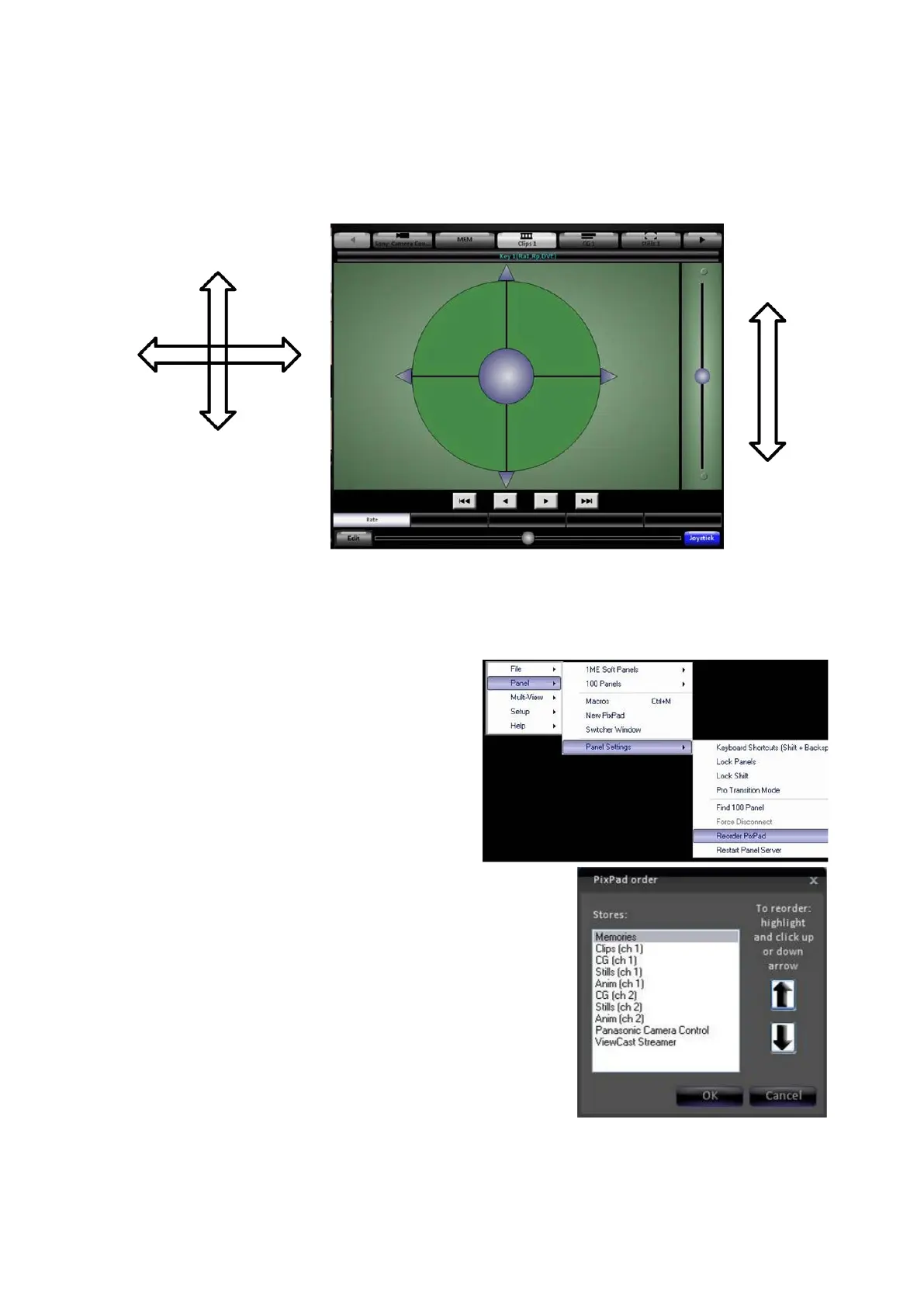
Click and drag the middle circle to position the joystick. Click and move the right
slider to zoom in or out the joystick, as if it were being twisted on a physical panel.
Clicking on the 4 arrows or magnifying glass will ‘nudge’ the joystick, providing a
finer control.
PixPad Order Controls
To change the device order on the Multi-View PixPad:
On the Panel drop down menu select
Panel settings.
In the following menu select Reorder
PixPad
, and the PixPad order window
will appear.
Use the up and down arrows to move
the highlighted selection to where on
the list you want it to appear. Highlight
other items and them move them with
arrows as for the first item.
Now the order will appear as you prepared it.
The top of each PixPad share the same group of 5 devices. Use the forward and



 To Next Page