BPswitch Operators Manual
24 / 413
Click on the OK button. This will
close the System Settings
window.
Close the BPswitcher application
by selecting the File menu then
Quit.
Restart the application by
double-
clicking the Broadcast Pix
Switcher on the desktop.
To switch back the video
standard, repeat steps 1-6.
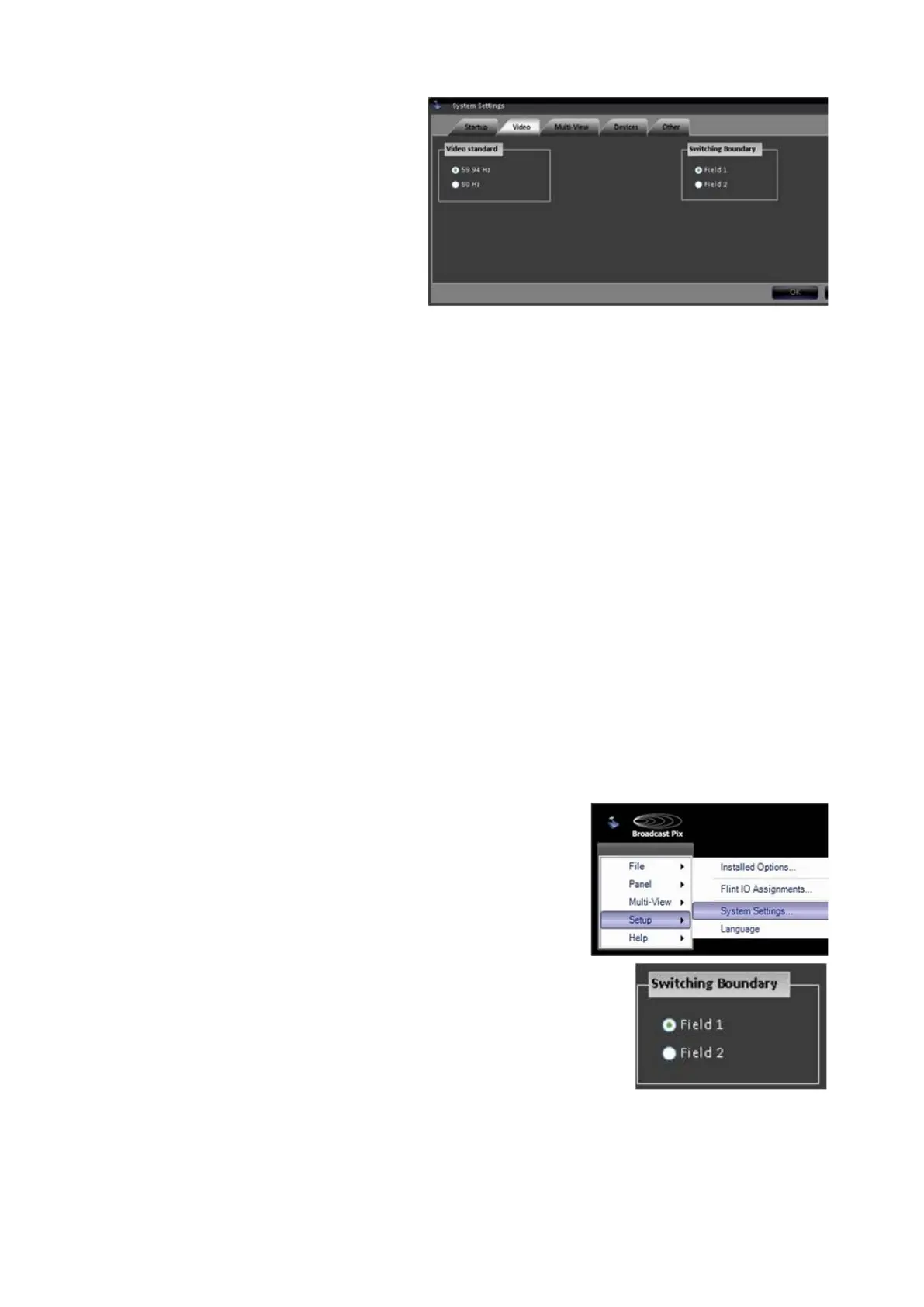
Changing the Switching Boundary
The Broadcast Pix Switcher is designed to cleanly cut using frame boundaries.
Depending on 3
rd
party/downstream equipment, where the cut occurs (either Field
1 or Field 2), that equipment may react differently. The Switching Boundary setting
allows the user to select which frame is to be used as the first frame so the cut
occurs seamlessly. The default is Field 1.
To change the Switching Boundary setting:
In BPswitch, click on Setup and a drop down
window will appear, then select System
Settings… as shown on the right
In System Settings window, click on the Video
Tab, which will bring up the various video settings.
Select either the Field 1 or Field 2 radio button
in the Switching Boundary section, as
shown on the right.
Restart the application to have this setting take
effect.



 To Next Page