BPswitch Operators Manual
126 / 413
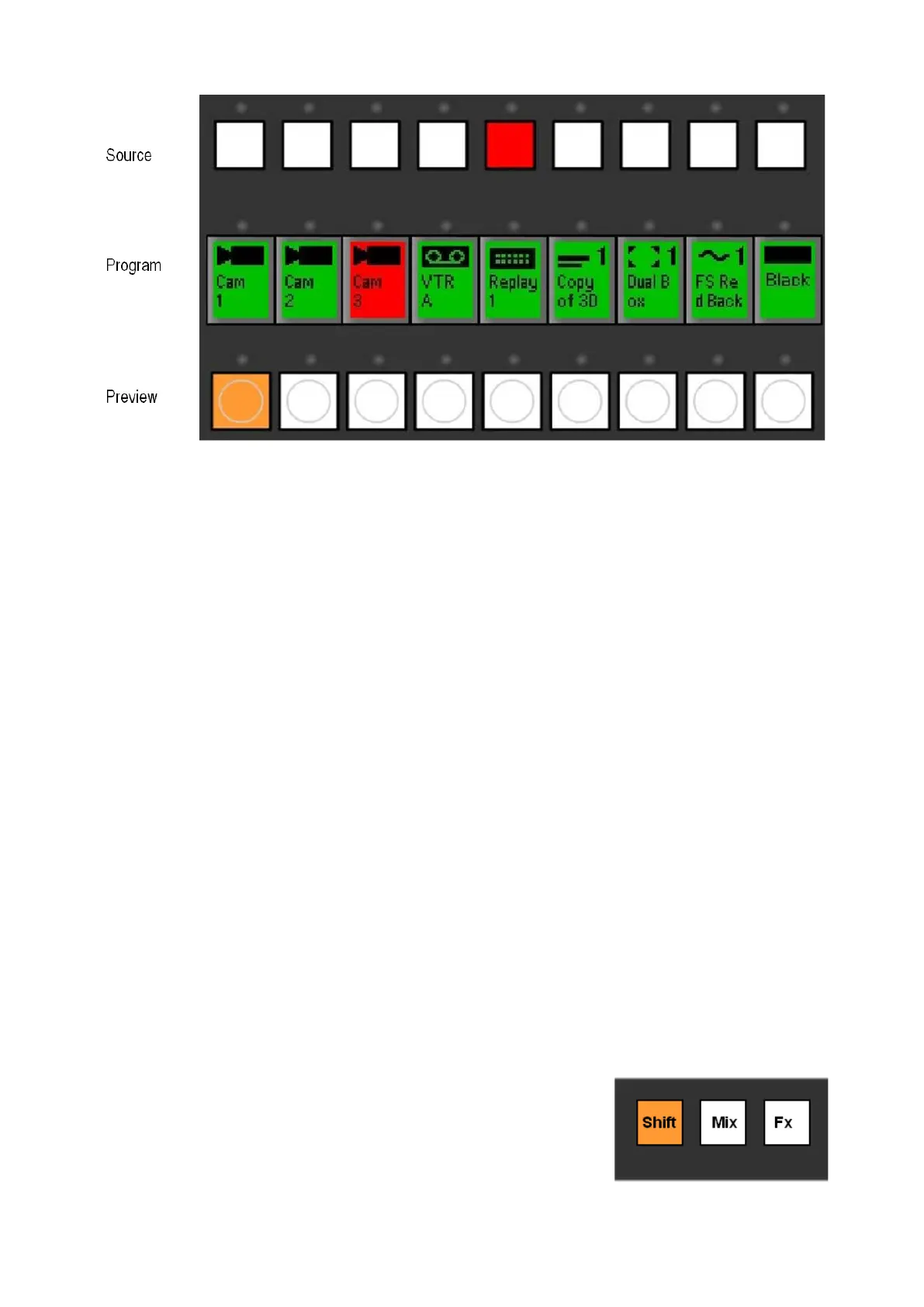
Program Row
The Program Row Indicates which source is on the air, which will always be
illuminated red. Other available sources will be illuminated green, and buttons with
no video source assigned will not be illuminated.
Preview Row
The Preview Row is used to select which source is selected on preview/preset,
which will be illuminated orange, during a transition the preview row illuminates
red and returns to orange at the end of the transition.
Source Row
The Source Row is used to select which source is used to fill a key, or an auxiliary
output, sources will be illuminated orange to signify that they are selected and on
preview and turn to red once that source is on program.
Accessing Inputs 10-18 with Shift
For shows that consist of more than 9 inputs, the [Shift] button is used to access
sources 10-18. This enables the Broadcast Pix panel to control twice as many
sources as there are buttons for. These “shifted sources” are typically used for
sources that are used less frequently than the first 9 sources, such as black or a
rarely used extra tape deck.
To access a sources 10-18:
Press the [Shift] button, and it will illuminate, and
the source displays on the program row will change
to the names of sources 10-18.
There is no need to hold down shift, since the panel
will stay in the shifted state until it is deselected.



 To Next Page