BPswitch Operators Manual
114 / 413
Tally Remapping
In some larger installations, where multiple signals from many different sources
are feeding into the Broadcast Pix Switcher, the tally outputs may need to be
reassigned to accommodated other equipment upstream/downstream of the
Broadcast Pix system. For example, a large ‘house’ router may feed not only the
Broadcast Pix system but as well as other studio equipment, where source
locations can easily be varied. The remapping of tally outputs allows for each
source to be appropriately paired with its tally signal from Broadcast Pix. The
remap tally feature is only available when the optional external tally box is
installed, as described in Optional Tally Box. Since this is an advanced feature in
large installations, it is advised to contact Technical Support regarding any
questions.
To Remap Tally Outputs:
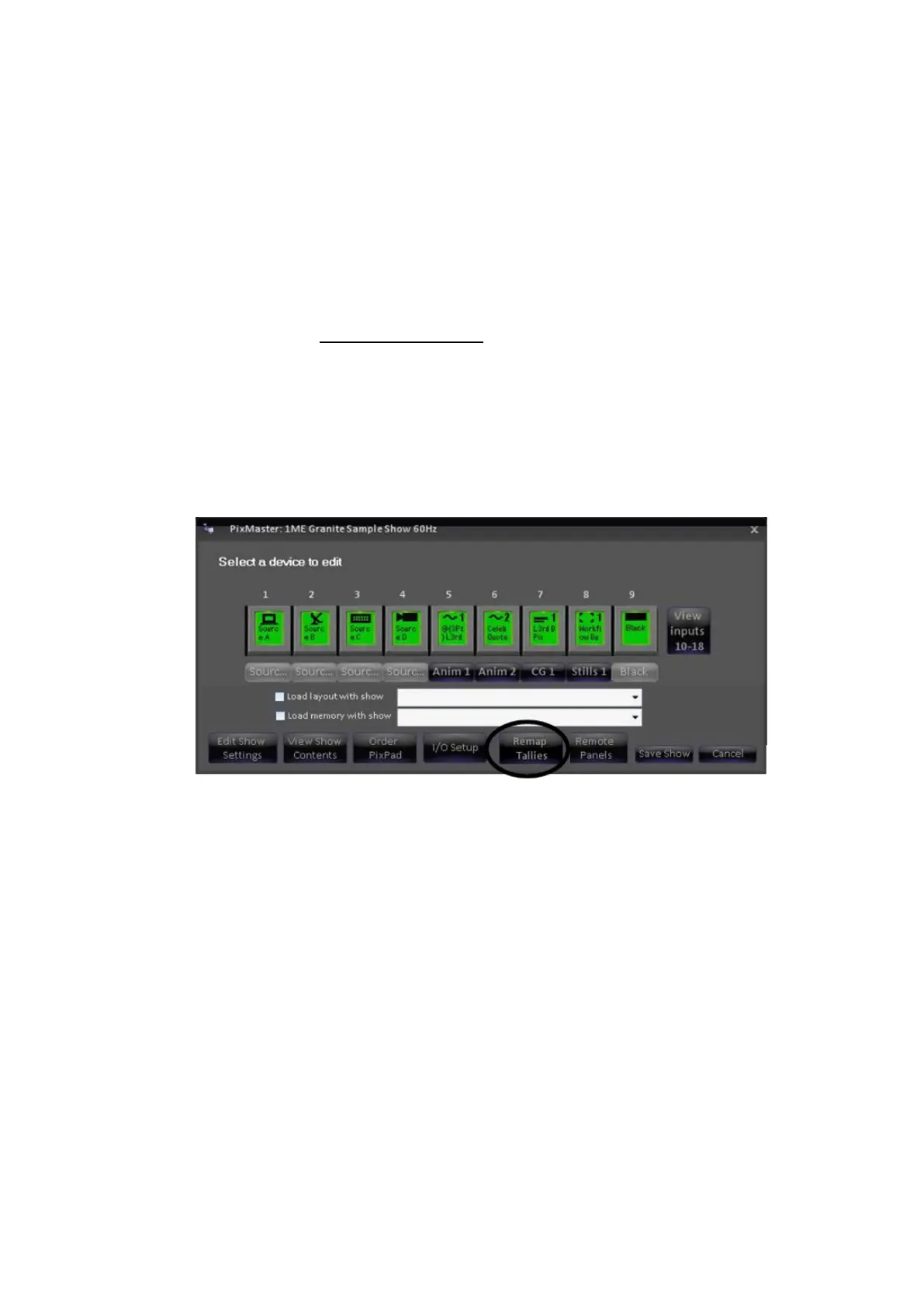
Open PixMaster to its first editable screen, Select a device to edit, as
shown below:
Select the Remap Tallies button, and the remap tallies
window will appear, as shown on the right:
The Input # column corresponds the source signal coming
into the BPswitch card and the the Tally # column
corresponds to the tally output on the external tally box. The
default tally mapping is 1 to 1.
For the desired input # to be remapped, select the
corresponding tally # drop down menu and select the
desired tally # output 1-32.
When mapping is complete, click on OK to save the
mapping.



 To Next Page