BPswitch Operators Manual
356 / 413
synchronized with the video, to guarantee constant lip-sync. Streaming resolutions
of up to 1280x720 @ 3000kbps are supported. Using any higher bit rates and
resolutions may cause performance issues. It is important to note what resolutions
your CDN supports and use the preferred settings provided by the CDN. An
Internet connection of at least 2 Mbps upload speed is recommended to guarantee
a reliable HD video streaming. It is not recommended to view the stream on the
BPswitch system while you are streaming as more bandwidth and CPU will be
utilized and may cause performance issues. Use a 3
rd
party computer to view the
stream.
The Adobe and Microsoft applications are used only to configure and modify the
streaming settings, and are not intended to remain open while streaming. The
saved profile/job from the encoder is opened within the Broadcast Pix application
using the Stream device for control. You may stream using 1 encoder at a time.
This section describes how to configure the streaming encoder software using a
Ustream & LiveStream account. Please refer to your CDNs support documentation
for more information.
Creating a Flash Media Live Encoder Profile
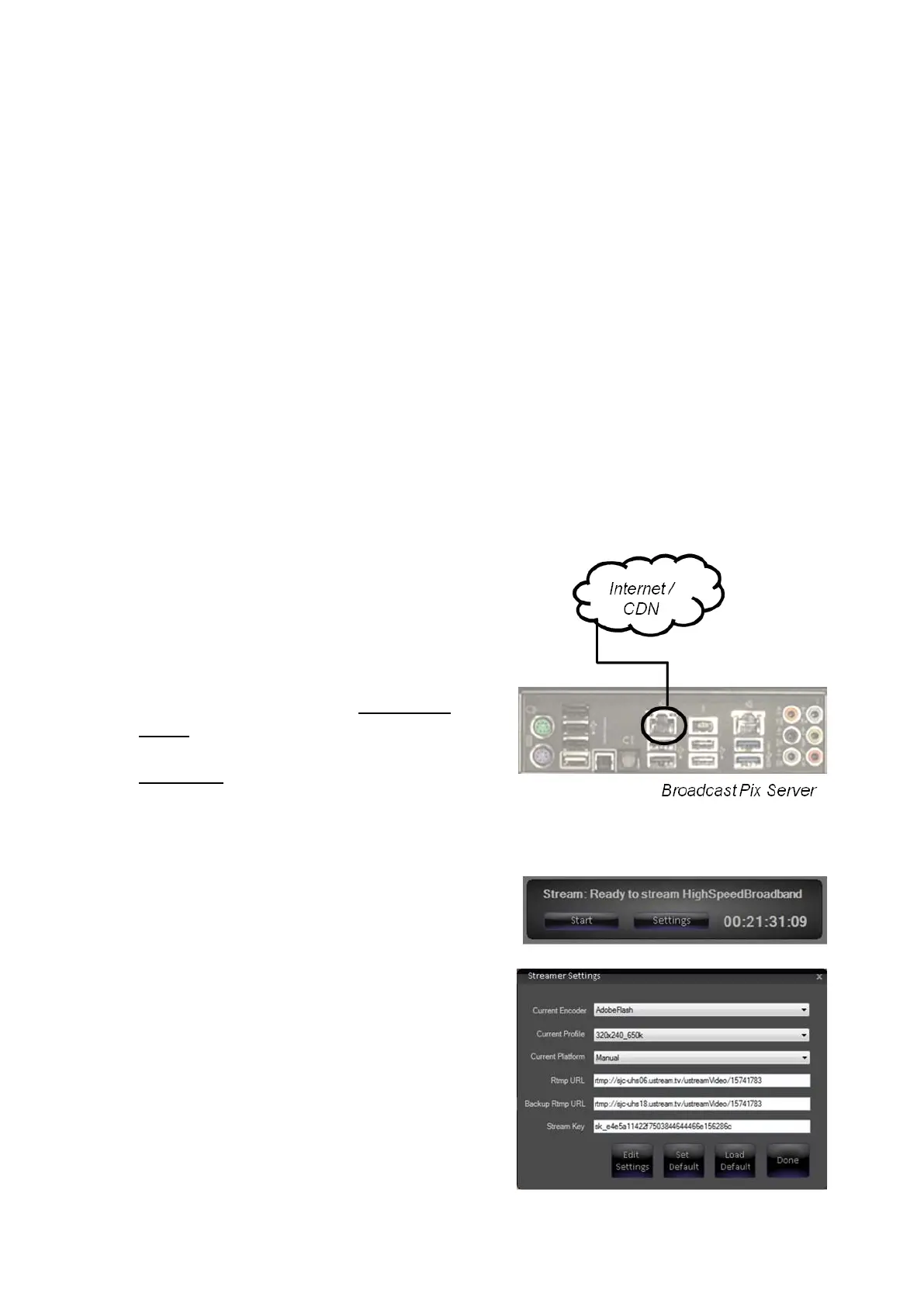
Ensure that there is a valid Internet
connection to the Broadcast Pix
Server, using the onboard NIC card,
as shown on the right.
Ensure that a Broadcast Pix Show is
running, as described in Running a
Show and that the audio is
configured correctly, as described in
Audio I/O.
Navigate to the Multi-View-Float-
Device-Stream menu.
The Streamer window will appear, as
shown on the right. Click on the
Settings button.
The Streamer Settings window will
appear. Select the Adobe Flash
Media Live Encoder from the
Current Encoder drop down menu, as
shown on the right.
Select a profile from the Current
Profile drop down menu.
If you have a previously saved profile



 To Next Page