BPswitch Operators Manual
146 / 413
Transition Mode, as shown on the
right.
Now, any transition layer that is
selected will automatically turn off
any previously select layers.
To disable Pro Transition mode,
repeat steps 1-3.
Modifiers for Keyers
Each Keyer can have several functions applied to it, including the key transition
rate, Digital Video Effect (DVE), crop and border.
To access a modifier for a key:
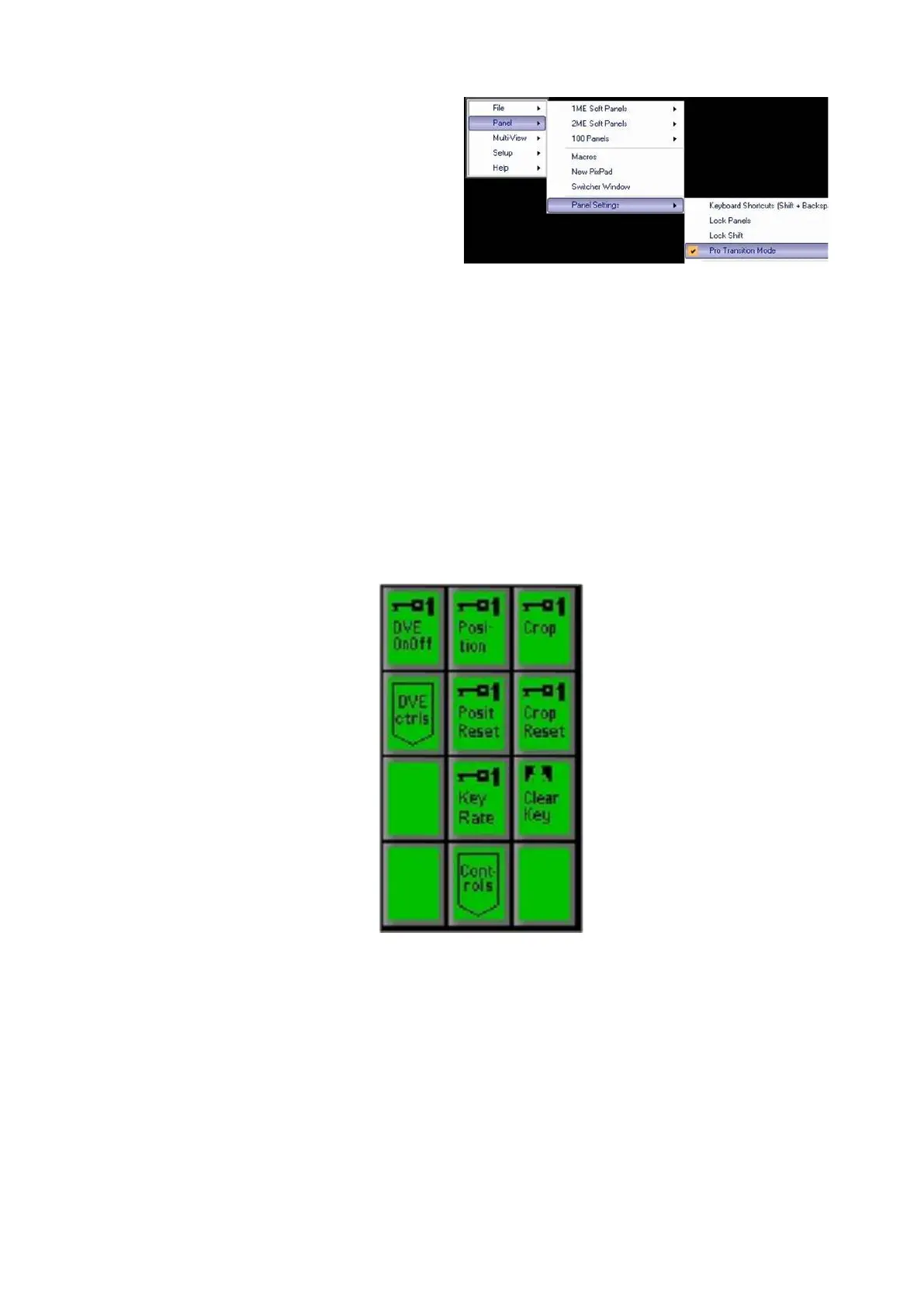
Select the desired Key, by pressing the [Key 1 Select], [Key 2 Select] or
[Key 3 Select] button. The PixPad will change, for example the Key 1
PixPad is shown below:
The Key may be cropped on any side. Press the [Crop] PixButton on the
above PixPad and the following knob values will appear as shown below.
Twist the [1
st
Knob] for left crop, the [2
nd
Knob] to just crop the top, and [3
rd
Knob] to change which of the four corners to crop, from LeftTop (shown) to
LeftBot, RightTop and RightBot.
Once any side has been cropped, the display and keyer window on the Multi-
View will read out Cr next to the key rate, signifying cropping has been
applied.



 To Next Page