BPswitch Operators Manual
282 / 413
the Auto Slow when on Program,
as shown on the right.
To save the settings, select the
Close button. In the System Settings
window, click on the OK button to
close the window.
Telemetrics Camera Control Settings
It is possible to change various settings in the Telemetrics Camera Control
Settings window. For Telemetrics systems you may change the COM port
assignment and baud rate for each camera in addition to the Joystick control
speed.
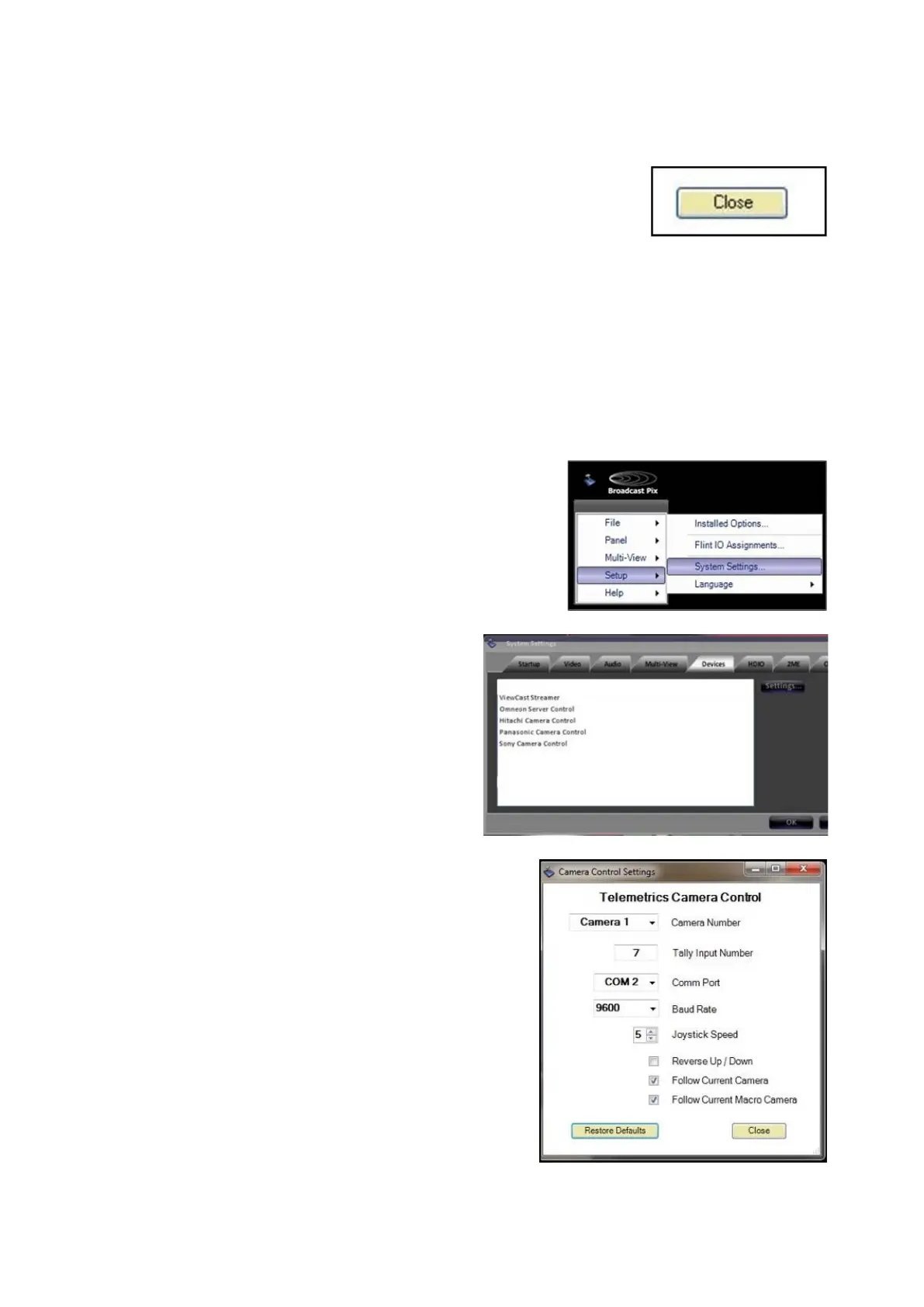
In BPswitcher go to the Setup menu
and select System Settings…, as
shown on the right.
In the System settings window, select
the Devices tab.
In the list of enabled devices select
Telemetrics Camera Control and
select the Settings… button.
The Camera Control Settings window
will appear as shown on the right.
In the Camera Control Settings
window click the Camera Number
drop down menu to select a camera
1-10 and change the Comm Port
number to the appropriate
communications port.
If connecting to the Studio Software
CPC-ST-S, only Camera 1 needs to
be configured.
Enter the BPswitch input number in
the Tally Input Number text field.
Enter 0 to have no tally.



 To Next Page