BPswitch Operators Manual
15 / 413
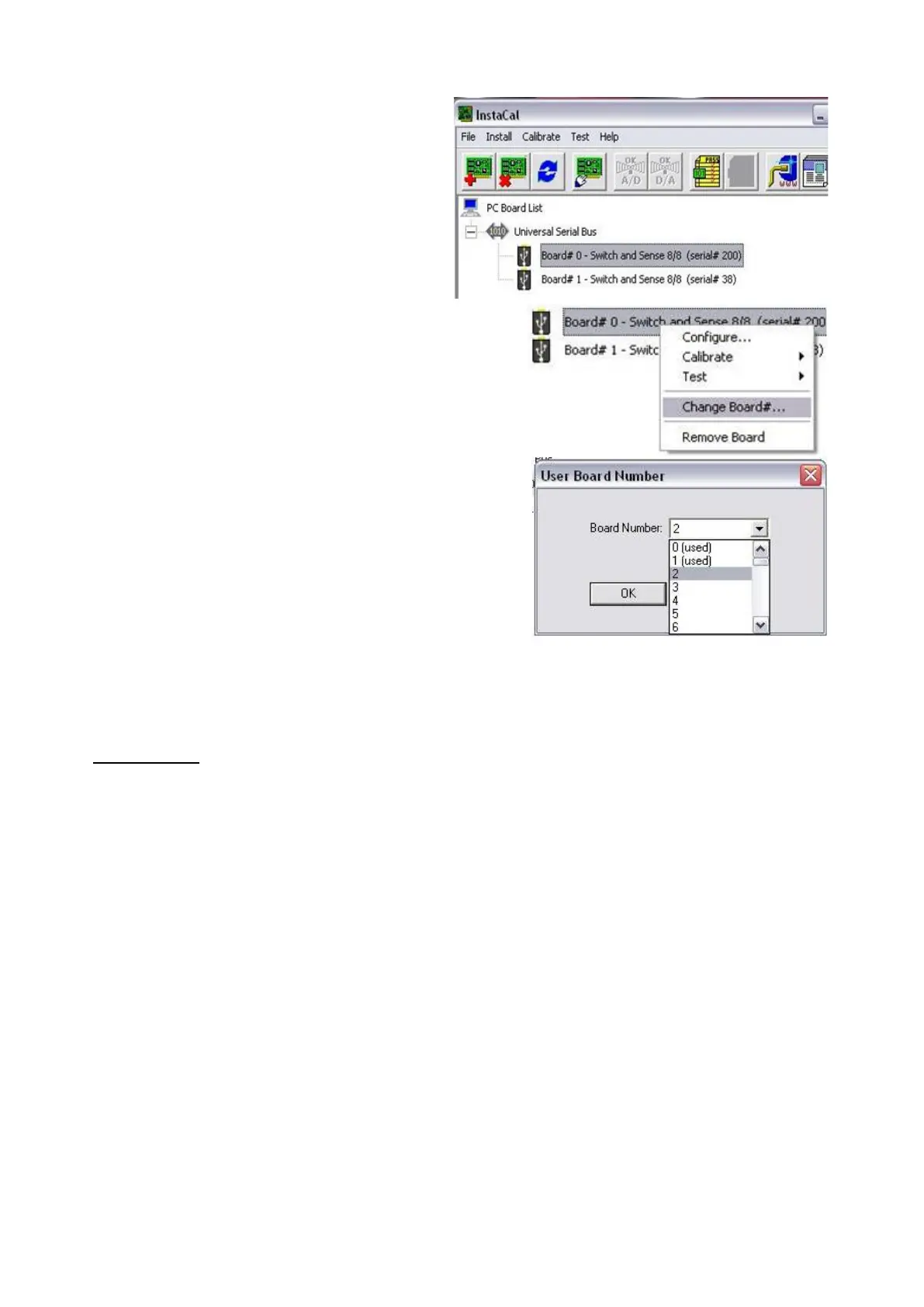
Your tally box devices will appear under
the Universal Serial Bus section, as shown
on the right.
Right-click on a device, and a pop-up
menu
will appear.
Select Change Board #..., as shown on
the right. Up to 11 external tally GPIO
boxes may be connected.
In the Use Board Number window, select
the desired board number.
0 (zero) is the first tally box used for GPIOs
1-8, 1 is the second tally box used for
GPIOs 9-16, etc. (if using 2 8 port tally
boxes)
Close all the windows to InstaCal, by
clicking on the Red X in the top right
corner.
Audio I/O
All BPswitch FX/RX systems include an internal audio mixer, as described in
Audio Mixer, to mix the various external and internal audio inputs and then output
it. Audio in comes from any of the available inputs, including embedded SDI and
HDMI and analog. Embedded SDI supports 8 audio channels and HDMI supports
2. For audio in to be properly recognized a valid video source must be present on
the input card. There are 6 groups of audio outputs on a Flint LS and Flint LX and
2 on a Flint LE that can be mapped to the available physical outs under the Setup-
System Settings-Audio tab menu.
All audio is automatically delayed to match the video to ensure proper lip-sync.
Control for these settings can be done through the Audio Tab of the System
Setting window, which is accessed once a show is loaded.
To map audio outputs:



 To Next Page