BPswitch Operators Manual
217 / 413
Avid DNxHD 145 /120 (+ alpha)
Avid DNxHD 200 /185 (+ alpha)
Clip Store Playout
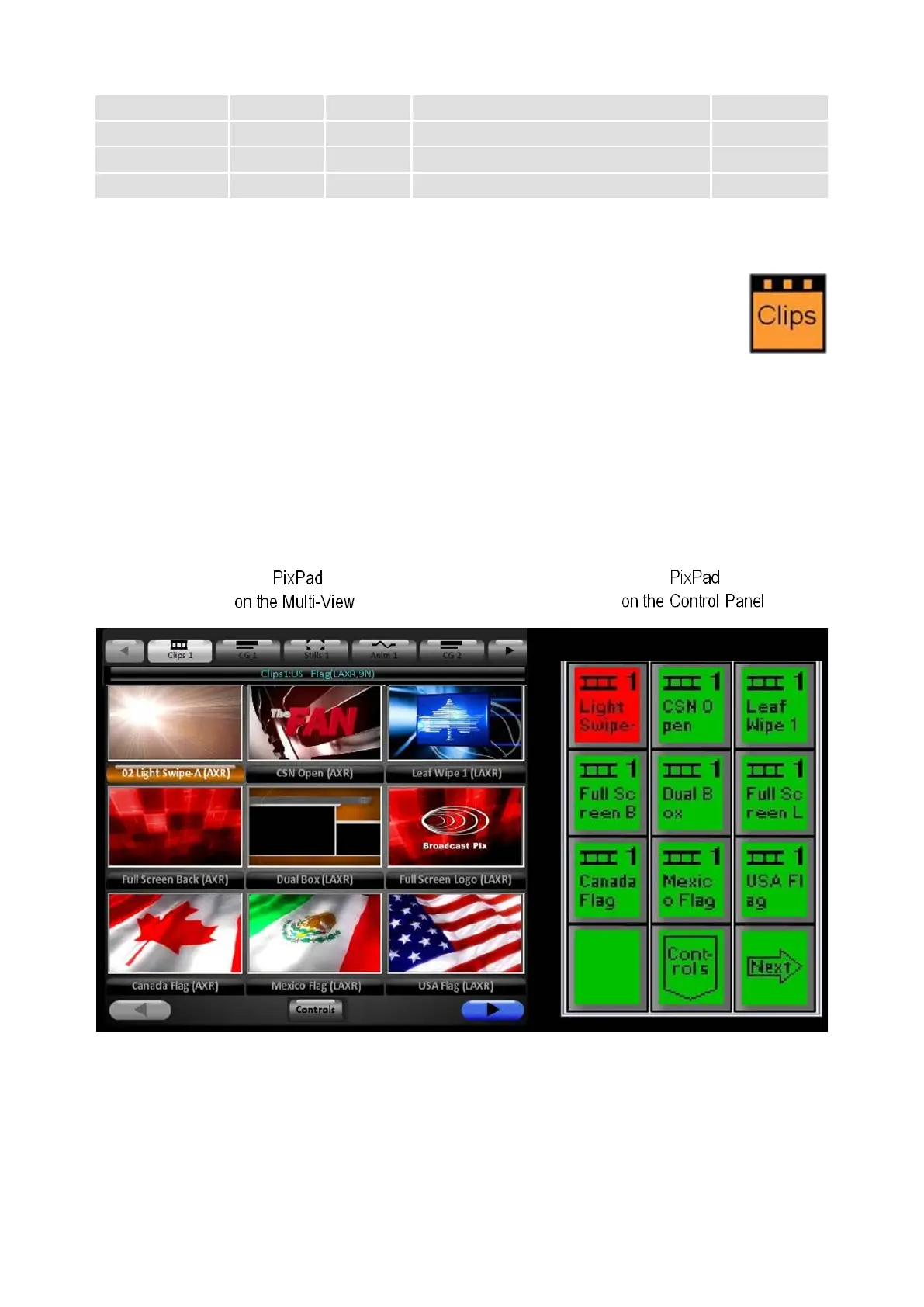
Press the [Clips] device select button, and the following will occur:
The Clips button will illuminate orange
The name “Clips1” will appear in the top left corner of the display
The number and name of the currently selected clip will be in the display
The PixPad will change to clips, including the first nine clips, which
correspond to the nine shown in the clip library portion of the Multi-View
The knobs will have their clip data shown in their portion of the display.



 To Next Page