BPswitch Operators Manual
320 / 413
Streamer Control Settings
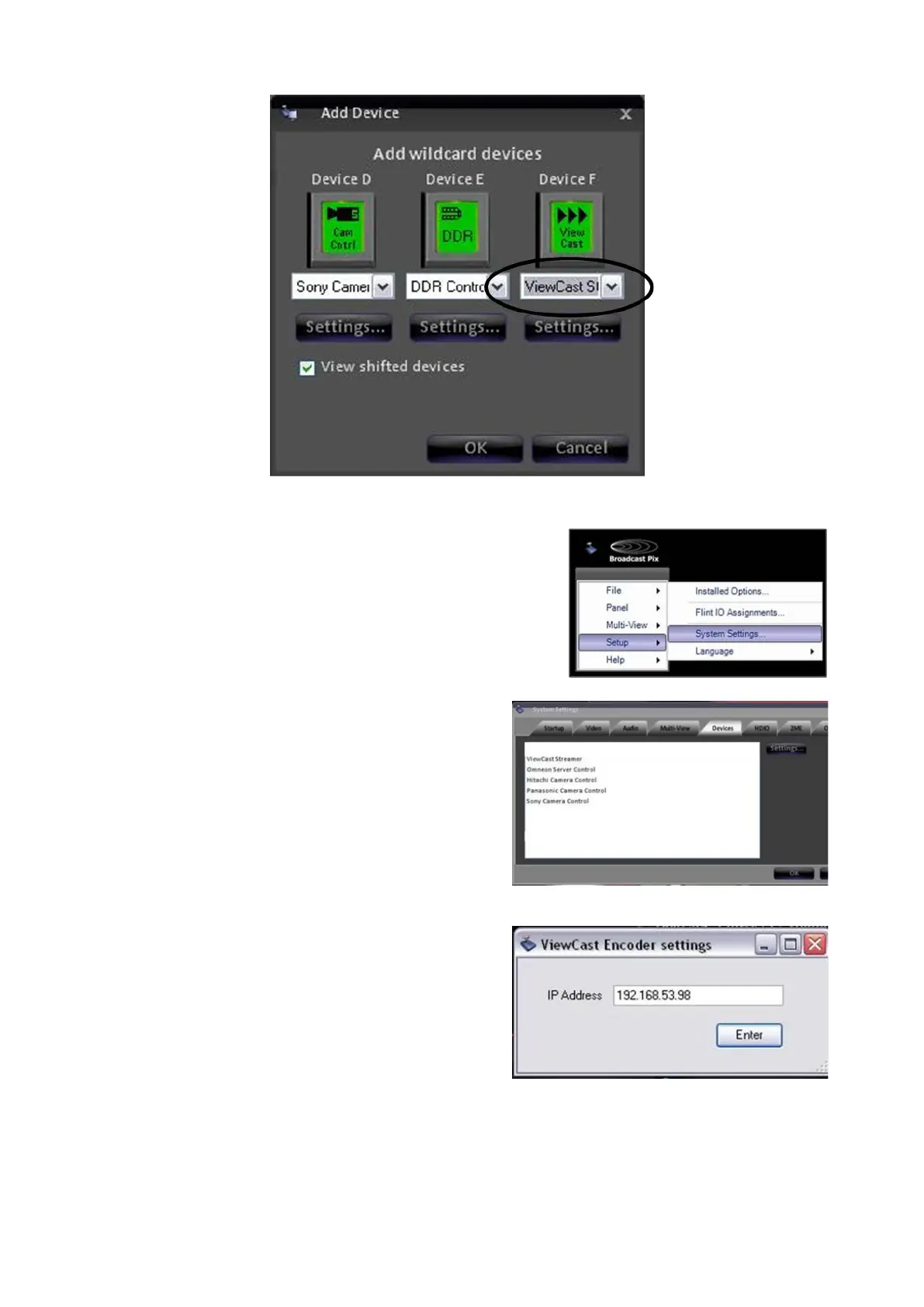
In BPswitcher go to the Setup menu and
select System Settings…, as shown on
the right.
In the System Settings window, select the
Devices tab.
In the list of enabled devices select
ViewCast Streamer it will highlight
orange and select the Settings… button.
The ViewCast Encoder settings window
will appear as shown on the right.
Enter the IP Address of the ViewCast
streamer in the text field, the . (periods)
are necessary, as shown on the right.
Click on the Enter button to save the
changes.
If the IP address is invalid a pop-up
warning will appear asking to re-enter a



 To Next Page