BPswitch Operators Manual
216 / 413
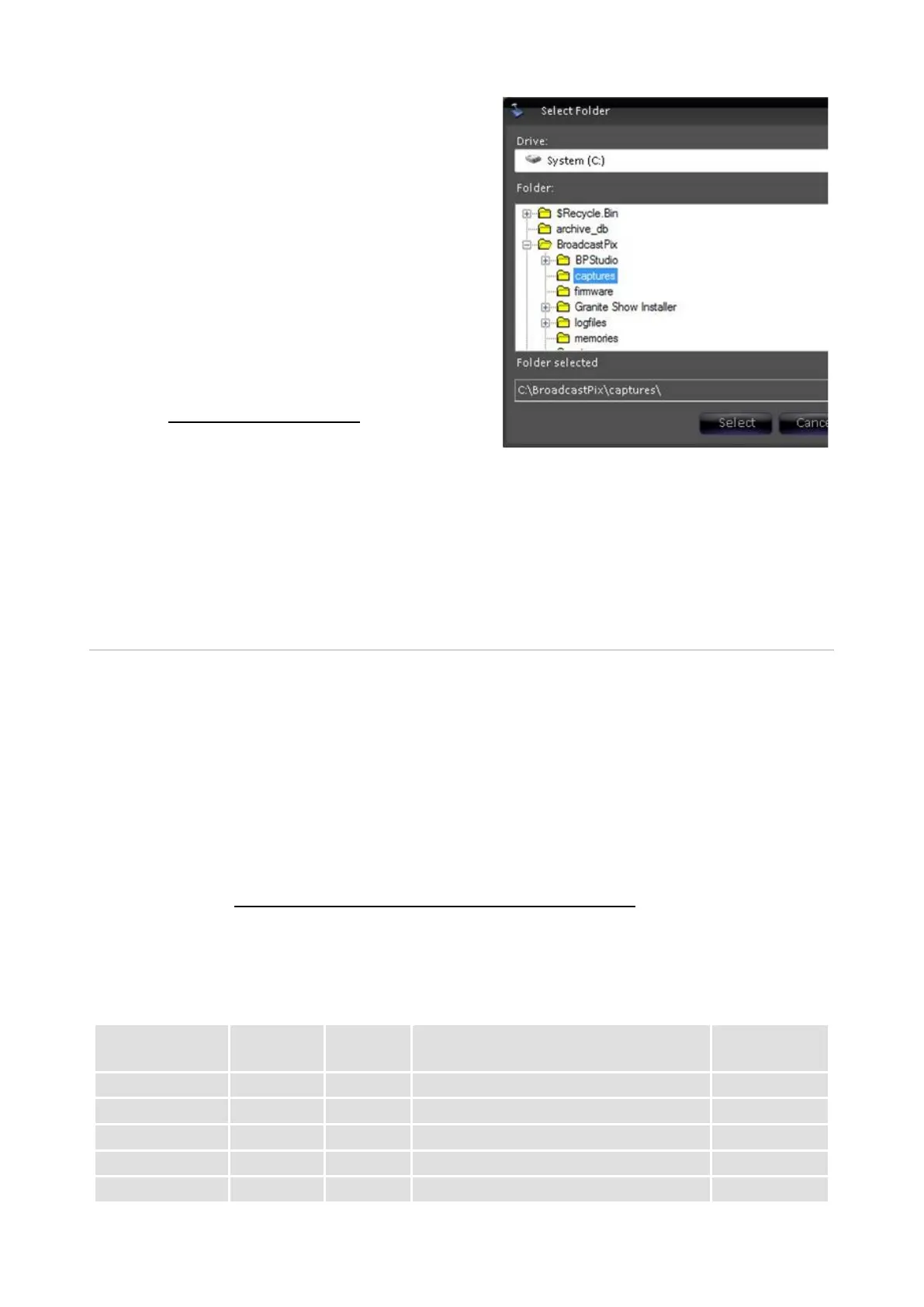
A Select Folder window will appear, as
shown on the right.
Navigate to the desired path.
If it’s desired to instantly use a captured
still image in a show, the use of Watch
Folders can automatically add them to a
Still store.
Simply point the destination of the
capture folder to C:\watch\(show
name)\Still 1.
See Fluent Watch Folders for more
information on Watch Folders.
Click on the Select button to save the
new capture folder path.
***** Character Generator & Graphics *****
Clip Store
The Broadcast Pix system contains a high-definition two channel clip store. Clips
are imported into the Server and then selected like a still image for playout. All
clips must be compressed as a QuickTime movie file encoded with one of the
codecs below and wrapped in a .mov, .mp4 or .avi extension. Clips can play with
or without audio using Stereo PCM 16 bit 48kHz audio and with or without an
alpha channel for transparencies. ProRes 4444 and DNxHD are the codecs that
can support alpha channels.
As an option, the Broadcast Pix system can also control external DDRs/Servers,
as described in Optional Remote Control of an External DDR.
Support file formats and resolutions:
Apple ProRes 4444 (+ alpha)
Avid DNxHD 100 / 85 (+ alpha)



 To Next Page