BPswitch Operators Manual
242 / 413
Select the show to which you wish to add external DDR control by loading a
show (or creating a new one) and then opening PixMaster by selecting File,
Edit Show.
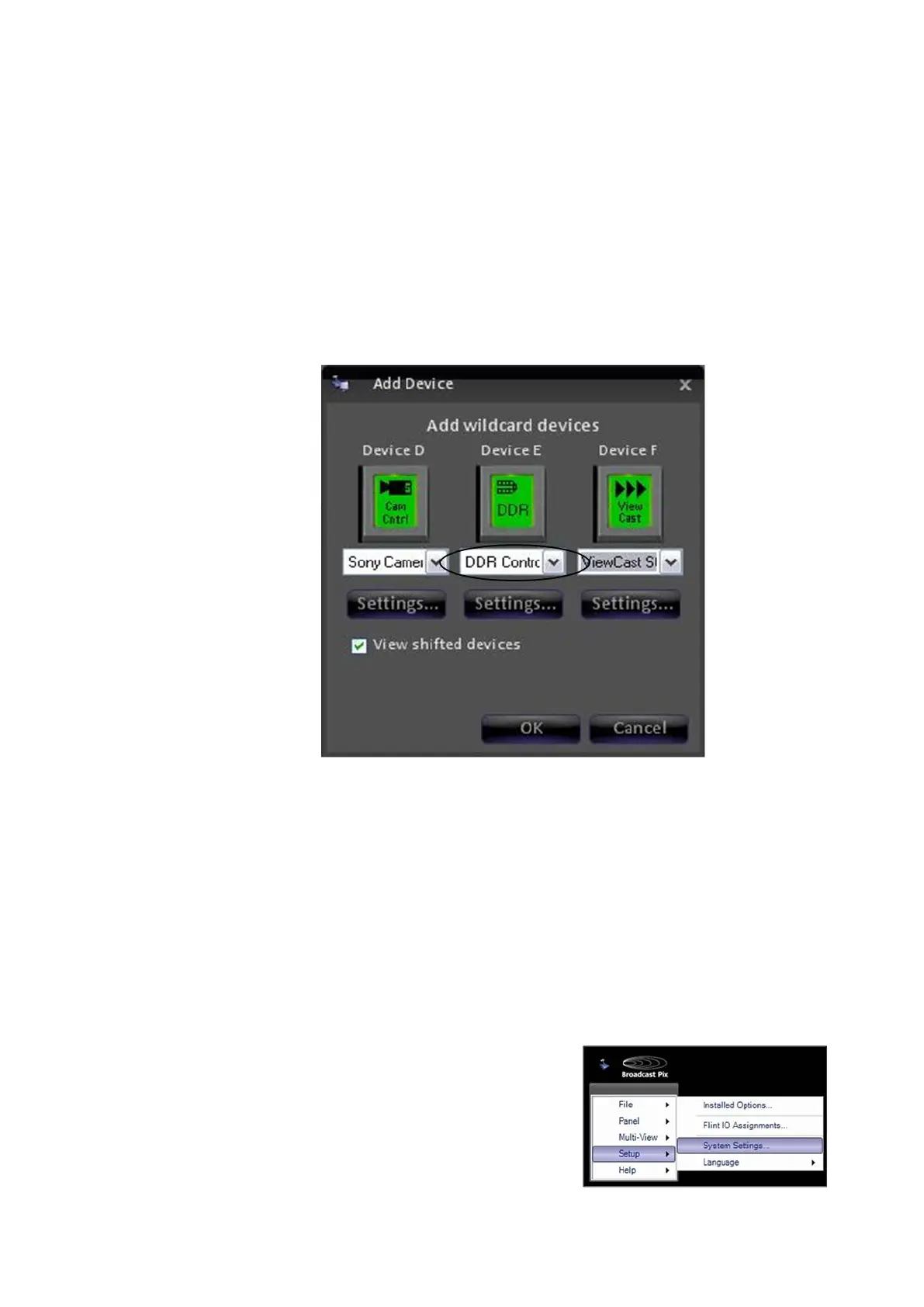
Select Edit Show Settings and then More Devices to open the Add Device
window, as shown below.
Assign the DDR Control device to a Device Button A-F by selecting the drop
down menu and choosing DDR Control or Omneon Server Control.
To access devices D-F select the View shifted devices checkbox.
Click on the OK button, then Close and then Save Show to close PixMaster.
Selecting Clips to Access
Similar to the internal clipstore in Broadcast Pix, you can select all or just a subset
of clips from the external DDR to be accessed in your show. The clips selected in
the following menu are the clips accessible through the Broadcast Pix Control
Panel.
To select clips from the external DDR:
In BPswitcher, select the Setup
menu, then System Setting…, as
shown on the right.



 To Next Page