BPswitch Operators Manual
364 / 413
NOTE: Verify the maximum allowed bit
rate with Livestream and create a
profile for it, as streaming at higher bit
rates will not work.
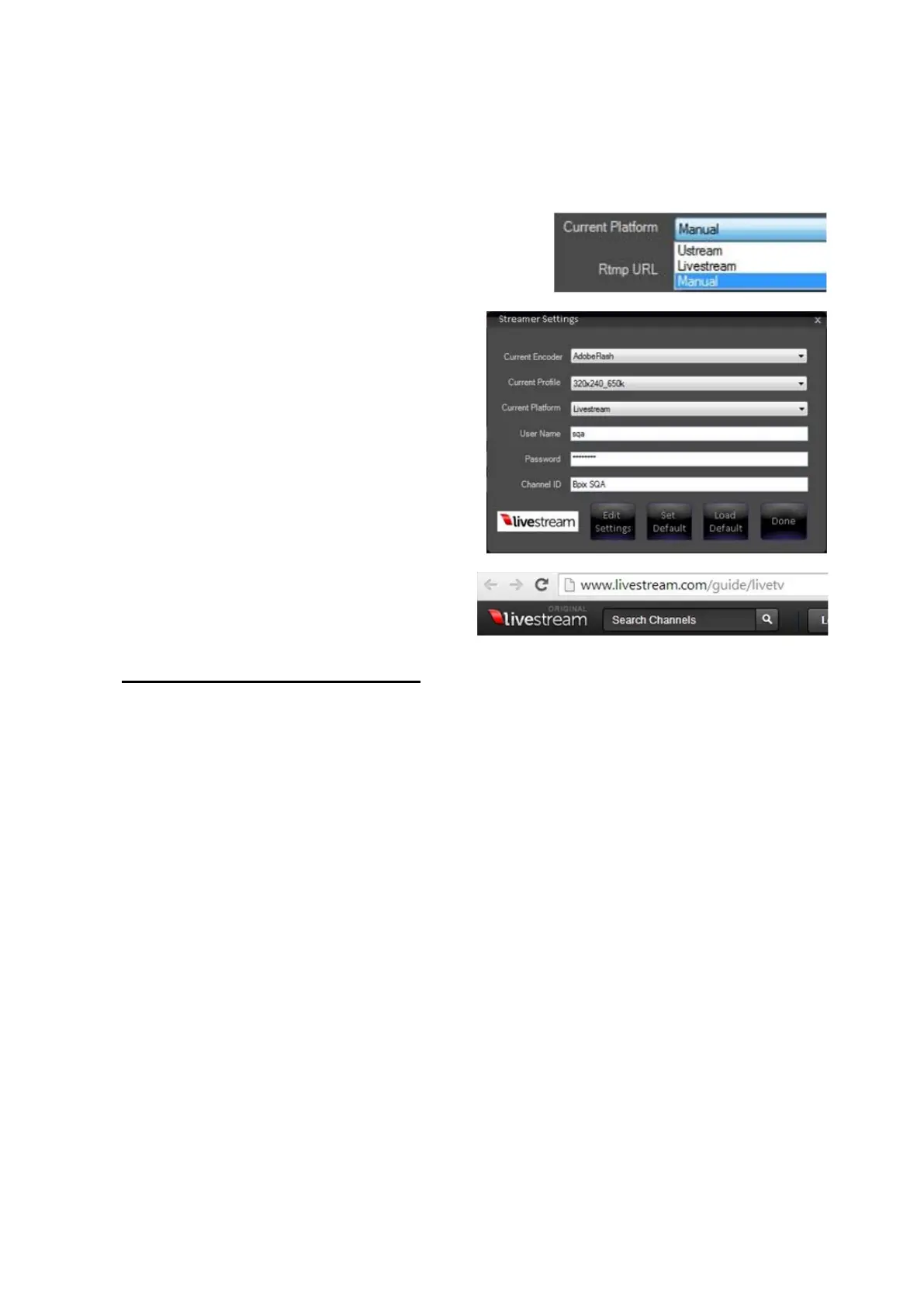
Under the Current Platform drop
down menu select the Livestream
option, as shown on the right.
The Streamer Setting menu will
change to display Livestream specific
settings, as shown on the right.
Enter your User Name, Password and
Channel ID in the Stream Settings
window, as shown on the right.
NOTE: Broadcast Pix does not display
or save any passwords. If you have
trouble logging in, contact Livestream
Technical Support.
When creating a Livestream account,
ensure that your create an account
using the Original Livestream URL:
www.livestream.com/guide/live then
click on login, as shown on the right.
Clicking on the Livestream icon in
Streamer Settings will open a web
browser and navigate to that address
automatically.
Controlling the Matrox Monarch
Any Broadcast Pix switcher can also provide control of the full line of Matrox
Streamer/Recorder devices, like the Monarch HD and Monarch HDX, over a
TCP/IP connection. Monarch devices provide streaming settings for using RTSP
and RTMP streaming protocols for use on Adobe Media Server, Wowza Media
Server, a software video player, such as QuickTime and VLC, or any of the
popular Content Delivery Networks (CDNs), such as YouTube Live and Ustream.
They also provide settings for recording your input source for video on demand
(VOD), high-quality editing, and archiving/previewing purposes. Content can be
recorded to .mov or .mp4 file formats on a FAT32 or NTFS file system. The
recorded file may also be played back from the Broadcast Pix clip store.
The Streamer device gives you access to start and stop the stream/record and to
view status. All the configuration of the Monarch is done on the device through its
web interface. For more information on how to configure the Matrox Monarch,



 To Next Page