BPswitch Operators Manual
365 / 413
refer to its user manual.
Installing a Matrox Monarch
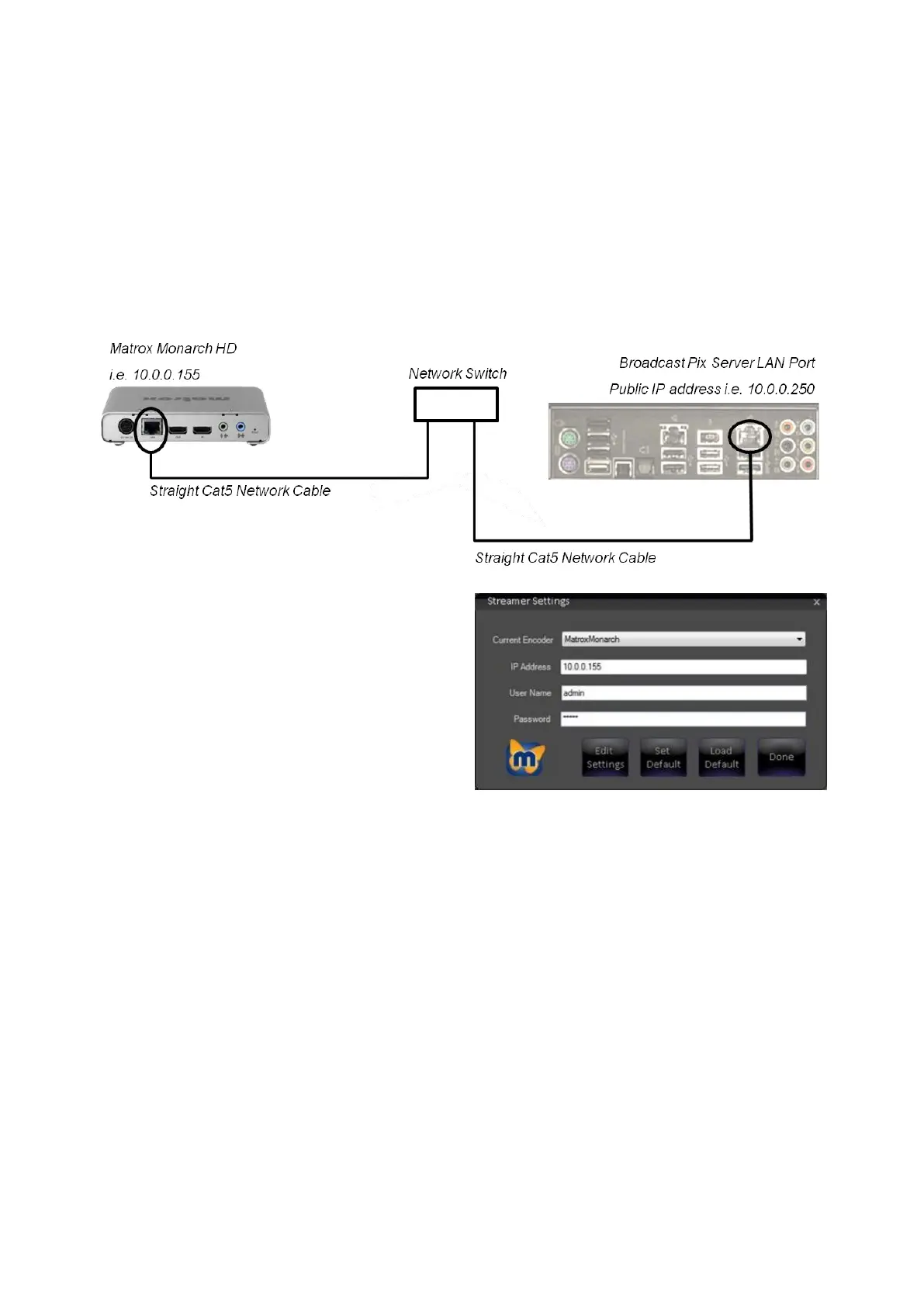
The control is through the LAN port on the Broadcast Pix Server, using a network
switch to connect to the Monarch device. When the Monarch device first boots up,
the video output will display a splash screen with the current IP address, usually
set to DHCP (this step may take several minutes). Use this IP address to
configure the and control the device, this example
will use the IP address of 10.0.0.155.
In the Streamer Settings menu,
select the Matrox
Monarch option under the
Current Encoder drop down
menu, as shown on the right.
Enter the address of the
Monarch in the IP Address
text field.
This is the address displayed
on the splash screen, i.e.
10.0.155.
In the User Name and
Password text fields enter the
assigned names.
The default User Name is
admin
The default Password is admin
To edit the streaming and/or
recording settings, click on the
Edit Settings button.



 To Next Page