BPswitch Operators Manual
366 / 413
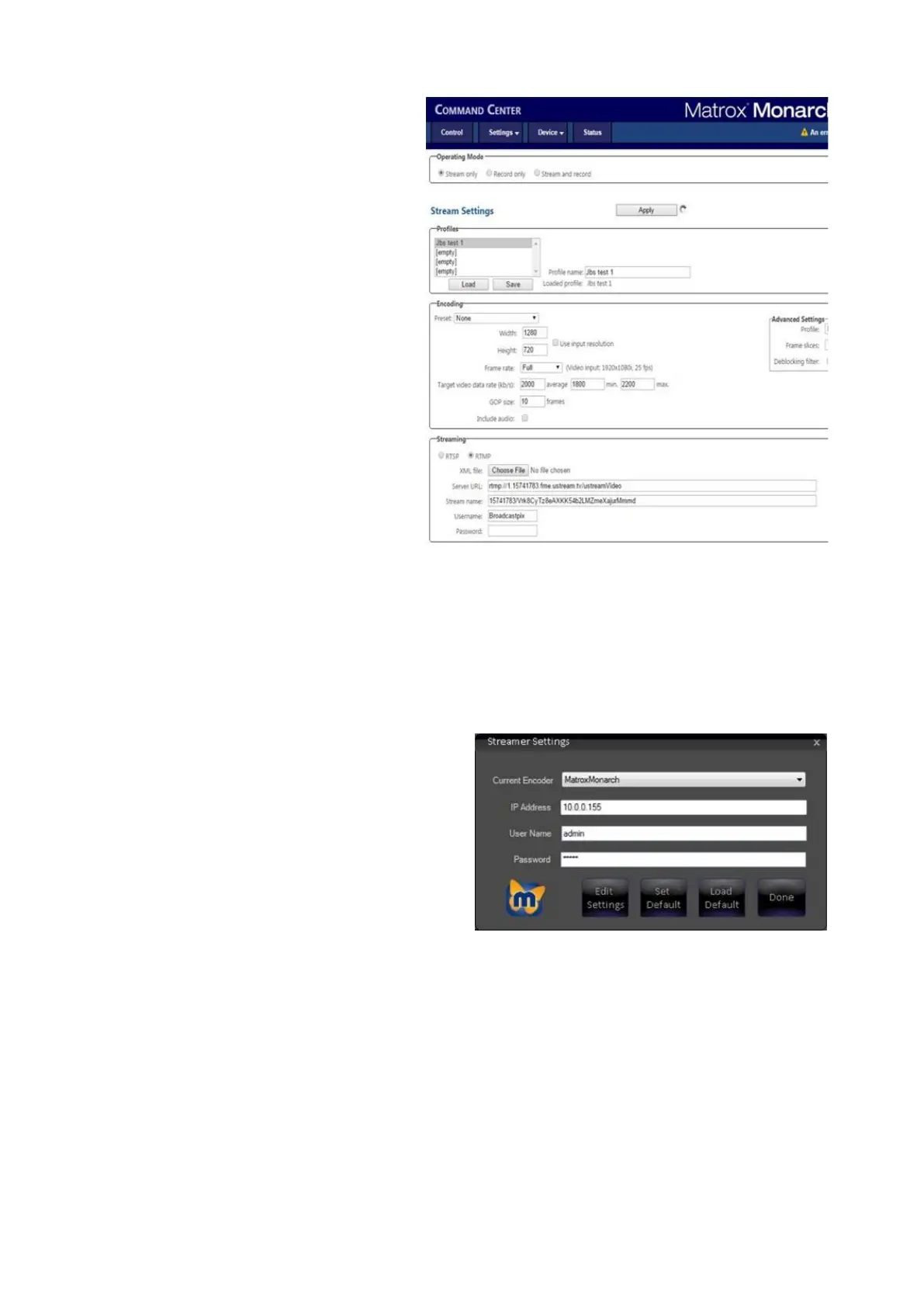
showing the Command Center.
Click on the Settings drop
down menu and select the
Stream option.
The Stream Settings will
appear, as shown on the right.
Configure the stream and/or
Record settings with the
appropriate settings specific to
your CDN or record scenario.
Refer to the Monarch manual
for more information.
Click on the Apply button, to
set the settings.
Whichever profile or settings
have been applied will be used
once Broadcast Pix starts the
stream/record.
To save a profile for later use,
enter a custom name in the
Profile name: text field and
click on the Save button.
Close the web browser, by
click on the X on the top right
on the page.
In the Streamer Settings menu,
click on the Done button, as
shown on the right.



 To Next Page