BPswitch Operators Manual
210 / 413
To enter how long the GPO is to be closed
for, enter a number from 1 to 60 frames in the
GPO Pulse Length field. If an infinite on/off
command is needed, create a macro using
the GPO-Hi and GPO-Lo actions.
Click on the OK button to close and save the
GPIO settings.
Assign a macro to a button, as described in
the previous section.
Running Macros in the Macro Player
Now that your Macros have been assigned to a button in the Macro Player, they
may be used during a production.
To run a macro from the Macro Player:
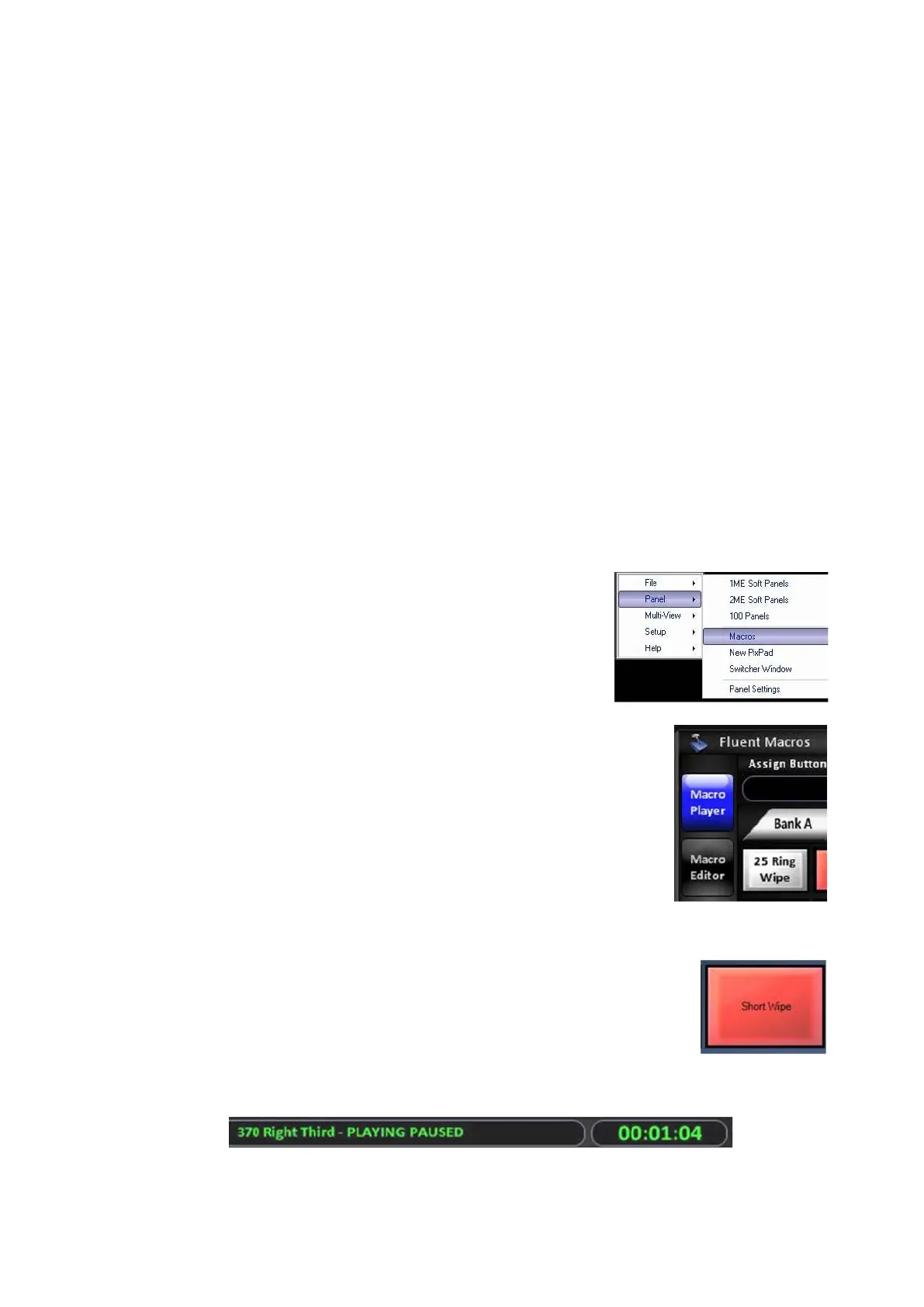
In BPswitcher select the Panel drop down menu.
Select Macros, as shown on the right.
The Macros window will open.
With the mouse, click on the Macro Player button,
as shown on the right.
Click on the desired Macro Bank, and it will
illuminate white.
To run a macro, click on the desired Macro Button
and the macro will start.
The Macro button will turn red, and the Macro
Display will read out the file being played and the
elapsed time, as shown below.
To control a macro:



 To Next Page