BPswitch Operators Manual
209 / 413
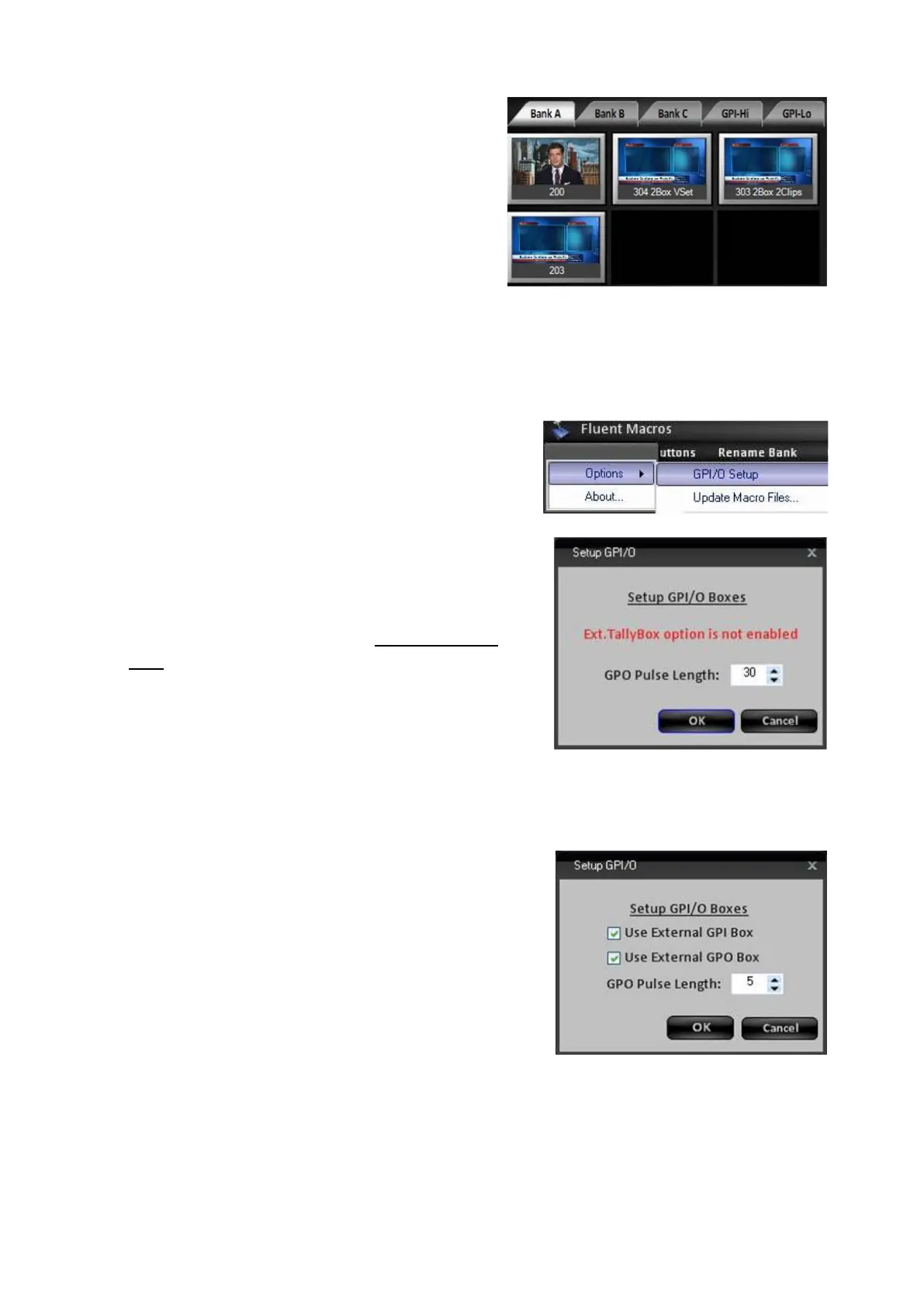
Click on the Show Images button.
Now all the macros, which select content,
will show the image of the first content to
be selected in the macro, as shown on
the right.
To assign a custom image, use the
Assign Buttons window, as described in
the previous section.
To setup GPI/Os:
Select the Macro Menu, and select the
Options menu.
Select the GPI/O Setup option, as shown on
the right.
When the external USB Tally Box is
connected, as described in Optional Tally
Box, you have the option to enable GPI and
GPO signals.
When no Tally Box is connected the Setup
Screen will show a message, as shown on
the right. If the tally box was connected after
the BPswitcher application was started, an
application restart is necessary.
Place a check mark next to Use External
GPI Box, as shown on the right.
Now, an external device may trigger a macro
in the GPI banks from the external USB GPI
Box.
To activate General Purpose Outputs (GPOs)
on the external tally box, place a check mark
next to Use External GPO Box
, as shown on
the right.
Now, a Macro may trigger an external device
like a server or CG system. A macro
containing a GPO command does not have to
be assigned in the GPI bank to be triggered.



 To Next Page