BPswitch Operators Manual
45 / 413
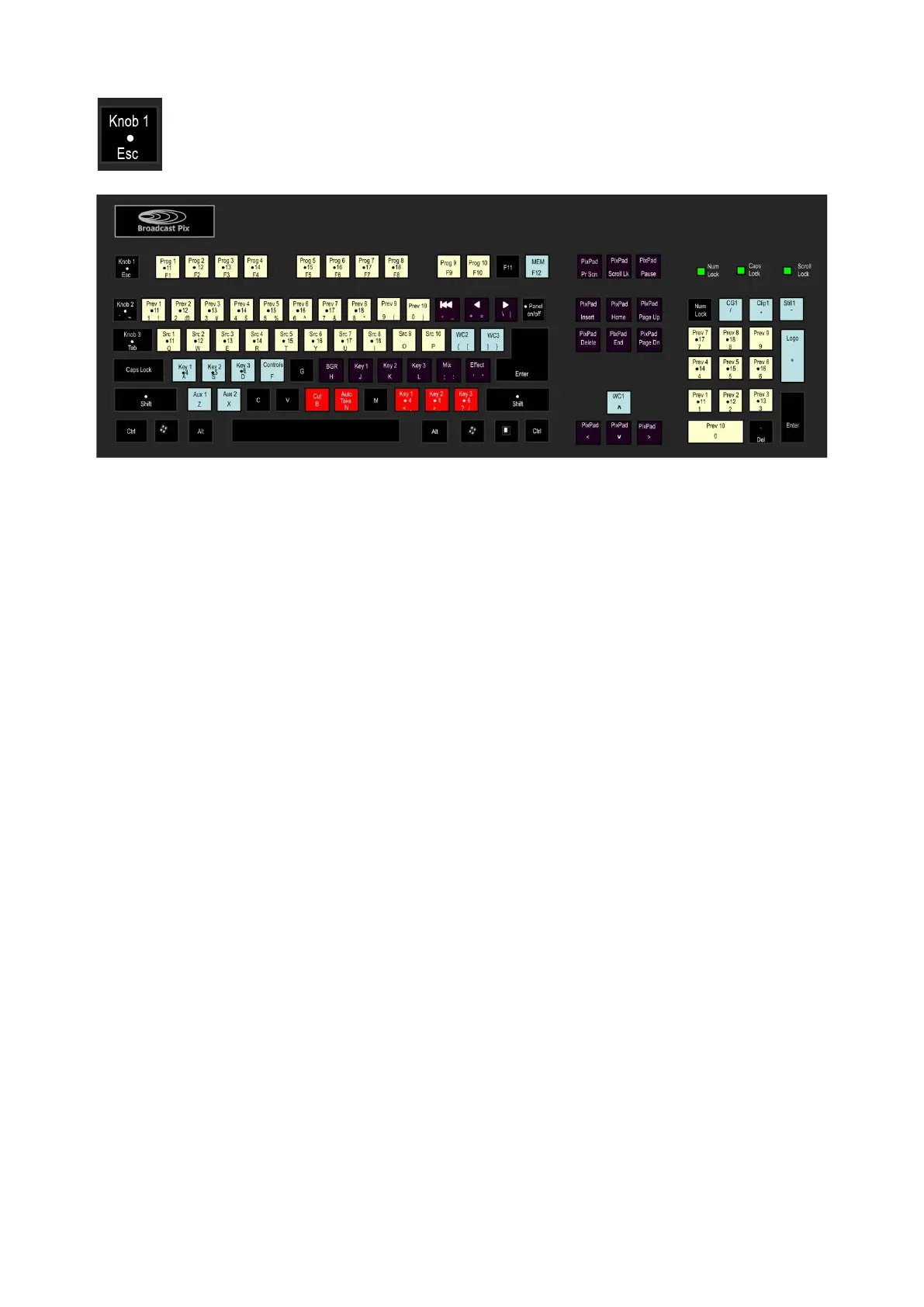
The keyboard works just like a control panel. To access any shifted source or
secondary function of a key, simply hold down the Shift Key with the desired key.
To turn a knob, simply hold down the desired knob key. To reverse the knob, hold
down the Shift Key with the desired knob key.
When accessing any advanced features, like DVEs and Chromakeys, it may be
beneficial to launch a SoftPanel to assist in PixPad navigation.
Multi-View PixPad
In the upper right corner of the default Multi-View is a PixPad of thumbnails which
correspond to the active PixPad on the control panel, called the Multi-View
PixPad. As the panel changes its PixPad to a content device, the Multi-View
displays the thumbnails associated with the device. Content devices are Clips,
Stills, CG and Logos. In the illustration below, the PixPad is set to Clips 1. The
control panel PixPad is designed to work with the Multi-View PixPad, use it as a
reference of what the 12 control panel buttons represent.
The thumbnails make it easy to select any content element at the press of a
button. When selected, the Multi-View PixPad tallies red if on-air and orange if not,
the PixPad on the control panel will always tally red, no matter if the content is on
or off air, use the Multi-View to check tally status.
If a device has more than 9 content elements, the next page of elements can be
reached from the control panel by pressing the [Next] button (button 12) on the
control panel PixPad, or by clicking on the button in the lower right hand corner of
the Multi-View PixPad.
For the Multi-View PixPads to change and follow the control panel when a device
is selected, the Follow panel option needs to be selected for any Multi-View
PixPad.
To Follow Panels:



 To Next Page