BPswitch Operators Manual
241 / 413
support for more information.
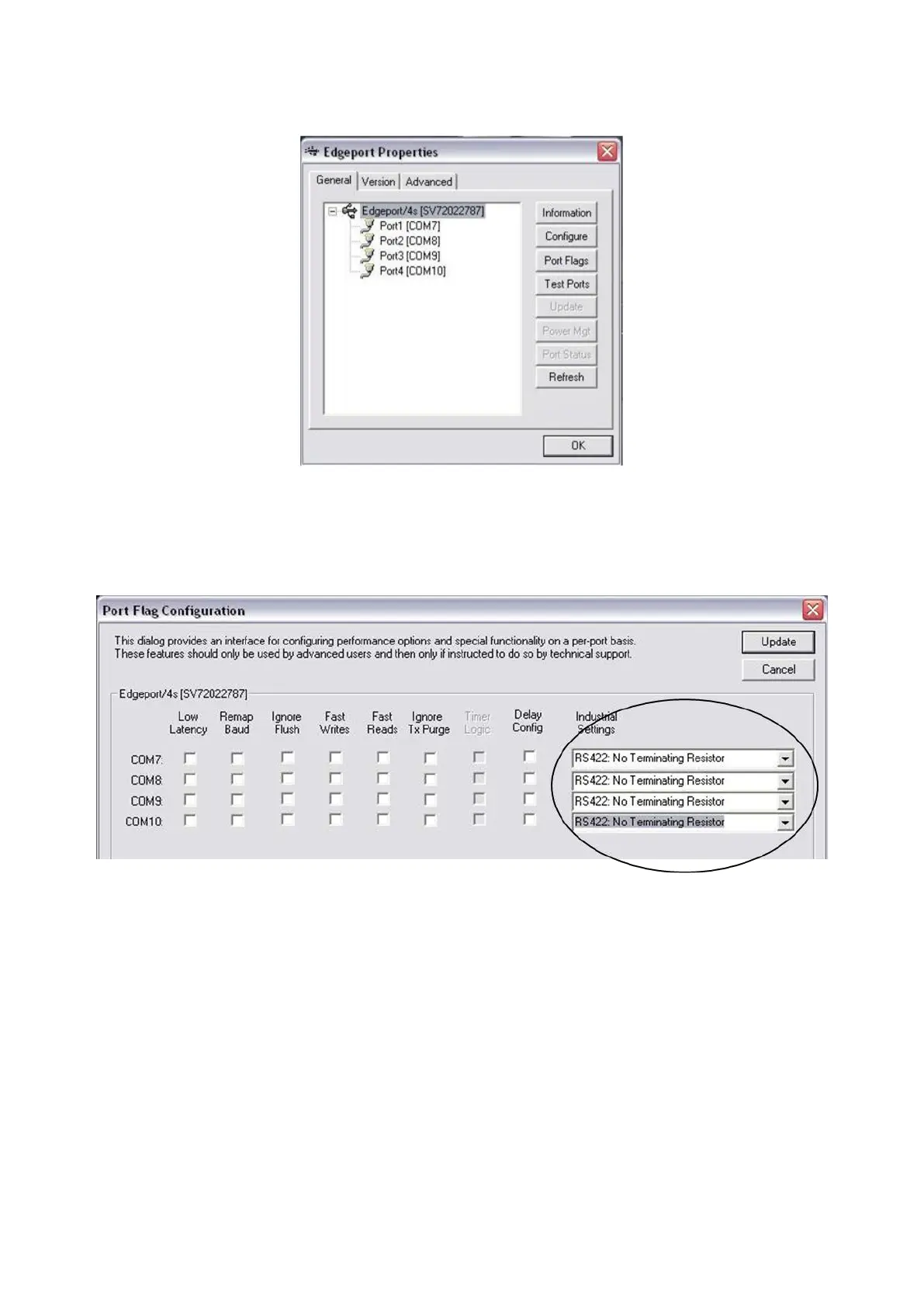
The Edge Port communicates to your server via a RS-422 connection, to ensure
that the Edge Port is configured to do so select the Port Flags button, in the
Edgeport Properties window, which will bring up the Port Flag Configuration
window below.
Under Industrial Settings, ensure that each COM port is set to RS422: Non
Terminating Resistor.
Select the Update button to save changes, then close the Edgeport Properties
window
Adding DDR Control to a Show
The use of the external DDR is similar to the use of the internal clip store, as the
device must be assigned in the show definition as being included in a show, and
then the device controls are used to control it.
To add DDR Control to a show:



 To Next Page