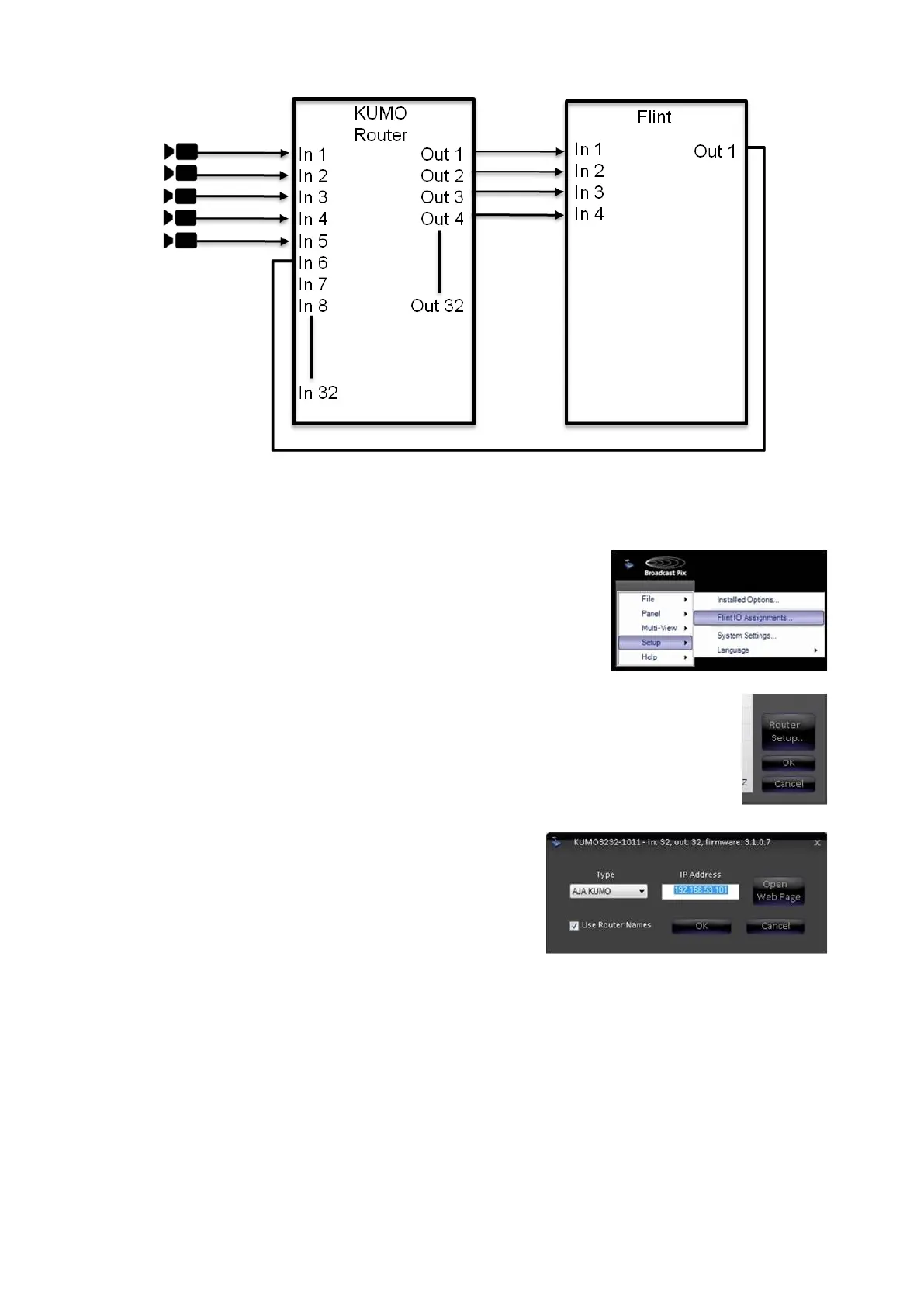
In BPswitcher go to the Setup menu
and select Switcher IO
Assignments…, as shown on the right.
In the Input Assignments window, click
on the Router Setup… button, as
shown on the right.
A pop-up window will appear. Select
AJA KUMO from the Type drop down
menu. In the IP Address text box, enter
the IP address of the KUMO router, this
example will use 192.158.53.101, as
shown on the right.
If a valid IP address is present, the text
box will be white, otherwise it will
highlight in red, and the IP address has
to be adjusted.
Click on the Open Web Page button to
open the KUMO control webpage, as
shown on the right.



 To Next Page