BPswitch Operators Manual
213 / 413
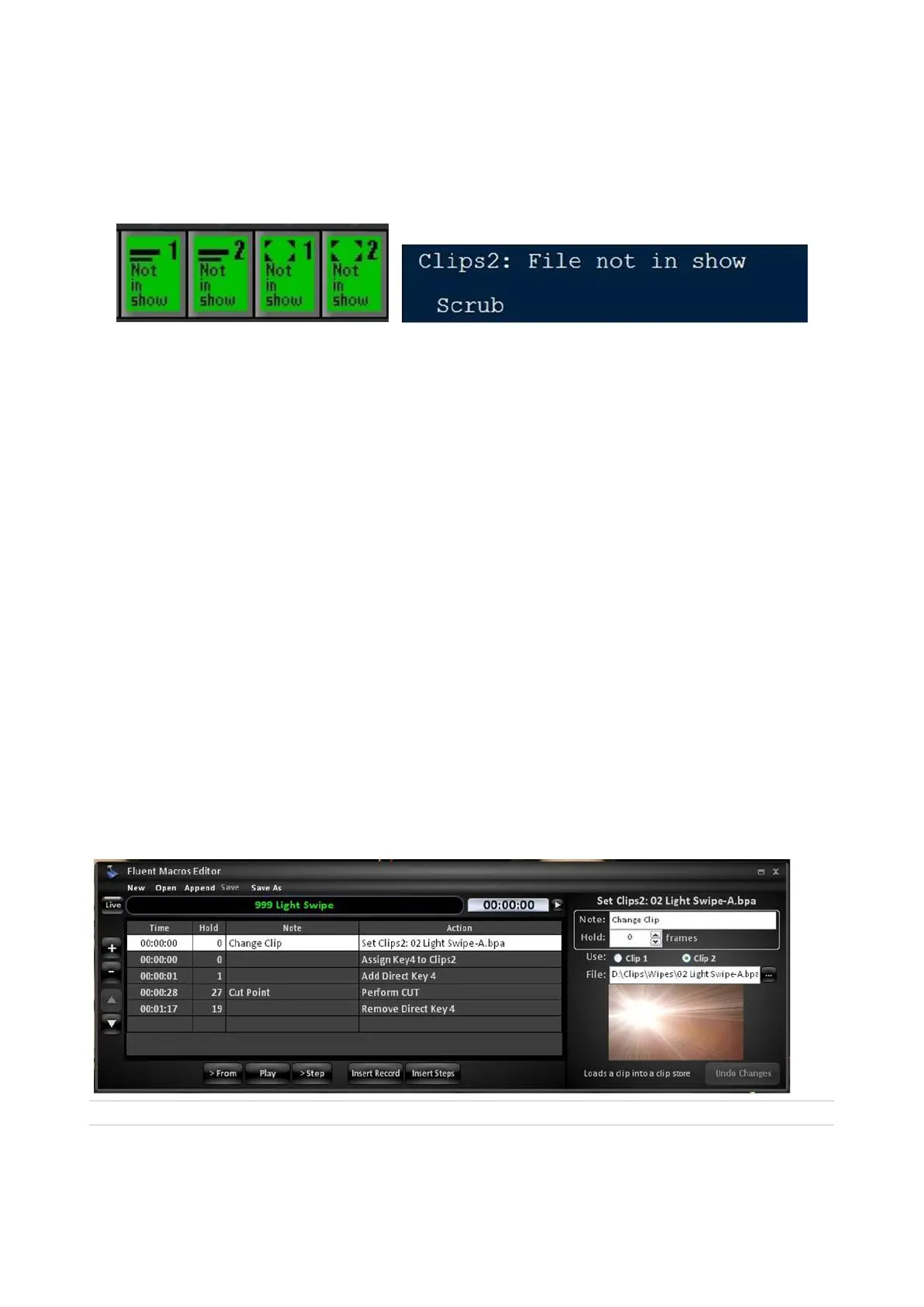
the control panel will provide feedback of files not in a show to advise the user.
The Multi-View, on the other hand, will display the correct file name and attributes.
The control panel source PixButtons and display will look similar to the example
below:
Alpha Wipes
Alpha wipes are animated transitions, which give your shows a contemporary look
and feel. They are created in any graphics applications, and played out of the
animation store (as described in section 5.5.2) When designing alpha wipes, as in
the example “02 Light Swipe”, at least one frame of video needs to cover up the
entire video screen. This ensures an invisible cut in the background between two
sources resulting in a clean transition. Once an animation is loaded into your
show, Fluent Macros is used to rapidly recall the animation, assign it to a keyer,
bring the keyer on air, switch the background (when the animation is full screen)
and finally bring the keyer off air. All these steps in a push of a button, giving you a
professional looking transition.
Alpha wipes are common in sports production when recalling a slo-motion replay
or in news production to grab the audience’s attention. You may also add sound
effects to your alpha wipe (as described in section 5.5.2) to give your transition a
dramatic effect.
Since Macros are file-based, the transition effect, does not need to be in your
show, simply in the clips directory. This ensures that the correct file/effect will play
out every time.
Below is a sample alpha wipe macro.
Created with the Personal Edition of HelpNDoc: Full-featured Kindle eBooks generator
Capture of Stills
The Broadcast Pix system can capture a still image of any processed output, i.e.



 To Next Page