BPswitch Operators Manual
83 / 413
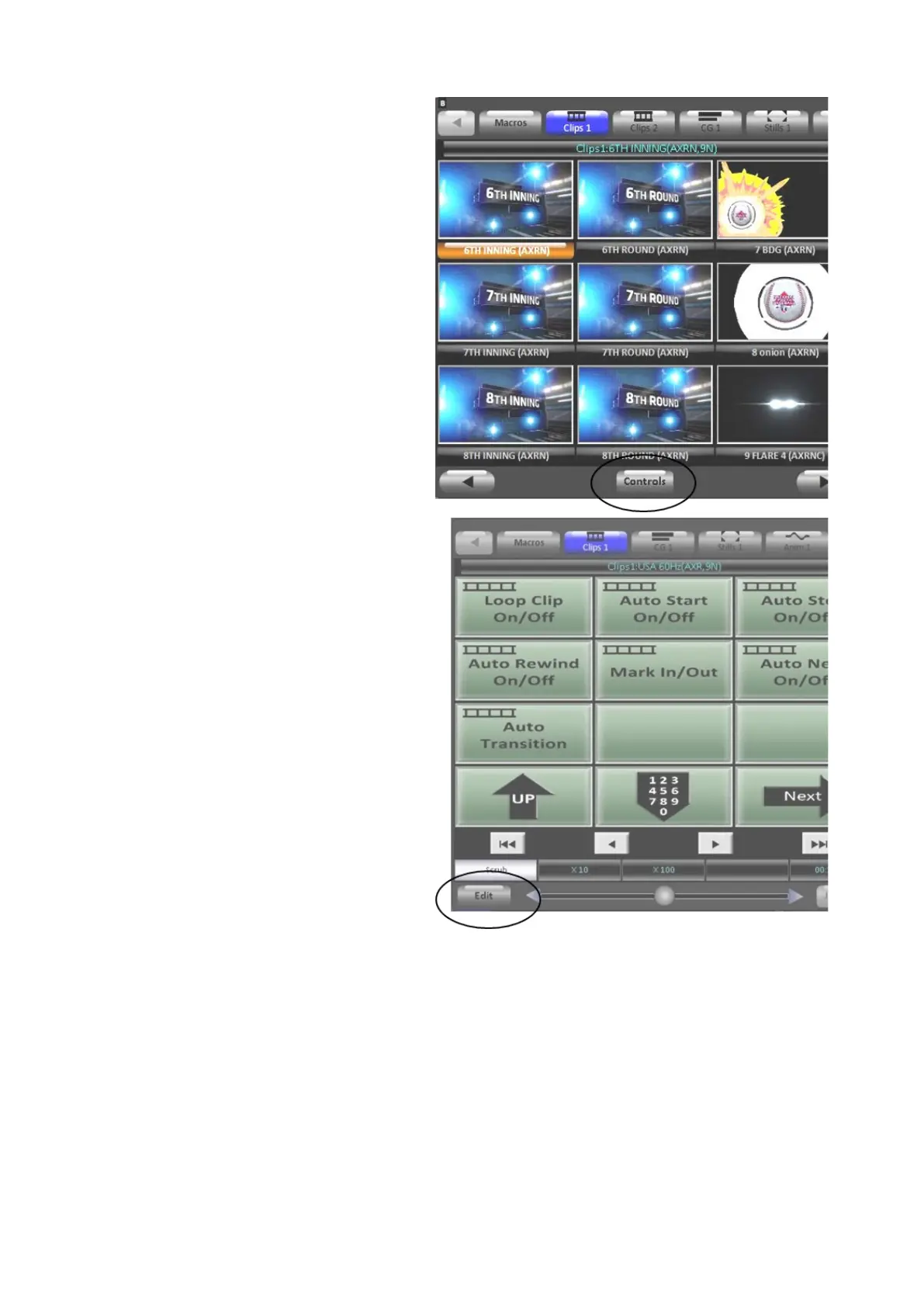
On the Multi-View PixPad, click on
the Controls button.
The Controls PixPad will appear,
on the bottom right of the PixPad,
click on the Edit button, as shown
on the right.
The Content Organizer window
will appear for the specified
device.
Continue modifying the content as
described in the next sections.
NOTE: For external device control, like camera control, the Edit button will be named Settings.
Clicking on the Settings button will bring up the Device Settings menu for the specified device.
Reordering, Adding, or Removing Content
The flexibility of PixMaster allows you to have many different shows, each with
their own unique content. So a “news” show could have its own clips and graphics
separate from a “sports” show, allowing for greater ease of use and reassurance
that
the content will not go on-air in the wrong show. In addition, you can manually sort
your content in the order in which it will be played out during the show, again
allowing for ease of use. With the use of Fluent Watch-folders, you have the ability



 To Next Page