BPswitch Operators Manual
243 / 413
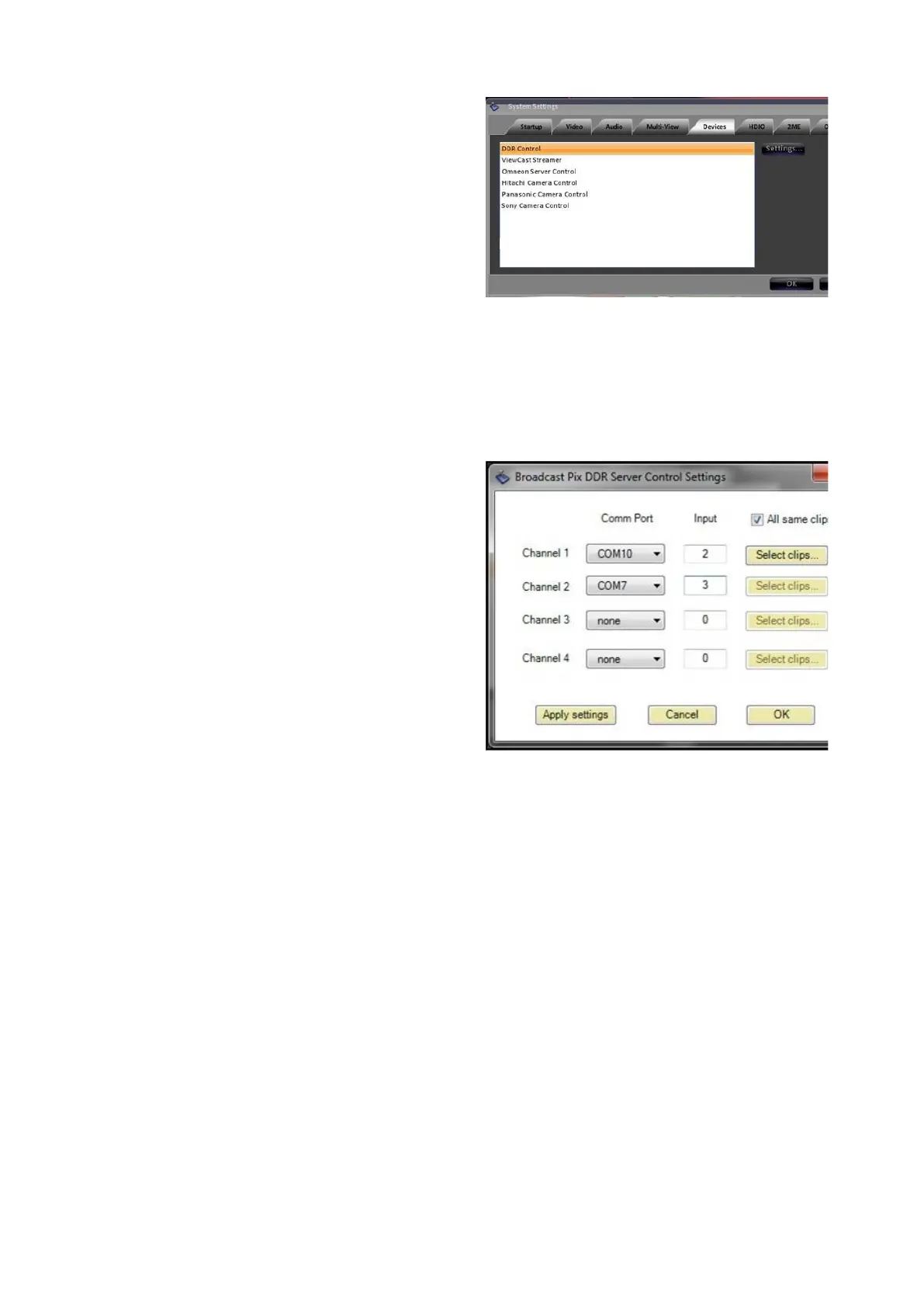
In the System Settings window select
the Devices tab.
Select either DDR Control for 360,
Nexio or K2 control or Omneon
Server Control
for Omneon control. It
will highlight orange, as shown on the
right.
Click on the Settings button, and the
DDR settings window will appear. The
[Setup] PixButton from the Controls
PixPad may also be selected to
access the DDR settings menu.
For each server channel assign the
communications port under the
Comm Port drop down menu.
To see which COM ports are active
on the workstation, navigate to the
Window’s Device Manager, under the
Ports COM & LPT section.
To have Auto-Start capabilities, enter
the switcher input in the Input
Number text field, as shown on the
right.
This number is the physical input
number on the Switcher
NOTE: If an invalid comm port or unable to connect to server message appears, ensure that the
cabling is correct and that the external server is set to be controlled remotely through VDCP
Click on the Apply settings button to
verify the communication ports. If all
ports are verified correctly, the Select
clips… button will activate, as shown
on the right.
For each channel, click on the Select
clips… button and the Select DDR
Clips window will appear, as shown
on the right.
Note that the Select DDR Clips
windows may take up to several



 To Next Page