BPswitch Operators Manual
50 / 413
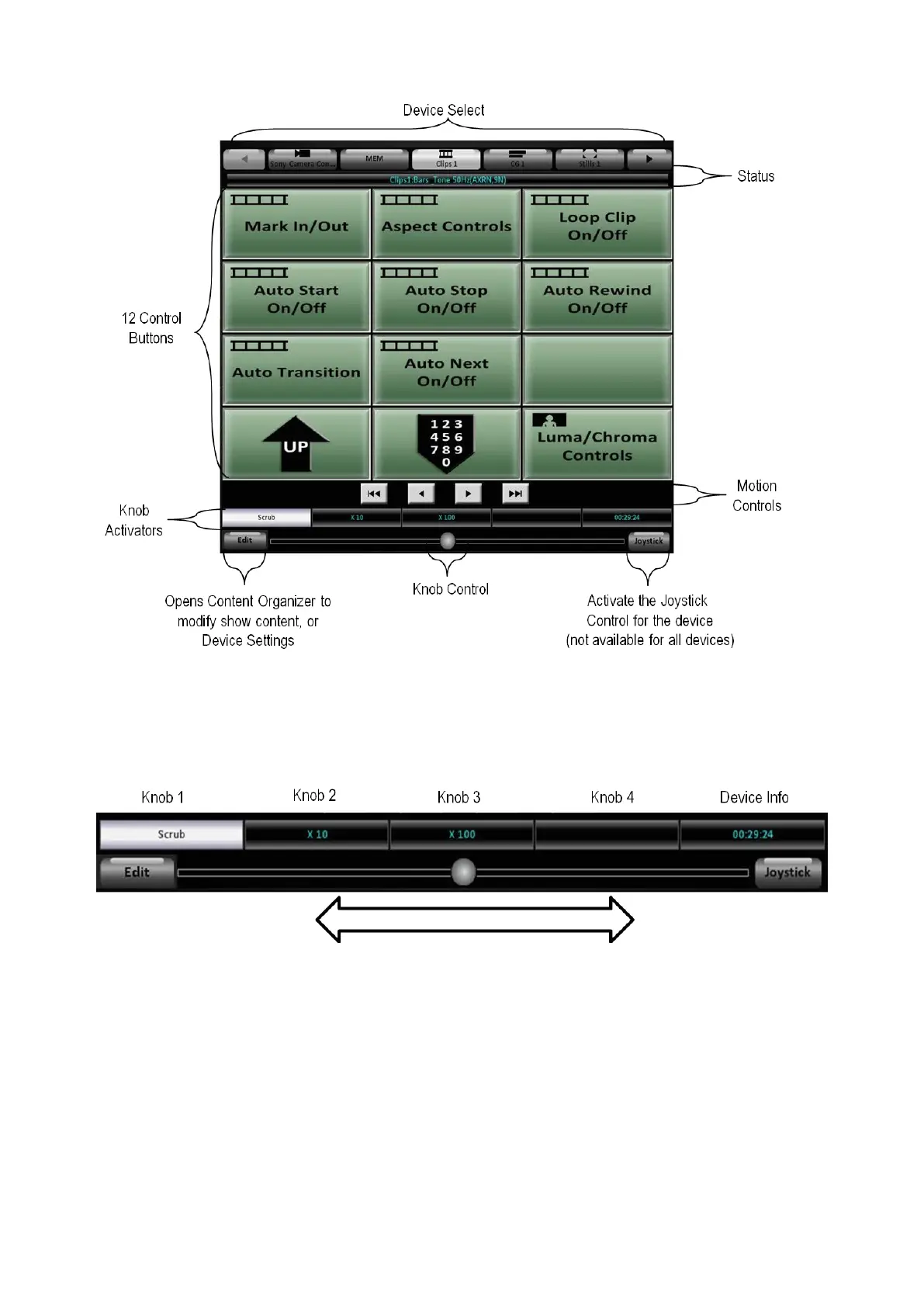
Knob Control on the Multi-View PixPad:
If a device utilizes the knobs for a control, select the desired Knob Activator, and
it will highlight white, as shown below with the ‘Scrub’ control.
Then using the Knob Control circle, click and drag to the right to increase the
knob value, or click and drag to the left to decrease the knob value. The Knob
Activator label will update as the Knob Control is adjusted. The further you drag
the circle, the faster the value increases/decreases.
Joystick Control on the Multi-View PixPad:
To control the Joystick, select the Joystick button on the Multi-View PixPad and it
will highlight blue and the PixPad will show a 2-axis joystick for the X & Y axis (pan
& tilt) plus a slider for the Z axis (zoom), as shown below. Devices which use the
Joystick are Keyer Controls and Camera Control.



 To Next Page