BPswitch Operators Manual
237 / 413
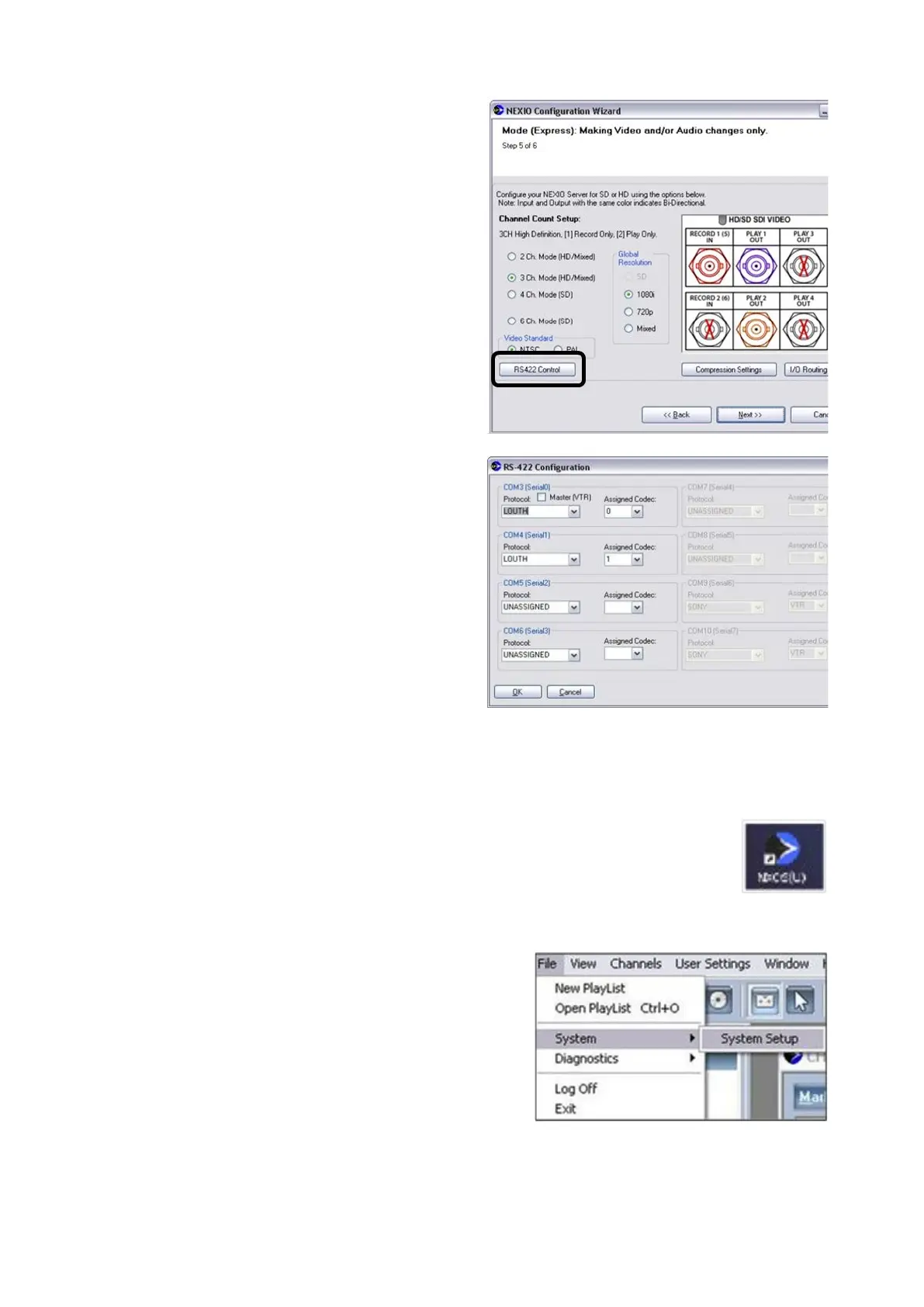
For each Com Port 1-4, click on the
Protocol drop down menu and select
the Louth option, as shown on the
right.
For each Com Port 1-4, click on the
Assigned Codec drop down menu
and assign numbers 0-
3 to Com Ports
1-4 in order, as shown on the right.
You must assign the com ports in
order for proper operation.
Click on the OK button to apply the
changes.
Click on the Next button, then click on
the Finish button.
Restart the Nexio Server.
Once the system reboots, double-click
the Nexos icon on the desktop, as
shown on the right.
Enter your username and password.
Select the File, System, System
Setup menu, as shown on the right.
In the Setup window, place a check
mark in the Remote column next to



 To Next Page