BPswitch Operators Manual
238 / 413
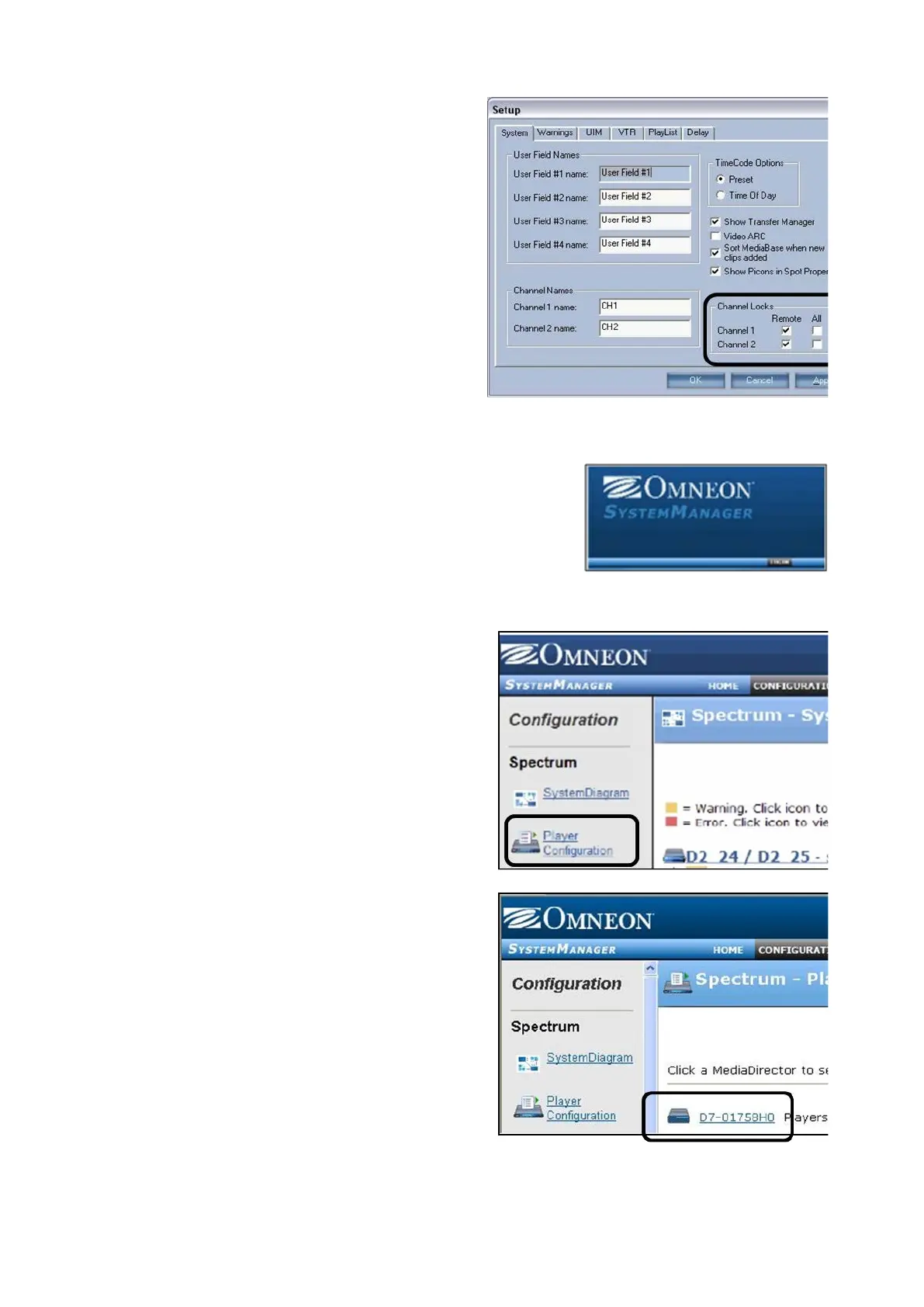
each channel under the Channel
Locks section, as shown on the right.
Click on the Apply button and then on
the OK button to save the settings.
Omneon Mediadeck Configuration:
On Omneon Mediadeck Servers, log
on to the System Manager.
Click the Configuration menu, as
shown on the right.
Click on the Player Configuration link
in the Configuration section, as shown
on the right.
Select the MediaDirector in the Player
Configuration section, as shown on the
right.
Ensure that the Players are
deactivated, by selecting the check



 To Next Page