BPswitch Operators Manual
239 / 413
box to the right of each player and
select on the Deactivate Selected
button.
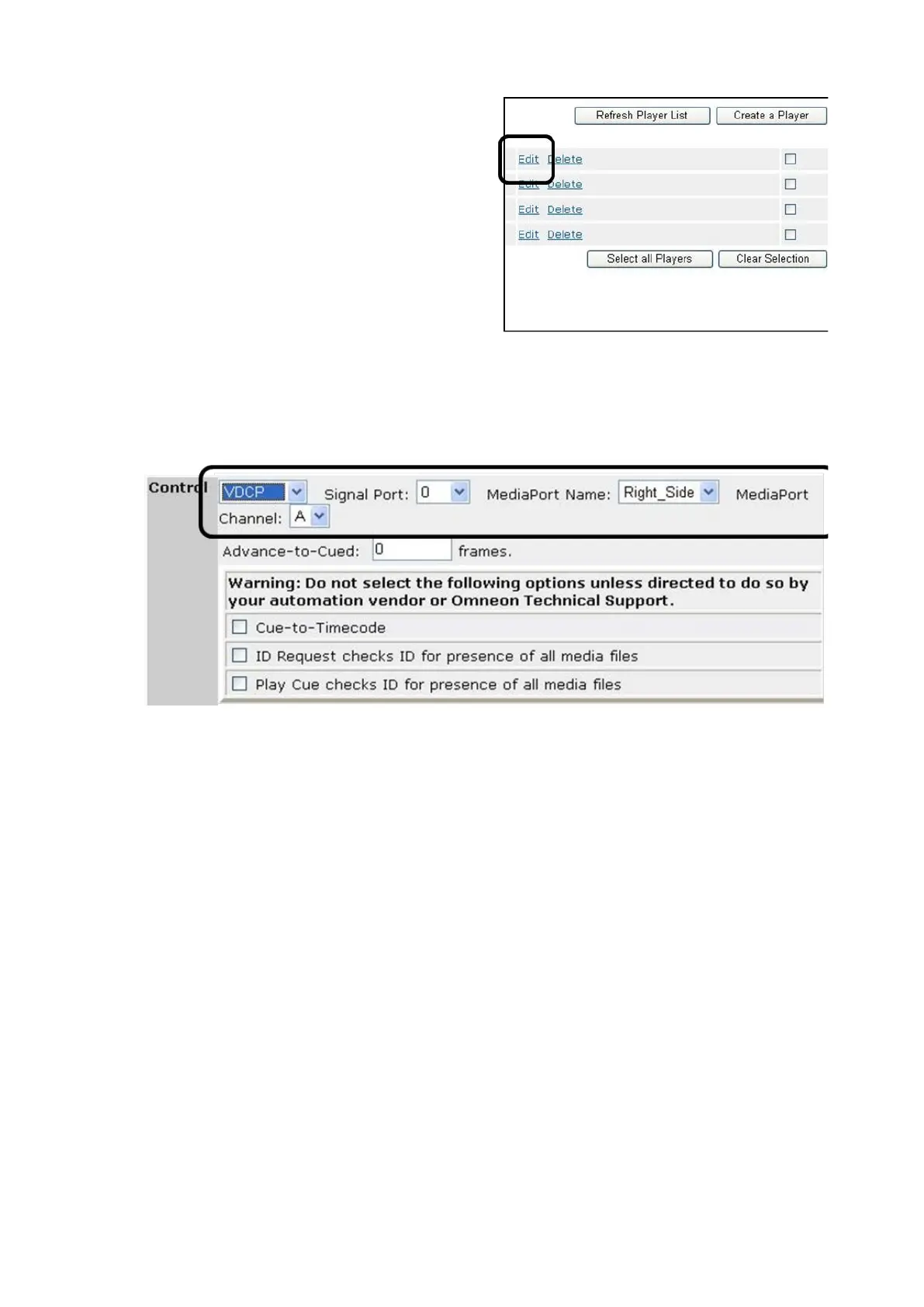
Click on the Edit link for the desired
Player, as shown on the right.
In the Player details, select the VDCP
option under the Control section drop
down menu, as shown below.
Assign the Signal Port number, either
0, 1, 2 or 3.
Assign the MediaPort to be controlled
under the MediaPort Name
drop down
menu.
Assign which channel, A or B, to be
controlled under the Channel drop
drop menu.
Click on the Done button to return to
the list of Players.
Repeat steps 6-11 for the rest of the
players. Only 4 players may be
assigned to a comm port for VDCP
control.



 To Next Page