BPswitch Operators Manual
41 / 413
4 Content Devices
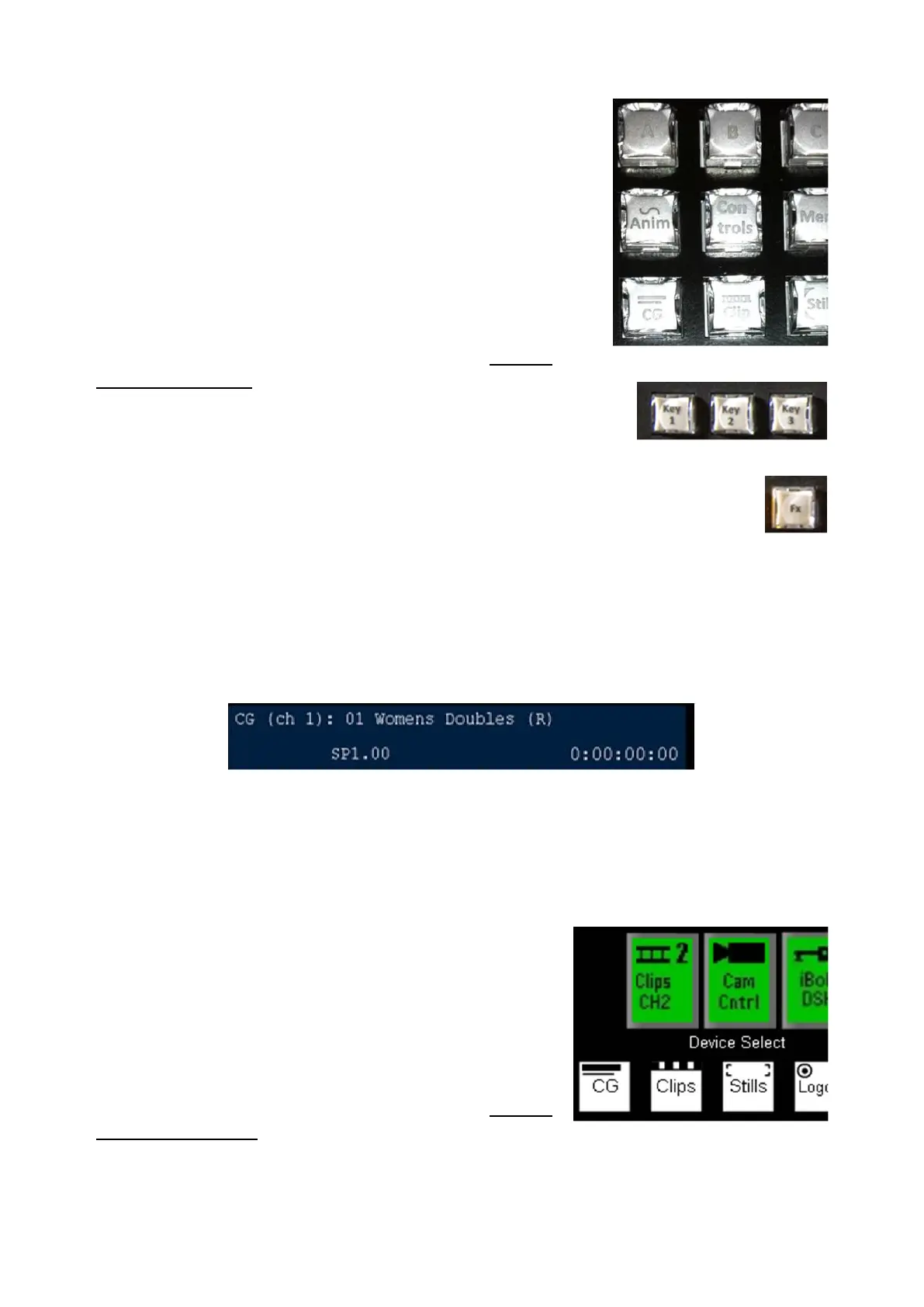
The device controls are assigned to all the standard
devices by using the four permanent device selection
buttons. The 1
st
channel of CG, Clips, Stills and Logos
are accessed by selecting the device button, the 2
nd
channel is access by selecting [Shift] followed by the
device button or through the Wildcard Device buttons.
3 “Wildcard” Device A/B/C Buttons
- To control external cameras and servers
For specifics on how to assign devices, see Adding
Wildcard Devices
3 Destination Buttons:
- Three Key buttons
1 Effects button
1 Controls button
1 Memory button
Which Device is Assigned?
At all times you can tell what device is assigned to the Device Controls, by looking
at the upper left corner of the display, in this illustration it is the first channel of CG.
1000 Device Control:
The entire bank of device controls can be assigned by any of the buttons below:
4 Content Devices
The device controls are assigned to all the standard
devices by using the four permanent device
selection buttons. The 1
st
channel of CG, Clips, Stills
and Logos are accessed by selecting the device
button, the 2
nd
channel is access by selecting [Shift]
followed by the device button or through the
Wildcard Device buttons.
For specifics on how to assign devices, see Adding
Wildcard Devices.
4 Destination Buttons:
- Three Key buttons



 To Next Page