BPswitch Operators Manual
407 / 413
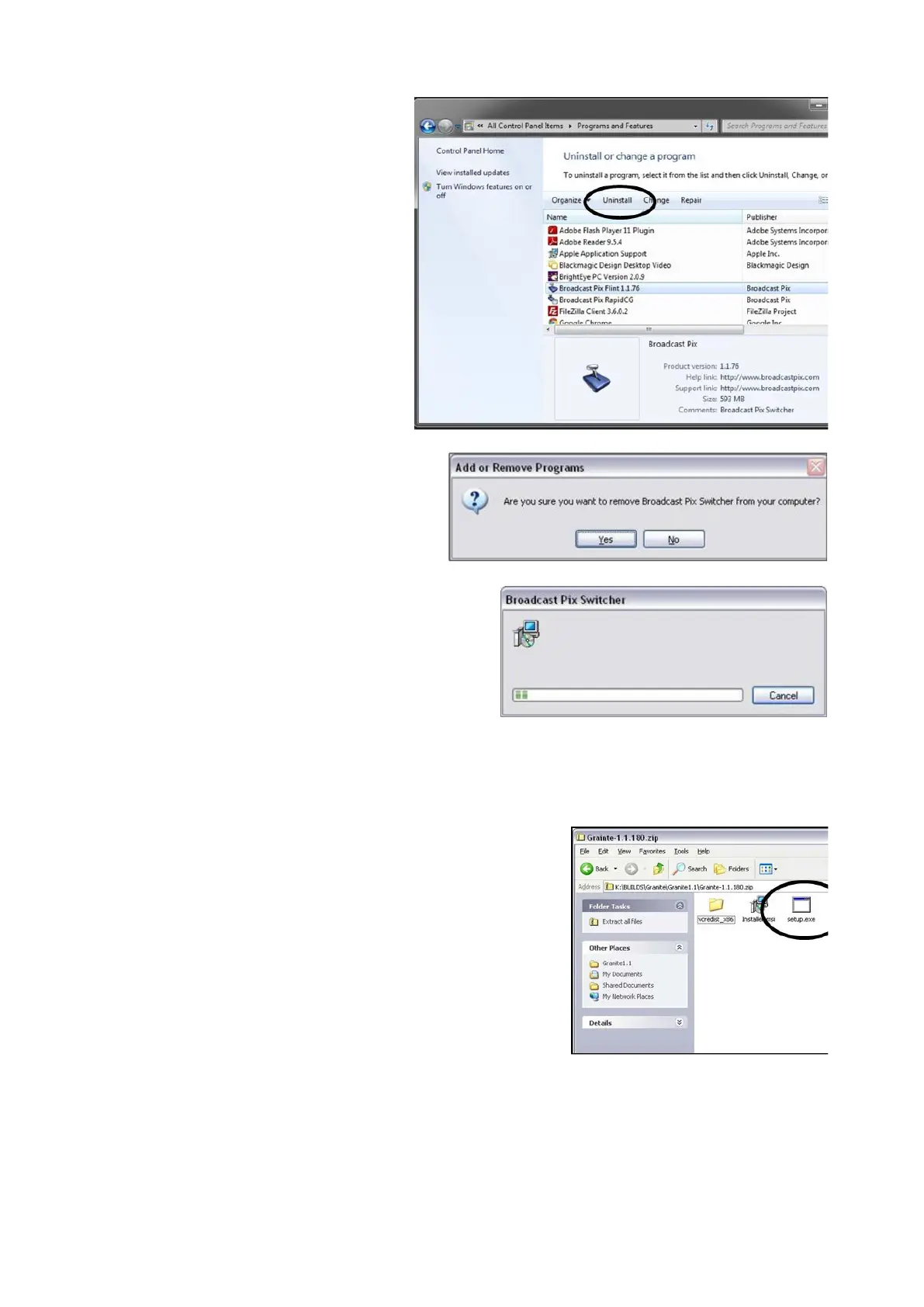
On the Add or Remove
Programs window, highlight
Broadcast Pix Switcher as
shown to the right, and click on
the Uninstall at the top of the
screen button.
It is important not to remove any
other software, as this may
effect system performance.
A pop-up message will appear
asking if you want to remove
the application. Click on the
Yes button.
It will display a series of
progress bars to show
Broadcast Pix Software being
removed.
This process may take 2-5
minutes.
To Load the New Version of Broadcast Pix Software:
Once the previous version has been uninstalled
and the new version has been downloaded,
Open the zip file that you downloaded by double-
clicking on it.
Double-click on Setup.exe file, as shown on the
right.



 To Next Page