BPswitch Operators Manual
405 / 413
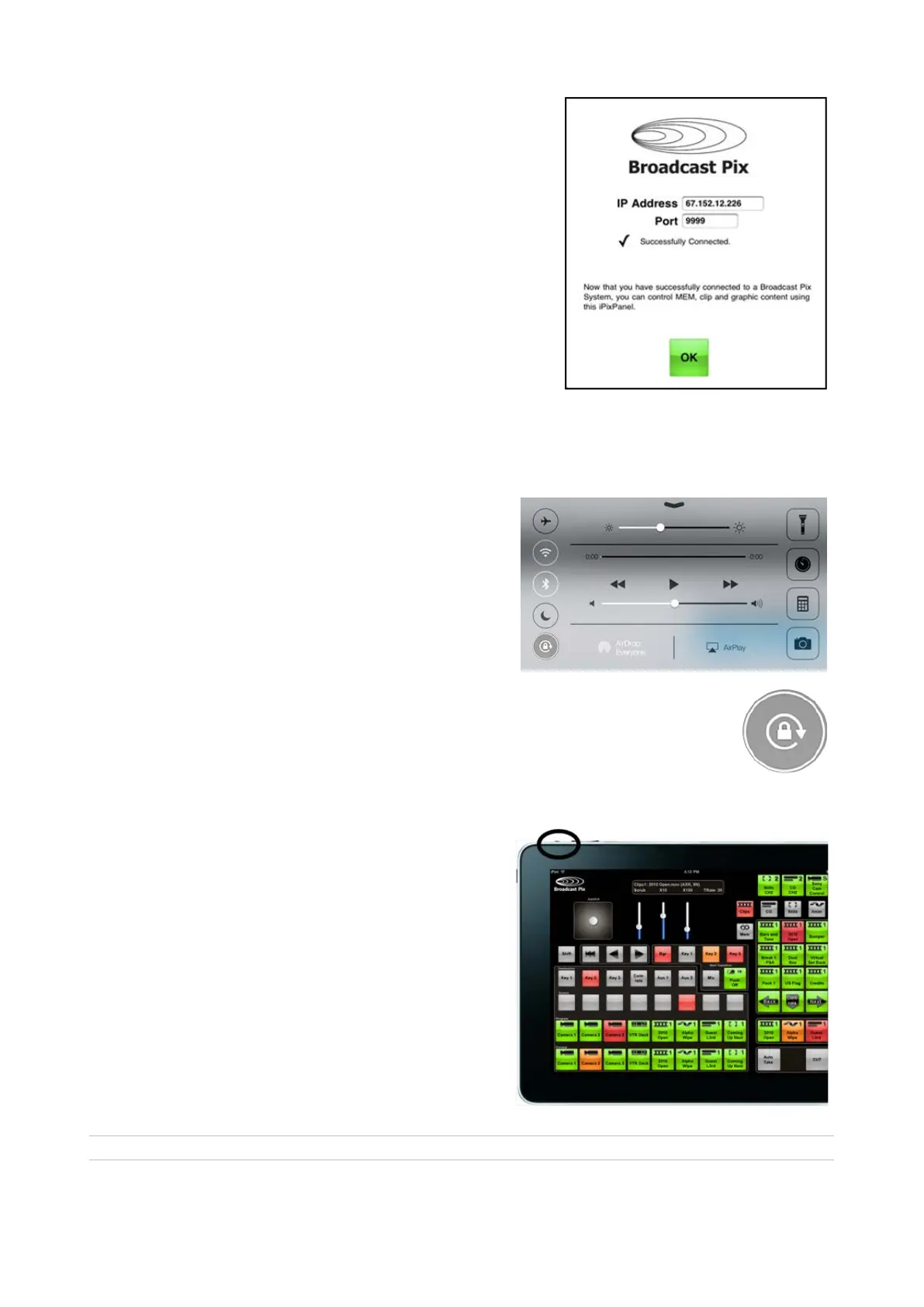
Click on the Done button to hide the
keyboard.
The app will attempt to connect to the
system, if it successfully connects the
PixPad will appear. If not, verify the
connect and IP address.
Click on the [OK] button, to close the
settings window.
A full 1ME panel will appear, allowing for 8
direct inputs to be selected (16 with Shift)
and access to device controls. Operation is
similar to a Broadcast Pix 1ME Control
Panel.
To lock the orientation of the panel in either
portrait or landscape mode, hold the iPad
in the desired position and swipe up from
the very bottom of the display to open
the Control Center.
You can be on the lock screen, at the
home screen, or in an app.
Locate the Orientation Lock button in the
upper right corner, tap on it and it will
illuminate white, as shown on the right.
To unlock the orientation, repeat this step
As buttons are selected, clicks will be
heard from the iPad speakers. To mute or
lower the volume of the clicks, use the
volume controls on the side of the iPad or
again use the Control Center to adjust the
volume.
Created with the Personal Edition of HelpNDoc: Free help authoring environment



 To Next Page