BPswitch Operators Manual
190 / 413
then played at the push of a button. At the heart of the Macros is a file-based
architecture that not only remembers button pushes and commands, but more
importantly files from the Clip and Graphic stores.
Macros consists of an advanced Editor which is used to record, edit and modify an
effect and a Player used to trigger pre-made effects.
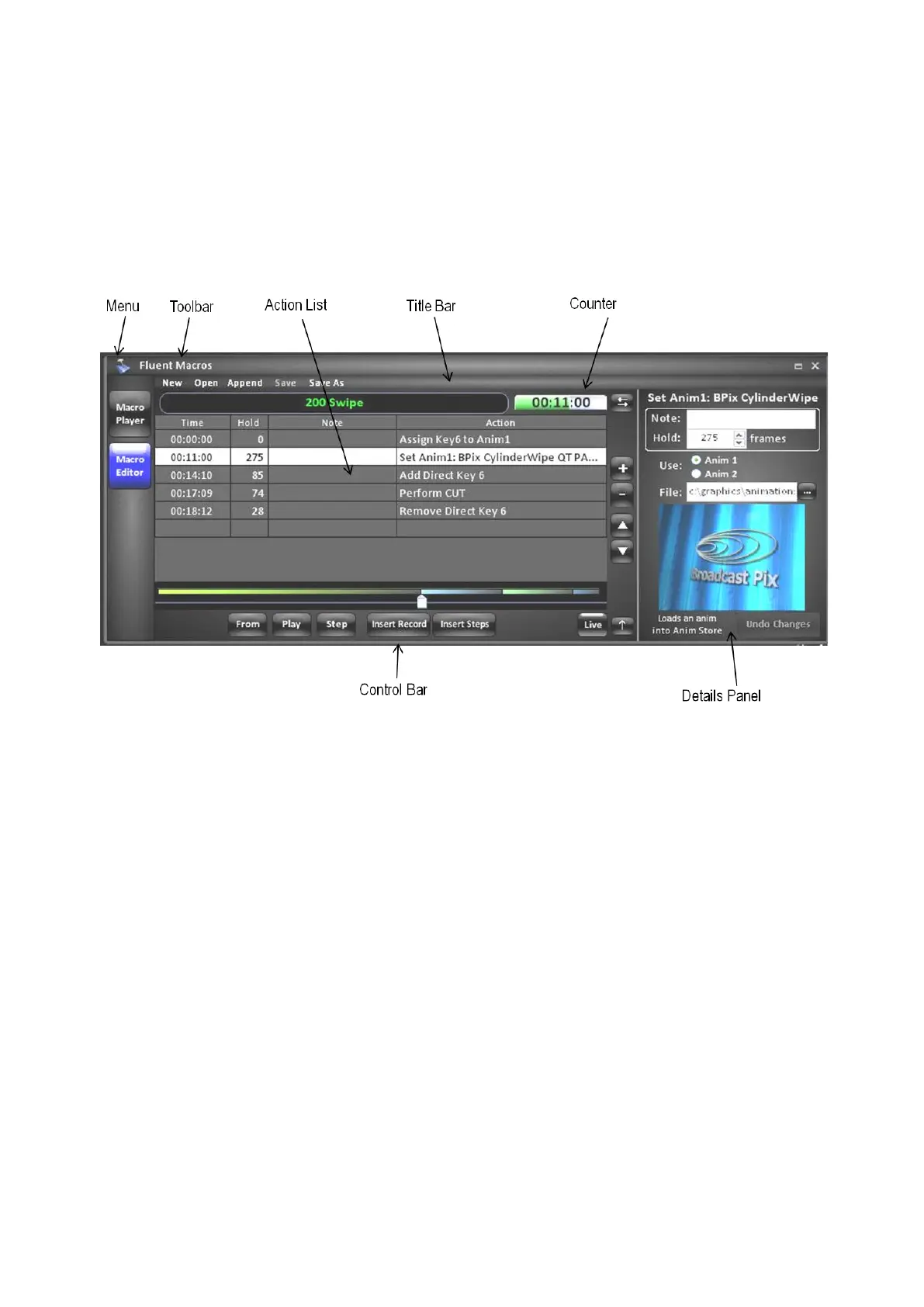
Macro Editor Overview:
Action List
Displays the list of commands (steps) in a selected macro. Fields include: Time to
show duration, Hold time to show how many frames a specific action will take to
start, a Note field for user comments and Action to view the command.
Menu
Contains the available settings for Macros.
Toolbar
Contains the available options to open and save a macro.
Title Bar
Displays the name of the loaded macro file and if it needs to be saved.
Counter
Displays the running/elapsed time of the macro.
Control Bar
Contains the available tools to record and playback a macro.
Details Panel
Displays the available editing options for a specific command selected in the
Action List.
Macro Player Overview:



 To Next Page