BPswitch Operators Manual
132 / 413
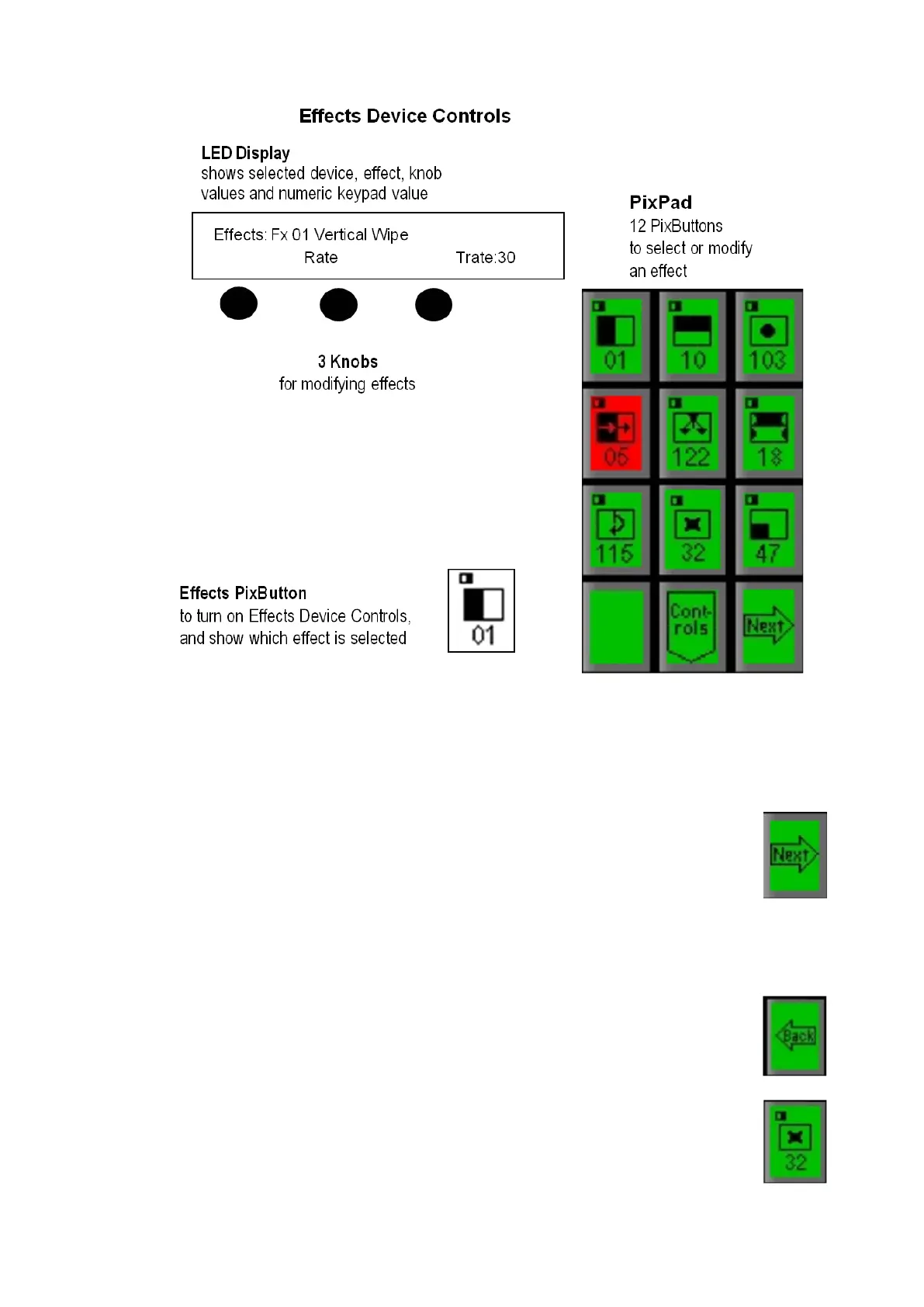
The Effects PixPad displays the first 9 effects, press the desired [Effect
Pattern] PixButton, and it will illuminate red and the previously selected
effect will turn to green. This will also change the selected effect shown in
the display and on the [Effects] PixButton.
To view additional effects, press the [Next] PixButton, and the next
9 will appear.
To see the 9 beyond that press the [Next] PixButton again. You
may press the [Next] button until the PixPad runs out of
assigned pages.
To back up and look at the previous PixPad, press the [Back]
PixButton
To return the the home or first page of the Effect PixPad, press the
[Effects] PixButton.



 To Next Page