BPswitch Operators Manual
149 / 413
PixPad with the Layer Up and Layer Down PixButtons or with the mouse by
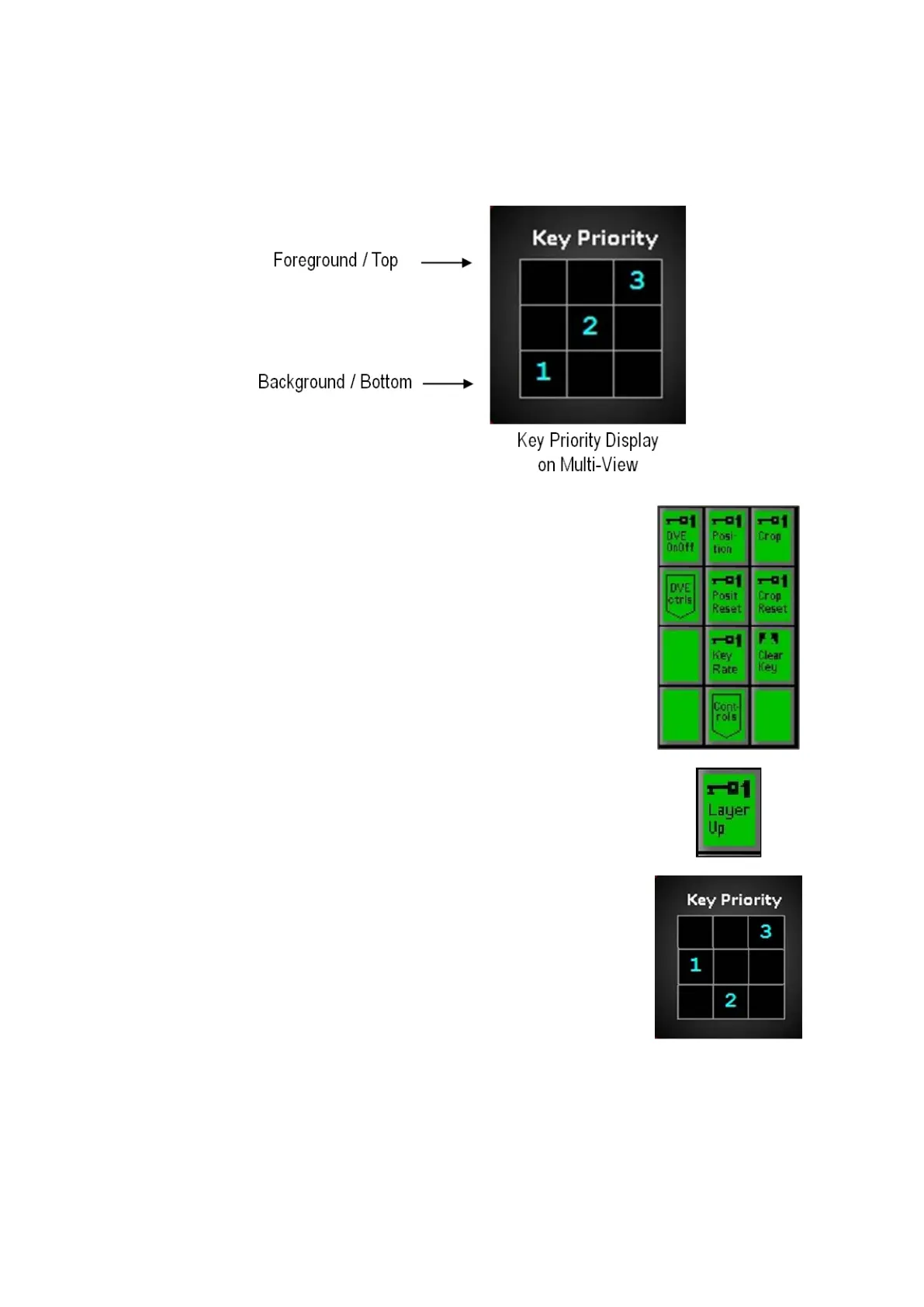
clicking on the Key Priority window. Each keyer can be moved one layer at a time
and the order is visible on the Multi-View if the Key Priority window is floated, as
shown below.
Select the desired Key, by pressing the [Key 1
Select], [Key 2 Select] or [Key 3 Select]
button in the
destination row, it will illuminate orange.
The PixPad will change showing the controls for the
keyer.
Select the [Controls] PixButton.
In the new PixPad page, select the [Layer Up]
PixButton, as shown on the right.
The keyer will move up one layer and the display will
update to reflect that, as shown on the right.
To move the same keyer up more layers, continue to
select the [Layer Up] PixButton.
To move a different keyer up one layer, repeat steps
1-3.
To move a keyer down one layer:
Select the desired Key, by pressing the [Key 1
Select], [Key 2 Select] or [Key 3 Select]
button in the
destination row, it will illuminate orange.



 To Next Page