BPswitch Operators Manual
151 / 413
Select the Keyer you wish to use by pressing either [Key 1 Select], [Key 2
Select] or [Key 3 Select]. This will assign the Device Controls to the Keyer
selected, as described in Assigning a Source to Key 1-3.
Press the [DVE OnOff] PixButton on the PixPad, which will cause the word
(DVE) to appear in the display to let you know the DVE is applied, as shown
below:
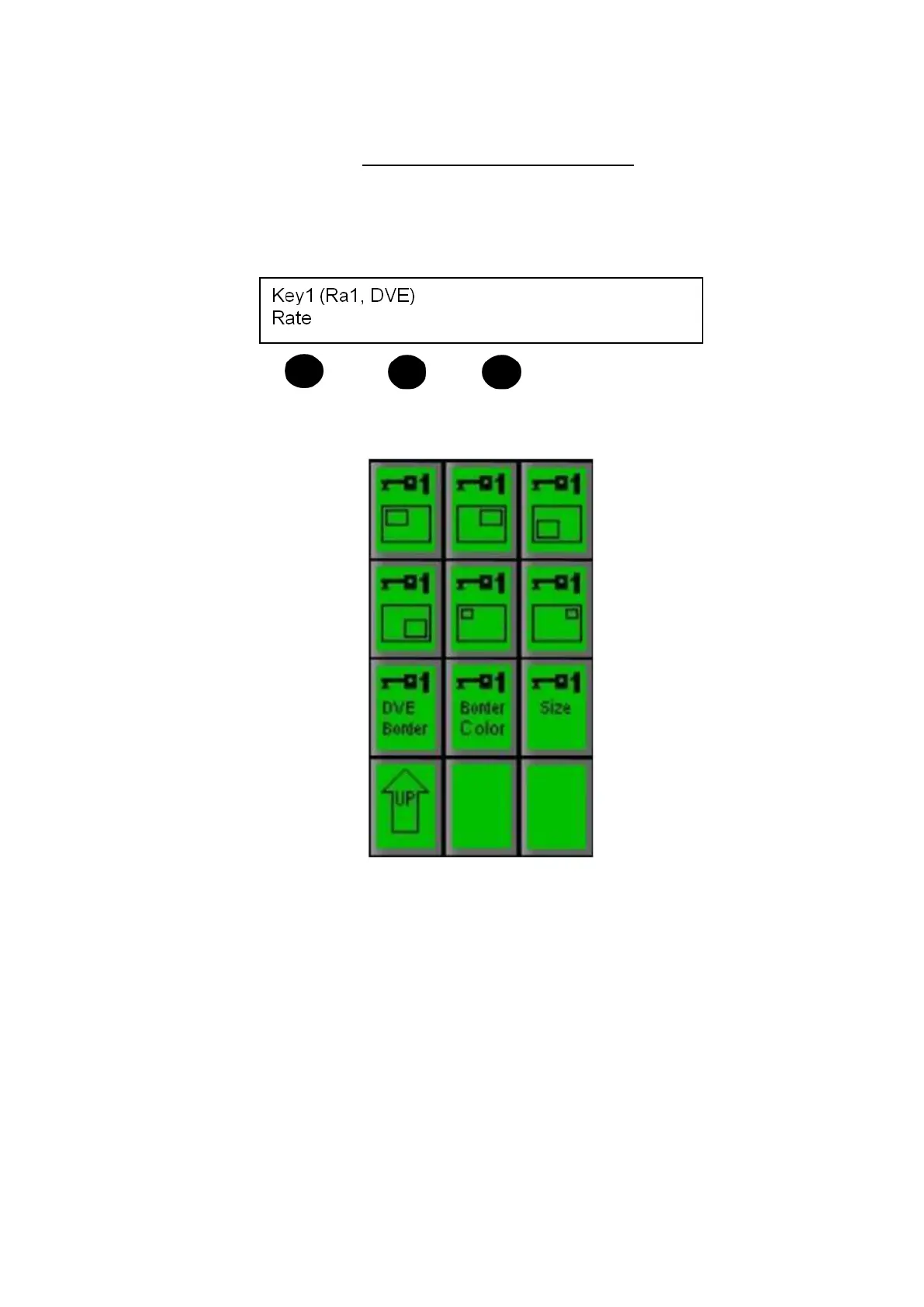
Press the [DVE Controls] PixButton on the PixPad, which will bring up the
following PixPad of controls:
Select the desired DVE Box pattern preset by pressing one of the six [DVE
Box Pattern] PixButtons. The selected DVE Box pattern will appear on the
preview monitor.
You can change which source you would like to feed into the DVE Box by
pressing another [Source] button in the source row. When pressed, the
content will appear in the DVE Box on the preview monitor.
Bring the previewed DVE Box to air by pressing either the [Cut] or [Auto]
buttons, or using the [Fader Arm],
or you can manually bring the DVE Box to
air by pressing its [Direct Key Button]
To remove/reset the DVE box and return the Keyer to full screen mode,
press the [DVE OnOff] PixButton.



 To Next Page