BPswitch Operators Manual
181 / 413
described in Running a Show.
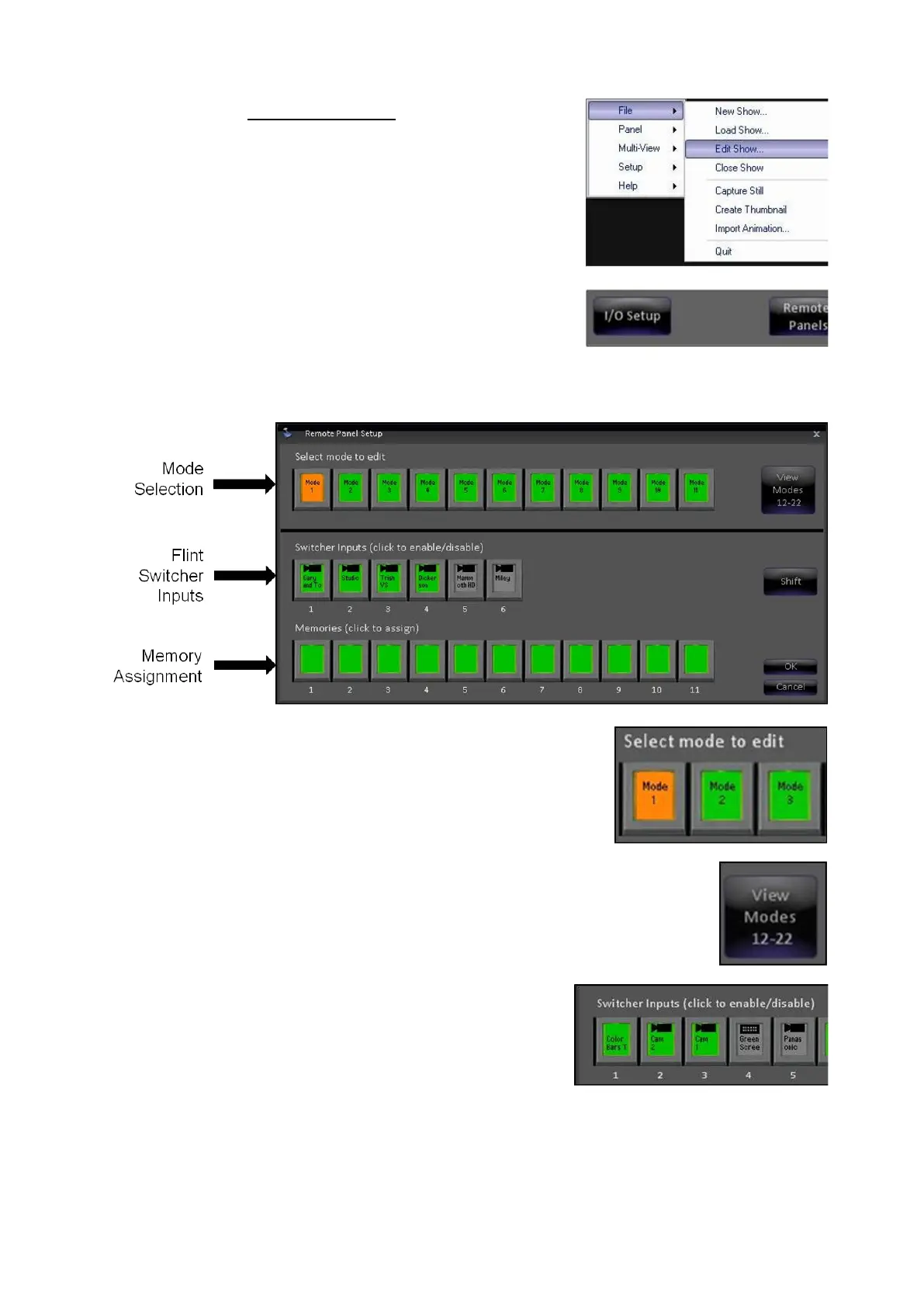
Click on the Broadcast Pix Menu and select File,
Edit Show…, as shown on the right.
In the PixMaster window, select the Remote
Panels button, as shown on the right.
This will open the Remote Panel Setup window,
as shown below.
Select the desired Mode to modify either Mode 1
– Mode 11, the PixButton will highlight orange,
as shown on the right.
To select Modes 12-22 select the View Modes
12-22 button, as shown on the right.
The bottom window will update to show the
current state of the mode.
In the Switcher Inputs section, click on the input
to enable or disable 1 through 6, the PixButtons
will update to Grey or Green, as shown to the
right.
Grey PixButtons signify that the input or output is
blocked and not accessible from the Remote
Panel. Green PixButtons signify that the input or
output is allowed for selection.
The inputs shown are the direct inputs to the



 To Next Page